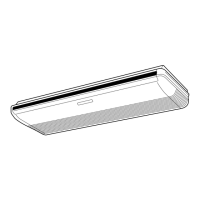
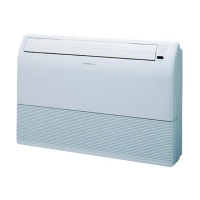
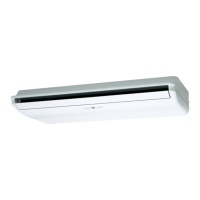
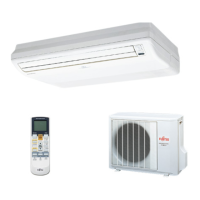
This document outlines the operation and maintenance of a Fujitsu Room Air Conditioner, available in both Floor Console and Under Ceiling Dual Type configurations. It covers models ABT14RG, ABT18RG, ABT24AG, ABT24RG for indoor units, and AOT14RN, AOT14RG, AOT18RZ, AOT24AB, AOT24RZ for outdoor units. The manual emphasizes safety precautions, features, operational procedures, and care instructions to ensure safe and efficient use.
Function Description
The air conditioner is designed to provide comfortable indoor environments through various operating modes. For cooling models, it offers automatic operation in Cooling or Dry mode based on the thermostat setting and room temperature. Heat & Cool models (reverse cycle) expand this to include Heating and Monitor modes.
Automatic Operation:
- Cooling Model: Simply pressing the START/STOP button initiates automatic operation in either Cooling or Dry mode, adjusting to maintain the set thermostat temperature.
- Heat & Cool Model (Reverse Cycle): For these models, pressing START/STOP activates Heating, Cooling, or Monitor modes automatically, aligning with the thermostat setting and actual room temperature.
Sleep Timer:
This feature is designed to prevent excessive warming or cooling during sleep by gradually adjusting the thermostat setting.
- Cooling Model: When the SLEEP timer is active during Cooling or Dry mode, the thermostat setting is gradually raised over the operation period. The unit automatically turns off once the set time is reached.
- Heat & Cool Model (Reverse Cycle): In Heating mode, the thermostat setting is gradually lowered. In Cooling or Dry mode, it is gradually raised. The unit powers off automatically at the end of the set time.
Wireless Remote Control Unit:
The system includes a wireless remote control for convenient management of all air conditioner operations, allowing users to adjust settings from a distance.
Omni-Directional Air Flow (Swing Operation):
This feature provides three-dimensional control over air direction. It utilizes both UP/DOWN and RIGHT/LEFT air direction swings. The UP/DOWN flaps adjust automatically based on the operating mode, allowing for optimized air distribution.
Mildew-Resistant Filter:
The air filter is specially treated to resist mildew growth, contributing to cleaner air and simplifying maintenance.
Usage Features
The air conditioner offers a range of features to enhance user comfort and control.
Mode Selection:
Users can select desired operating modes (AUTO, COOL, DRY, FAN, *HEAT) using the MASTER CONTROL button on the remote. The display will update to show the selected mode.
Thermostat Setting:
Temperature can be adjusted using the SET TEMP. buttons. The thermostat range is 18 to 30°C for AUTO, 16 to 30°C for *Heating, and 18 to 30°C for Cooling/Dry. In FAN mode, temperature setting is not available.
Fan Speed Control:
The FAN CONTROL button allows users to cycle through fan speeds: AUTO, HIGH, MED, and LOW. In AUTO mode, the fan speed adjusts according to the operating mode and room temperature to optimize air circulation. For *Heating, the fan operates to circulate warmed air, slowing down if the air from the indoor unit is cool. In Cooling, fan speed decreases as the room temperature approaches the thermostat setting. In FAN mode, the fan cycles on and off at low speed.
Timer Operation:
The unit supports various timer functions for scheduled operation.
- ON Timer/OFF Timer: Users can set specific times for the unit to turn on or off. The TIMER button cycles through RESET, OFF, ON, and PROGRAM modes. The SET TIME buttons adjust the desired time.
- PROGRAM Timer: This advanced timer allows for a sequence of OFF and ON operations within a 24-hour period. For example, the unit can be set to turn off after bedtime and turn on before waking up. The first timer function closest to the current time will operate first.
- SLEEP Timer: This function automatically modifies the thermostat setting during sleep to maintain comfort and turns off the unit after the set duration. In *Heating, the thermostat is gradually lowered. In Cooling/Dry, it is gradually raised.
Air Flow Direction Adjustment:
- Vertical Air Direction: The AIR FLOW DIRECTION VERTICAL SET button controls the UP/DOWN air direction flaps. The remote displays various airflow patterns, and the system automatically sets vertical airflow based on the selected operation mode (horizontal for Cooling/Dry, downward for *Heating).
- Horizontal Air Direction: The AIR FLOW DIRECTION HORIZONTAL SET button adjusts the RIGHT/LEFT air direction louvers. The remote does not display changes for this setting.
- Swing Operation: Both vertical and horizontal swing operations can be activated, causing the flaps or louvers to move automatically across their respective ranges. The range of swing is relative to the currently set airflow direction.
ENERGY SAVE Operation:
This feature helps reduce energy consumption by controlling the thermostat temperature setting. When activated in COOL, DRY, or *HEAT modes, the thermostat setting is gradually adjusted (decreased for *Heating, increased for Cooling/Dry) to save energy.
MANUAL AUTO Operation:
In cases where the remote control is lost or unavailable, the unit can be operated using the MANUAL AUTO button on the main unit control panel. This will operate the unit in AUTO mode with a fan speed of "AUTO" and a thermostat setting of 23°C.
Maintenance Features
Proper maintenance ensures the longevity and efficient operation of the air conditioner.
Cleaning the Air Filter:
Regular cleaning of the air filters is crucial for optimal performance.
- Removal: Pull out both sides and the center of the intake grille, then pull the air filters upward by pushing their handles away from the grille.
- Cleaning: Dust can be removed using a vacuum cleaner or by washing the filters in a solution of mild detergent and warm water. After washing, filters should be thoroughly dried in a shady place before reinstallation.
- Re-attachment: The air filters fit onto the inside of the intake grille, with bottom edges fitting into filter brackets and top edges under projections. Finally, push in both sides and the center of the intake grille.
- Frequency: Air filters should be cleaned every two weeks during periods of normal use. Accumulated dirt can reduce airflow, lower operating efficiency, and increase noise.
General Care:
- Extended Use: For prolonged periods of use, internal dirt accumulation can reduce performance. Regular inspections by authorized service personnel are recommended.
- Unit Body Cleaning: When cleaning the unit's body, avoid water hotter than 40°C, harsh abrasive cleansers, or volatile agents like benzene or thinner. Do not expose the unit body to liquid insecticides or hairsprays.
- Storage: If the unit will not be operated for a month or more, allow the inner parts to dry thoroughly by operating the unit in fan mode for half a day before storage.
Safety Precautions:
The manual stresses several safety precautions:
- Installation and Repair: Do not attempt self-installation or repairs. Always consult authorized service personnel.
- Moving the Unit: Consult authorized service personnel for disconnection and installation when moving the unit.
- Exposure to Cold Air: Avoid prolonged exposure to direct airflow.
- Inserting Objects: Do not insert fingers or objects into outlet ports or intake grilles.
- Power Supply: Do not start/stop operation by disconnecting the power supply cord. Ensure the power supply cord is not damaged.
- Malfunction: In case of burning smell or other malfunction, immediately stop operation, turn off the electrical breaker, and consult authorized service personnel.
- Ventilation: Provide occasional ventilation during use.
- Airflow Direction: Do not direct airflow at fireplaces or heating apparatus.
- Physical Interaction: Do not climb on, place objects on, or hang objects from the indoor unit. Do not place flower vases or water containers on top of the unit.
- Water Exposure: Do not expose the air conditioner directly to water or operate with wet hands.
- Power Cord: Do not pull the power supply cord. Turn off the power source when not using the unit for extended periods.
- Installation Stand: Check the installation stand for damage.
- Animals/Plants: Do not place animals or plants in the direct path of the airflow.
- Drained Water: Do not drink the water drained from the air conditioner.
- Specific Applications: Do not use the unit for storing foods, plants, animals, precision equipment, or art works.
- Radiator Fins: Do not apply heavy pressure to radiator fins.
- Air Filters: Operate only with air filters installed.
- Grille/Port: Do not block or cover the intake grille and outlet port.
- Electronic Equipment: Ensure electronic equipment is at least one meter away from indoor or outdoor units.
- Flammable Gases: Do not use inflammable gases near the air conditioner.
- Infants: Take precautions to prevent access to infants during installation.
Troubleshooting:
The manual provides a troubleshooting guide for common issues, including:
- Unit not operating immediately: Compressor protection (3-minute delay), power supply issues (fuse, circuit breaker), or timer operation.
- Noise: Sound of water flowing, slight squeaking from expansion/contraction of front cover, or sizzling during *Heating (Automatic Defrosting).
- Smells: Room smells absorbed by the unit.
- Mist/Steam: Condensation during Cooling/Dry, or steam from outdoor unit during *Heating (Automatic Defrosting).
- Weak/Stopped Airflow: Low fan speed during *Heating warm-up, outdoor unit stopping if room temperature exceeds thermostat setting, temporary stop during Automatic Defrosting, or low fan speed during Dry mode/monitoring.
- Water from outdoor unit: Due to Automatic Defrosting during *Heating.
- *Poor Cooling/Heating performance: Dirty air filter, blocked intake/outlet, incorrect thermostat settings, open windows/doors, or heat sources in the room.
- Unit operating differently from remote control: Dead or improperly loaded remote control batteries.
Operating Tips:
- AUTO Restart: In case of power interruption, the unit will restart automatically in the previously selected mode. If a power failure occurs during timer operation, the timer will reset, and the unit will operate under the new timer setting.
- Temperature and Humidity Range: Provides optimal operating temperature and humidity ranges for Cooling/Dry and *Heating modes. Operating outside these ranges may trigger protection circuits or lead to issues like freezing or water leakage.
- Interference: Other electrical appliances or wireless transmitters may cause malfunction. In such cases, temporarily disconnect and reconnect the power supply, then resume operation with the remote control.
- Heating Performance: Heat-pump air conditioners may take time to heat a room, and performance can be reduced at low outdoor temperatures. Using in conjunction with another heating appliance may be necessary.
- Microcomputer-controlled Automatic Defrosting: During *Heating in low outdoor temperature and high humidity, the unit automatically enters a defrost cycle (7-15 minutes) to remove frost from the outdoor unit, during which the OPERATION indicator lamp flashes.
- Low Ambient Cooling: Outdoor unit fans may switch to low speed when outdoor temperature drops.
This comprehensive guide ensures users can effectively operate and maintain their Fujitsu Room Air Conditioner for optimal performance and safety.


 To Next Page
 General