En-11
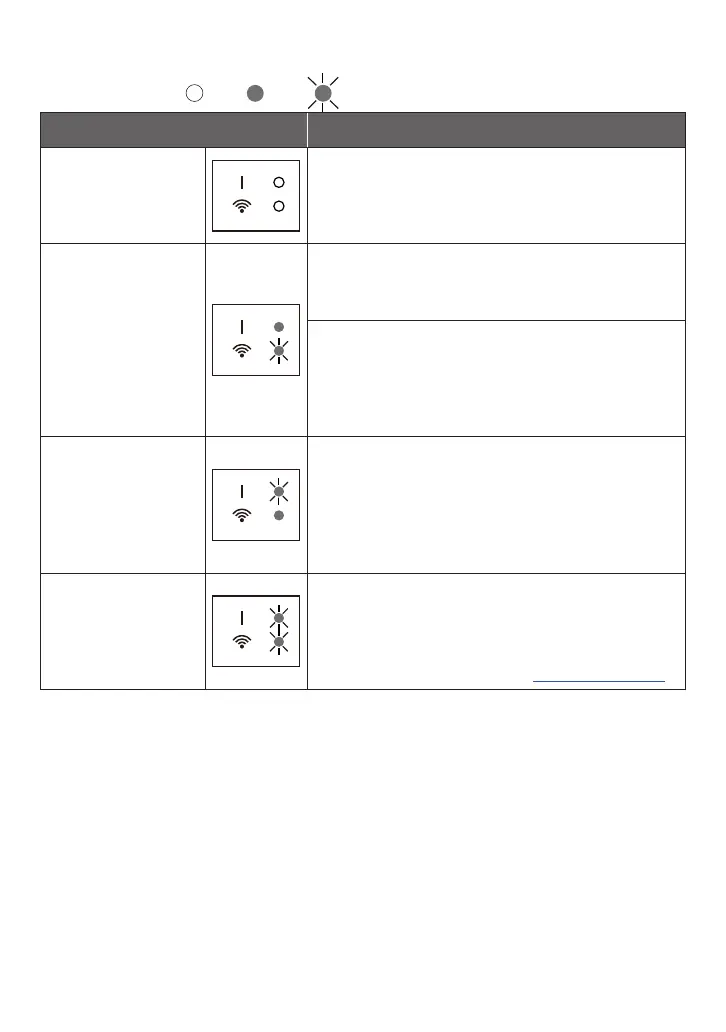
State of the Wireless LAN indicators
*Lighting pattern:
O
On
Blinking
State of the Lamps Causes and Solutions
All the lamps are o The power to the WLAN adapter is not on.
´
Check that the power to the air conditioner is
on and that the air conditioner breaker is not
tripped.
LED 2 is o or blink-
ing fast (Repeating
0.5 seconds on / 0.5
seconds o)
The power to the access point is not on.
´
Conrm that the power to the access point is
on.
There is a possibility that the WLAN adapter is not
properly connected to the access point.
´
Disconnect the power supply to the air con-
ditioner (via breaker or plug), and then re-
connect.
LED 1 is blinking
fast (Repeating 0.5
seconds on / 0.5
seconds o)
It is not possible to communicate with the air condi-
tioner.
´
If the blinking continues for more than a few
minutes, there may be a wiring error in the air
conditioner. Contact authorized service person-
nel.
All the lamps are
blinking fast (Re-
peating 0.5 seconds
on / 0.5 seconds o)
There is a problem with the WLAN adapter.
´
Disconnect the power supply to the air condi-
tioner (via breaker or plug), and then re-con-
nect. Set up the wireless LAN again according
to the operation manual for AIRSTAGE Mobile.



 To Next Page