En-2
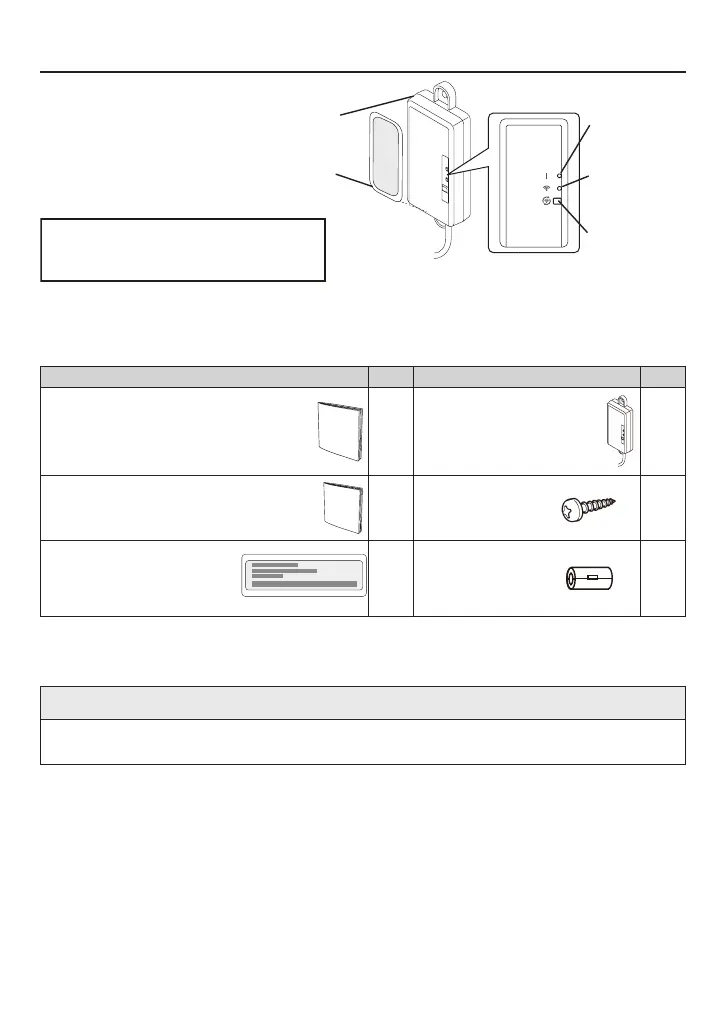
Name of Parts
MAC:
SSID: AP-WJ
/
PIN:
E-
Wireless LAN label
(attached on the side of the adapter)
LED 1
(green)
WLAN adapter
*1) Take off the adapter information label before the installation.
Accessories
The following installation accessories are supplied.
Name and Shape Qty Name and Shape Qty
Setting manual
(simple)
1
WLAN adapter
with cable
1
“ONLINE MANUALS and
WEB APP” sheet
1
Self-tapping
screw
(M4, 25 mm)
2
Adapter information label
(attached to the WLAN
adapter with tape)
1
EMI core*
2
1
*2) It may not be used depending on the air conditioner. For details on the usage in the
installation procedure, refer to the indoor unit installation manual.
NOTE
• The wireless LAN label attached to the WLAN adapter is necessary for wireless LAN
setup.
LED 2
(orange)
Setting button
Adapter information label*
1
(attached to the WLAN adapter with tape)



 To Next Page