EasyManua.ls Logo

Fujitsu ASTA30LFC - User Manual

Fujitsu ASTA30LFC
20 pages
Print Icon
To Next Page IconTo Next Page
Loading...
KEEP THIS OPERATION MANUAL
FOR FUTURE REFERENCE
FUJITSU GENERAL LIMITED
OPERATING MANUAL
P/N9315345301
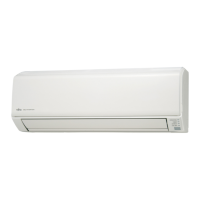
Indoor Unit
ASTA24LFC
ASTA30LFC
Outdoor Unit
AOTR24LFL
AOTR30LFT
HEAT & COOL MODEL
(REVERSE CYCLE)
ROOM AIR CONDITIONER
WALL MOUNTED TYPE
R410A
REFRIGERANT
This Air Conditioner contains and
operates with refrigerant R410A.
THIS PRODUCT MUST ONLY BE INSTALLED OR SERVICED
BY QUALIFIED PERSONNEL.
Refer to Commonwealth, State, Territory and local legislation,
regulations, codes, installation & operation manuals, before
the installation, maintenance and/or service of this product.
9315345301_OM_EN_cover 3/22/10, 10:42 AM1

Other manuals for Fujitsu ASTA30LFC

Questions and Answers

  • C
    Christopher MillerAug 15, 2025
    Why is my Fujitsu Air Conditioner cooling poorly?
    • N
      Nicole BakerAug 15, 2025
      Several factors can impact the cooling performance of your Fujitsu Air Conditioner: * Check if the air filter is dirty. * Ensure that the air conditioner’s intake grille or outlet port are not blocked. * Verify that you have correctly adjusted the room temperature settings (thermostat). * Make sure no windows or doors are open. * If it is cooling operation, check if a window is allowing bright sunlight to enter (close the curtains). * In cooling operation, consider if there are heating apparatus and computers inside the room, or too many people. * Confirm that the unit is not set for SUPER QUIET operation.
  • P
    Philip TorresAug 18, 2025
    What to do if my Fujitsu ASTA30LFC doesn't operate at all?
    • P
      Paul CuevasAug 18, 2025
      If your Fujitsu Air Conditioner isn't operating, check the following: * Ensure the Power Supply Plug is properly connected to the outlet. * Verify there hasn't been a power failure. * Check if a fuse has blown out, or a circuit breaker has been tripped. * Confirm that the timer is not in operation.
  • T
    timothyclarkAug 21, 2025
    How to fix a Fujitsu Air Conditioner that doesn’t operate immediately?
    • C
      Christian AustinAug 22, 2025
      If your Fujitsu unit is stopped and then immediately started again, the compressor will not operate for about 3 minutes to prevent fuse blowouts. Also, whenever the Power Supply Plug is disconnected and then re-connected to a power outlet, the protection circuit will operate for about 3 minutes, preventing unit operation during that period.
  • C
    Carolyn HigginsAug 26, 2025
    Why is my Fujitsu Air Conditioner operating differently from the remote setting?
    • K
      Kayla ChavezAug 26, 2025
      If your Fujitsu unit operates differently from the Remote Controller’s setting, check if the Remote Controller’s batteries are dead or if the Remote Controller’s batteries are loaded properly.
  • H
    Heather WagnerAug 28, 2025
    Why is water being produced from the outdoor unit of my Fujitsu ASTA30LFC Air Conditioner?
    • J
      Jerry ScottAug 28, 2025
      During Heating operation, water may be produced from the outdoor unit of your Fujitsu Air Conditioner due to Automatic Defrosting operation.
  • Q
    qlopezAug 31, 2025
    Why is my Fujitsu ASTA30LFC making noise?
    • J
      James HensleySep 1, 2025
      Your Fujitsu Air Conditioner may make noise due to normal operation. You might hear the sound of water flowing in the air conditioner’s piping during operation and immediately after stopping the unit. Noise may be particularly noticeable for about 2 to 3 minutes after starting operation because of coolant flowing. During Heating operation, a sizzling sound may be heard occasionally, which is produced by the Automatic Defrosting operation.
  • O
    Oscar BarnettSep 4, 2025
    Why is my Fujitsu Air Conditioner emitting mist or steam?
    • M
      Michael LutzSep 4, 2025
      During Cooling or Dry operation, a thin mist may be seen emitted from the indoor unit. During Heating operation, the outdoor unit’s fan may stop, and steam may be seen rising from the unit due to Automatic Defrosting operation.
  • T
    taylorjohnsonSep 12, 2025
    Why does my Fujitsu ASTA30LFC Air Conditioner smell?
    • K
      karen17Sep 12, 2025
      Some smell may be emitted from the indoor unit of your Fujitsu Air Conditioner. This smell results from room smells (furniture, tobacco, etc.) taken into the air conditioner.

Summary

Safety Precautions

General Safety Warnings

Essential safety guidelines and warnings for operating the air conditioner, including DANGER and CAUTION notices.

Features and Functions

Inverter Technology

Explains the Inverter system for efficient and comfortable temperature control by adjusting power usage.

Coil Dry Operation

Dries the indoor unit to prevent mold and bacteria growth using the COIL DRY button.

Auto Changeover

Automatically switches between cooling, dry, and heating modes to maintain the set temperature.

Omni-Directional Air Flow

Allows three-dimensional control of air direction via dual UP/DOWN and RIGHT/LEFT swing.

Removable Open Panel

The indoor unit's open panel is removable for easy cleaning and maintenance access.

Mildew-Resistant Filter

Features an air filter treated to resist mildew growth for cleaner use and easier care.

Program Timer

Integrates ON and OFF timer operations in a single sequence within a twenty-four hour period.

Sleep Timer

Automatically modifies thermostat settings for comfort during sleep, then stops the unit.

Wireless Remote Controller

Enables convenient control of air conditioner operation wirelessly.

Horizontal and Downward Airflow

Specifies airflow direction for cooling (horizontal) and heating (downward) for optimal comfort.

Super Quiet Operation

Reduces indoor unit airflow for quieter operation, ideal for peaceful environments.

Polyphenol Catechin Air Cleaning Filter

Uses static electricity and catechin to clean fine particles and inhibit bacteria.

Negative Air Ions Deodorizing Filter

Generates negative ions to deodorize the air and absorb odors.

Wired Remote Controller (Option)

Details the optional wired remote controller and its functions compared to the wireless version.

Name of Parts

Indoor Unit Components

Identifies and describes the parts of the indoor unit, including control panel and intake grille.

Outdoor Unit Components

Identifies and describes the parts of the outdoor unit, including intake, outlet, and drain ports.

Remote Controller Components

Lists and describes the buttons and display elements of the wireless remote controller.

Preparation for Use

Loading Remote Controller Batteries

Step-by-step guide on how to insert and replace batteries in the remote controller.

Setting the Current Time

Instructions for setting the correct time on the remote controller for timer functions.

Using the Remote Controller

Guidance on how to operate the remote controller effectively, including range and signal reception.

Operating the Air Conditioner

Selecting Operation Mode

How to start the unit and select between AUTO, COOL, DRY, HEAT, and FAN modes.

Setting the Thermostat

Instructions for adjusting the desired temperature setting for heating and cooling.

Setting the Fan Speed

How to adjust the fan speed to AUTO, HIGH, MED, LOW, or QUIET settings.

Super Quiet Operation

Details on activating Super Quiet mode for reduced noise and airflow.

Stopping Operation

Procedure to turn off the air conditioner using the START/STOP button.

Auto Changeover Operation

Explanation of how the unit automatically selects operating modes based on room conditions.

Mode Operations Explained

Description of Heating, Cooling, Dry, and Fan modes, including operational specifics and limitations.

Timer Operations

Using ON;OFF Timer

Guide to setting timers for automatically turning the unit ON or OFF.

Using Program Timer

Instructions for setting a sequence of ON and OFF timer operations.

Sleep Timer Function

Using the Sleep Timer

How to activate the sleep timer to automatically adjust temperature and stop the unit.

Sleep Timer Functionality

Details on how the sleep timer modifies thermostat settings during heating and cooling.

Manual Auto Operation

Using Main Unit Controls

Instructions for operating the unit using the main control panel when the remote is unavailable.

Adjusting Air Circulation Direction

Vertical Air Direction Adjustment

How to adjust the up and down airflow direction using the remote controller.

Horizontal Air Direction Adjustment

How to adjust the left and right airflow direction using the remote controller.

Swing Operation

Selecting Swing Operation

Steps to activate UP/DOWN, LEFT/RIGHT, or combined swing operations.

Stopping Swing Operation

Procedure to stop the swing function and return airflow to a fixed direction.

Swing Operation Details

Explanation of how swing operation works for different airflow directions and conditions.

Coil Dry Operation

Selecting Coil Dry Operation

How to activate the Coil Dry function to dry the indoor unit and prevent mold.

Cancelling Coil Dry Operation

Procedure to stop the Coil Dry operation before its automatic completion.

Coil Dry Operation Details

Information about the Coil Dry function's duration and limitations, not a sterilization effect.

Cleaning and Care

Cleaning the Intake Grille

Instructions for safely removing, cleaning, and reattaching the intake grille.

Cleaning the Air Filter

Guide on how to remove, clean, and replace the main air filters for optimal performance.

Air Cleaning Filter Replacement

Procedure for replacing disposable air cleaning and deodorizing filters as needed.

Deodorizing Filter Maintenance

Steps to clean and maintain the negative air ions deodorizing filter to preserve its effect.

Troubleshooting Guide

Normal Function Symptoms

Common issues like unit not operating, noise, smells, mist, weak airflow, or outdoor water.

Performance Check Symptoms

Checks for non-operation, poor cooling, or incorrect operation compared to remote settings.

Operating Tips

Operation and Performance

Guidance on heating performance and automatic defrosting during specific conditions.

Auto Restart Function

Explanation of how the unit restarts automatically after a power interruption.

Temperature and Humidity Range

Specifies the recommended outdoor and indoor temperature and humidity ranges for optimal operation.

Fujitsu ASTA30LFC Specifications

General IconGeneral
BrandFujitsu
ModelASTA30LFC
CategoryAir Conditioner
LanguageEnglish

Related product manuals