EasyManua.ls Logo

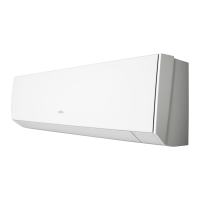
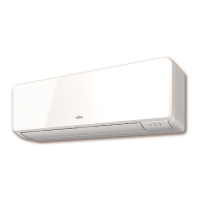
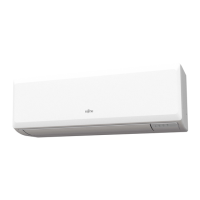
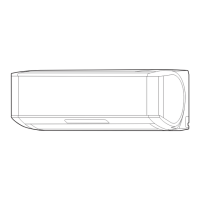
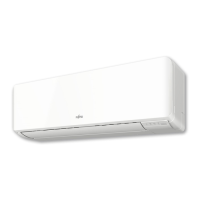
Fujitsu ASYG09KMCDN - User Manual

Fujitsu ASYG09KMCDN
16 pages
Print Icon
To Next Page IconTo Next Page
Loading...
PART No. 9387858068
MODEL:
OPERATION MANUAL
AIR CONDITIONER (Wall Mounted type)
Before using this product, read these instructions thoroughly
and keep this manual for future reference
English
BRUGSANVISNING
KLIMAANLÆG (Vægtype)
Inden dette produkt tages i brug, skal du læse disse instruktioner
grundigt og beholde denne vejledning til senere reference.
Dansk
KÄYTTÖOHJE
ILMASTOINTILAITE (Seinään kiinnitettävä laite)
Lue nämä ohjeet huolellisesti ennen laitteen käyttämistä ja
säilytä niitä tulevia tarpeita varten.
Suomi
BRUKERVEILEDNING
KLIMAANLEGG (Veggmontert modell)
Før man bruker dette produktet skal man lese disse instruksjonene
grundig og ta vare på instruksjonene for senere bruk.
Norsk
BRUKSANVISNING
LUFTKONDITIONERING (Väggmonterad modell)
Innan du använder denna produkt, läs dessa anvisningar
noggrant och spara denna manual för framtida referens.
Svenska
INSTRUKCJA OBSŁUGI
KLIMATYZATOR (Ścienny)
Przed rozpoczęciem korzystania z produktu należy dokładnie zapoznać
się z instrukcjami i zachować niniejszy dokument do użytku w przyszłości.
Polski
EKSPLOATACIJOS VADOVAS
ORO KONDICIONIERIUS (Sieninis tipas)
Prieš naudodamiesi šiuo gaminiu, atidžiai perskaitykite šias
instrukcijas ir pasilikite šį vadovą, kad galėtumėte pasinaudoti ateityje.
Lietuvių
KASUTUSJUHEND
ÕHUKONDITSIONEER (Seinale paigaldatav)
Lugege enne toote kasutamist juhised läbi ja säilitage juhend
tuleviku tarbeks.
Eesti
LIETOŠANAS INSTRUKCIJA
GAISA KONDICIONIERIS (Pie sienas piestiprināma ierīce)
Pirms izmantosiet šo produktu, lūdzu, rūpīgi izlasiet sekojošos
norādījumus un saglabājiet šo rokasgrāmatu turpmākai lietošanai.
Latviski
OPERATION MANUAL
* Please write down the model name.
(Refer to the rating label.)
* Du bedes skrive modelnavnet ned.
(Der henvises til klassiceringsetiketten.)
* Merkitse mallin nimi muistiin.
(Katso luokitusmerkkiä.)
* Skriv ned modellnavnet.
(Se typeskiltet.)
* Vänligen skriv ner namnet på modellen.
(Se klassiceringsetikett.)
* Proszę zapisać nazwę modelu.
(patrz etykieta znamionowa)
* Įrašykite modelio pavadinimą.
(Žiūrėkite vardinių duomenų etiketę.)
* Kirjutage mudeli nimi üles.
(Vt andmesilti.)
* Lūdzu, uzrakstiet modeļa nosaukumu.
(Skatiet raksturlielumu uzlīmi.)
9387858068-01_OM.indb 1 07-Oct-20 14:00:29

Other manuals for Fujitsu ASYG09KMCDN

Questions and Answers

  • T
    Thomas SanchezAug 19, 2025
    What to do if my Fujitsu ASYG09KMCDN Air Conditioner does not operate at all?
    • T
      Thomas AustinAug 19, 2025
      If your Fujitsu Air Conditioner doesn't operate, first, consider a power outage; the unit should restart automatically once power resumes. Next, verify that the circuit breaker hasn't been turned off and turn it on if it is off. Also, check for blown fuses or tripped circuit breakers and replace the fuse or reset the breaker as needed.
  • J
    jonsolisAug 21, 2025
    Why is my Fujitsu ASYG09KMCDN Air Conditioner having poor cooling or heating performance?
    • K
      Kimberly GrahamAug 21, 2025
      If your Fujitsu Air Conditioner has poor cooling or heating performance: * Ensure the unit is operating within the permissible temperature range, as it may stop due to its automatic protection circuit. * Clean the air filter if it's dirty. * Remove any obstructions from the intake grille or outlet port of the indoor unit. * Close any open windows or doors. * If in cooling mode, close the curtains to block direct sunlight and turn off any heating apparatus or computers in the room. You can also lower the temperature setting if there are too many people in the room.
  • J
    Jacqueline BurtonAug 23, 2025
    Why is Wireless LAN setup not possible on my Fujitsu ASYG09KMCDN Air Conditioner?
    • F
      Felicia AlexanderAug 23, 2025
      If wireless LAN setup is not possible on your Fujitsu Air Conditioner, ensure your wireless router supports the WPS function (button mode). If a previous owner used the wireless LAN control, contact authorized service personnel.
  • J
    Joshua GoodwinAug 26, 2025
    What to do if my Fujitsu ASYG09KMCDN Air Conditioner operates differently from the remote controller setting?
    • M
      melodywileyAug 26, 2025
      If your Fujitsu Air Conditioner operates differently from the remote controller setting, the first thing you should do is replace the batteries in the remote controller.
  • J
    Jeanette MccarthyAug 27, 2025
    Why am I not able to operate my Fujitsu Air Conditioner from the mobile app?
    • G
      Gary MillerAug 27, 2025
      If you are unable to operate your Fujitsu Air Conditioner from the mobile app, ensure that the indoor unit and the wireless router are powered on. Also, confirm that your smartphone is not in flight mode and that you are in a location with good radio wave connectivity.
  • J
    johnsonmorganAug 29, 2025
    Why is the airflow weak or stopping on my Fujitsu Air Conditioner?
    • K
      Kevin McgeeAug 29, 2025
      If the airflow of your Fujitsu Air Conditioner is weak or stops, especially in heating mode, it could be due to several reasons. If you've just started the operation in heating mode, the fan may rotate at a very low speed temporarily to warm up the internal parts. Also, if the room temperature is higher than the set temperature in heating mode, the outdoor unit stops, and the indoor unit fan rotates at a very low speed. If the unit is in Dry mode, it operates at low fan speed to adjust the room humidity and may stop from time to time. In Auto mode, the fan rotates at a very low speed during monitoring operation.
  • A
    Andrea SmithSep 1, 2025
    Why is Wireless LAN setup not possible on my Fujitsu ASYG09KMCDN Air Conditioner (The connection settings of the WLAN adapter and router are not complete)?
    • S
      Sierra StevensSep 1, 2025
      If wireless LAN setup is not possible on your Fujitsu Air Conditioner because the connection settings of the WLAN adapter and router are incomplete, check that your wireless router supports IEEE802.11b/g/n.
  • H
    Heather HallSep 3, 2025
    Why is there noise coming from my Fujitsu Air Conditioner?
    • A
      Anita GarciaSep 3, 2025
      If you hear noise from your Fujitsu Air Conditioner, it could be due to several reasons. If the unit is operating or has just stopped, the refrigerant flowing sound may be audible, especially for 2-3 minutes after starting. A slight squeaking sound during operation is normal and is produced by the minute expansion and contraction of the front panel due to temperature changes. In heating mode, a sizzling sound may occur due to the automatic defrosting operation.
  • D
    David MorrisSep 5, 2025
    Why is there a delay in operation after restarting my Fujitsu Air Conditioner?
    • S
      Sarah DunnSep 5, 2025
      If operation is delayed after restarting your Fujitsu Air Conditioner, and the power supply turned from Off to On suddenly, the compressor will not operate for about 3 minutes to prevent a fuse blowout.
  • C
    Christopher JonesSep 7, 2025
    Why is mist or steam emitted from my Fujitsu Air Conditioner?
    • V
      Virginia McmillanSep 7, 2025
      If mist or steam is emitted from your Fujitsu Air Conditioner, it could be normal. In cooling or dry mode, a thin mist may be generated by condensation formed during sudden cooling. In heating mode, steam may rise from the outdoor unit because of the automatic defrosting operation.

Summary

Safety Precautions

General Warnings

Important warnings regarding repairs, power supply, refrigerant, and user responsibilities.

General Cautions

Cautions on ventilation, operating conditions, placement, and handling of the unit and its parts.

Safety Symbols Explained

Explains the meaning of warning and caution symbols used on the unit and in the manual.

Preparation and Accessories

Battery Safety

Warnings and cautions related to battery handling, installation, and disposal.

Indoor Unit Accessories

Lists and shows the included accessories for the indoor unit.

Remote Controller Holder Installation

Provides instructions on how to install the remote controller holder.

Parts Identification

Indoor Unit Components

Identifies and illustrates the components of the indoor unit.

Remote Controller Overview

Describes the remote controller, its functions, and signal transmission.

Basic Operation

Starting Operation

Step-by-step guide to start the air conditioner, including mode and temperature selection.

Temperature Unit Switching

Instructions on how to switch the temperature display between Celsius (°C) and Fahrenheit (°F).

Airflow Settings

Fan Speed Adjustment

How to adjust the fan speed for optimal air cleaning and comfort.

Airflow Direction Control

How to adjust the vertical and horizontal airflow direction for comfortable air distribution.

Timer Operations

Weekly Timer Settings

How to set a weekly schedule for automatic operation based on day and time.

On;Off and Program Timers

How to set timers for turning the unit on/off or creating a programmed sequence.

Sleep Timer Function

How to set a timer that gradually adjusts temperature for comfortable sleep.

Special Operations

Energy Saving Modes

Activates modes like Economy operation to save electricity by adjusting temperature settings.

Powerful Operation

Activates maximum power and airflow for rapid cooling or heating.

Outdoor Unit Low Noise Mode

Reduces noise from the outdoor unit by decreasing compressor speed.

10°C Heat Operation

Maintains room temperature at 10°C to prevent extreme drops during heating.

WLAN Control Setup

WLAN Usage Precautions

Important warnings and cautions for using wireless LAN control safely and effectively.

Radio Wave and Security

Precautions related to radio waves, security, and FCC/IC compliance for wireless operation.

App Installation and Registration

Instructions for installing the mobile app and registering the unit.

Remote Controller Manual Mode

Procedure to set the remote controller to a specific mode for WLAN setup.

WLAN Adapter Management

Removing the WLAN Adapter

Step-by-step instructions on how to safely remove the WLAN adapter from the unit.

WLAN Adapter Initialization

How to reset or initialize the WLAN adapter, for example, when changing routers.

Installation Settings

Remote Controller Custom Codes

How to set a custom code for the remote controller to manage multiple units.

Cleaning and Maintenance

Cleaning the Indoor Unit Body

Instructions for cleaning the main body of the indoor unit.

Cleaning Air Filters

Steps to remove, clean, and replace the air filters.

Deodorization and Apple-catechin Filters

Instructions for cleaning deodorization filters and replacing Apple-catechin filters.

Filter Indicator Reset

Procedure to reset the filter indicator after cleaning the filters.

General Information

Heating Performance

Explanation of how heating performance is affected by outdoor air temperature.

Automatic Defrosting

How the unit automatically defrosts frost from the outdoor unit during heating.

Auto-Restart Function

How the unit restarts and resumes operation after a power interruption.

Malfunctions from Other Devices

Potential interference from other electrical devices and how to resolve it.

Optional Parts

Wired Remote Controller

Information on using a wired remote controller, including restrictions when used with wireless.

Group Control System

How to control multiple air conditioners with a single remote controller.

Troubleshooting Guide

Immediate Action Required

Events requiring immediate shutdown, power disconnection, and consulting a service personnel.

Unit Not Operating

Checks for power, circuit breaker, fuses, and timer settings when the unit does not operate.

Poor Cooling or Heating Performance

Troubleshooting steps for issues like incorrect temperature range, dirty filters, or blocked vents.

Weak or Stopped Airflow

Diagnosing causes for weak or stopped airflow, including fan speed and defrost operations.

Noise During Operation

Identifying causes of unusual noises, such as refrigerant flow or panel expansion.

Unit Smells or Emits Mist;Steam

Troubleshooting unusual smells, mist, or steam emissions from the unit.

Remote Controller Issues

Resolving problems with the remote controller, such as battery exhaustion or non-response.

WLAN Connectivity Problems

Troubleshooting issues with WLAN setup, app connectivity, and router compatibility.

Indicator Lamp Status

Indicator Lamp Meanings

Explains the meaning of various indicator lamp states and their corresponding causes and solutions.

Manual Operation and Filter Reset

How to perform manual operations and reset the filter indicator using buttons on the indoor unit.

Fujitsu ASYG09KMCDN Specifications

General IconGeneral
TypeSplit System
MountingWall Mounted
Cooling Capacity2.5 kW
Heating Capacity3.2 kW
Energy Efficiency Class (Cooling)A++
Energy Efficiency Class (Heating)A+
RefrigerantR32
Dimensions (Indoor Unit)800 x 290 x 230 mm
Dimensions (Outdoor Unit)800 x 540 x 300 mm
Power Supply220-240 V, 50 Hz
Weight (Indoor Unit)8 kg
Indoor Unit Noise Level20-40 dB(A)
Coefficient of Performance (COP)4.00
Noise Level (Indoor)20-40 dB(A)

Related product manuals