10
LifeBook E Series – Section Two
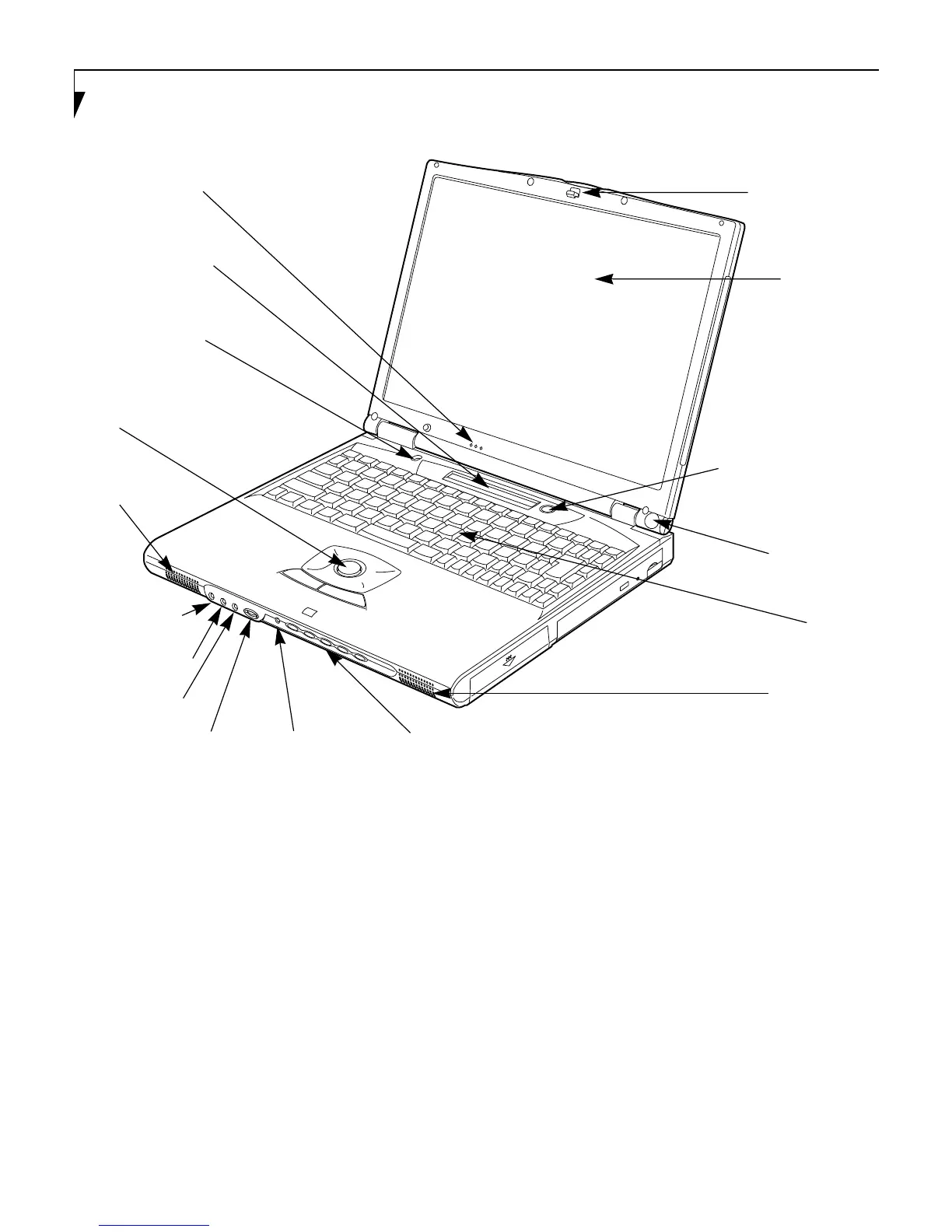
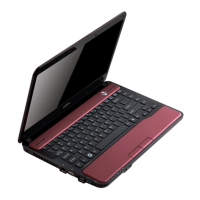
Figure 2-3 LifeBook E Series notebook with display open
Locating the Controls
and Connectors
TOP AND FRONT COMPONENTS
The following is a brief description of your notebooks
top and front components.
Display Panel Latch
The display panel latch locks and releases the display
panel. (Figure 2-3)
Display Panel
The display panel is a color LCD panel with back
lighting for the display of text and graphics. (Figure 2-3)
Built-in Microphone
The built-in microphone allows mono audio input.
(Figure 2-3)
Status Indicator Panel
The Status Indicator Panel displays symbols that corre-
spond with a specific component of your notebook.
(Figure 2-3) (See Status Indicator Panel on page 16 for
more information)
Display Panel Latch
Display Panel
Built-in Microphone
Status Indicator Panel
Power Button and
Stereo Speakers
Closed Cover Switch
Keyboard
LifeBook Security Panel
Headphone Jack
Stereo Line-in Jack
Microphone Jack
Intergrated
Pointing Device
Volume Control
Stereo Speakers
IR Wireless
Mouse Receiver
Suspend/Resume Button
LED






 To Next Page