54
LifeBook E Series – Section Four
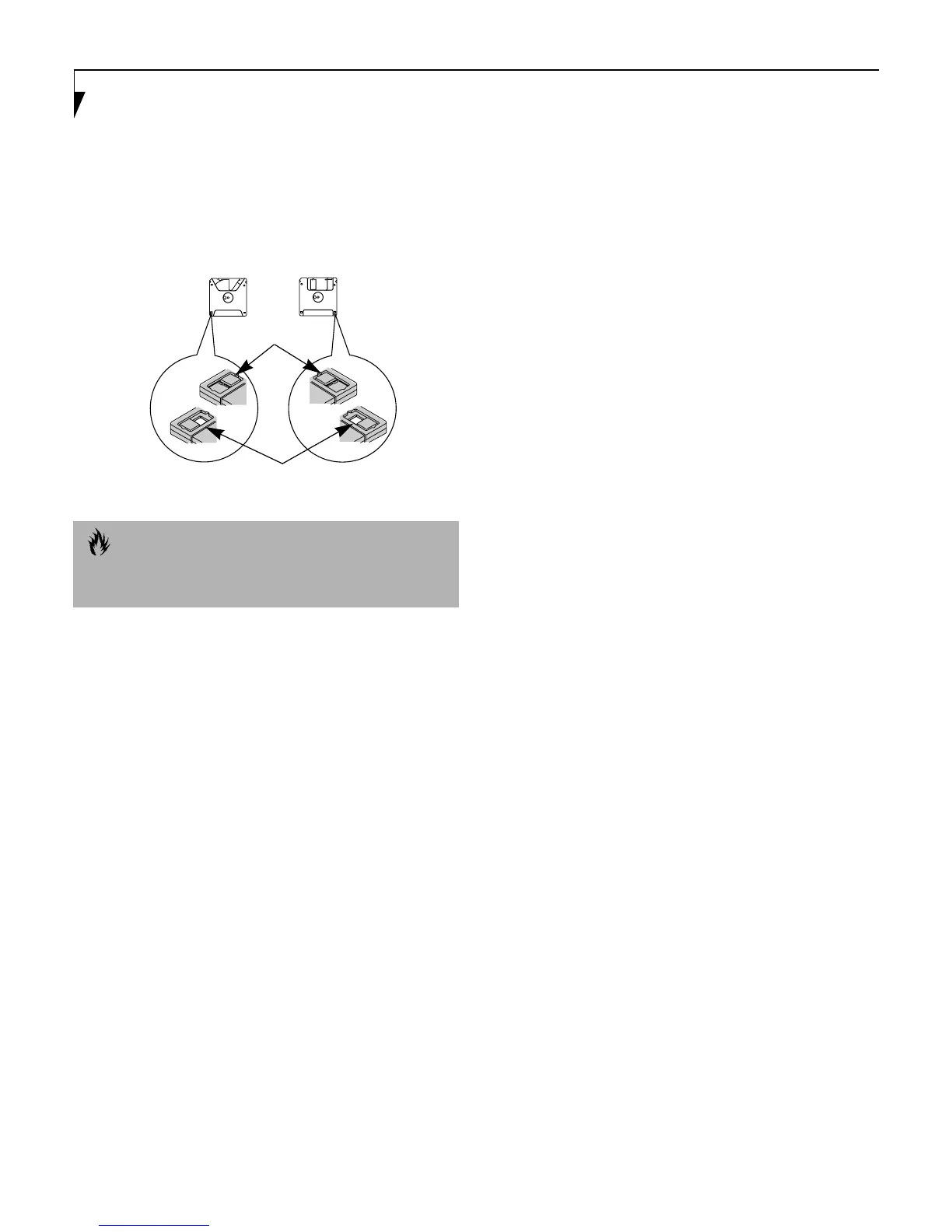
To prevent accidental erasure of the data stored on a disk,
slide the “write protect” tab until a small hole is exposed.
This sets the disk into a protected state where nothing can
be added or removed. If you want to add or remove data on
a protected disk, slide the “write protect” tab to close the
small hole. (Figure 4-3)
Figure 4-3 Floppy Disk Write Protect
CAUTION
Formatting a floppy disk that already contains data will
erase all of the information on the disk.
Write Protected
Write Enabled
Super Floppy Disk Floppy Disk










 To Next Page