40
APPENDIX
■ Sample activation
The sample system activation with Softune Workbench is described below.
❍ Open project file
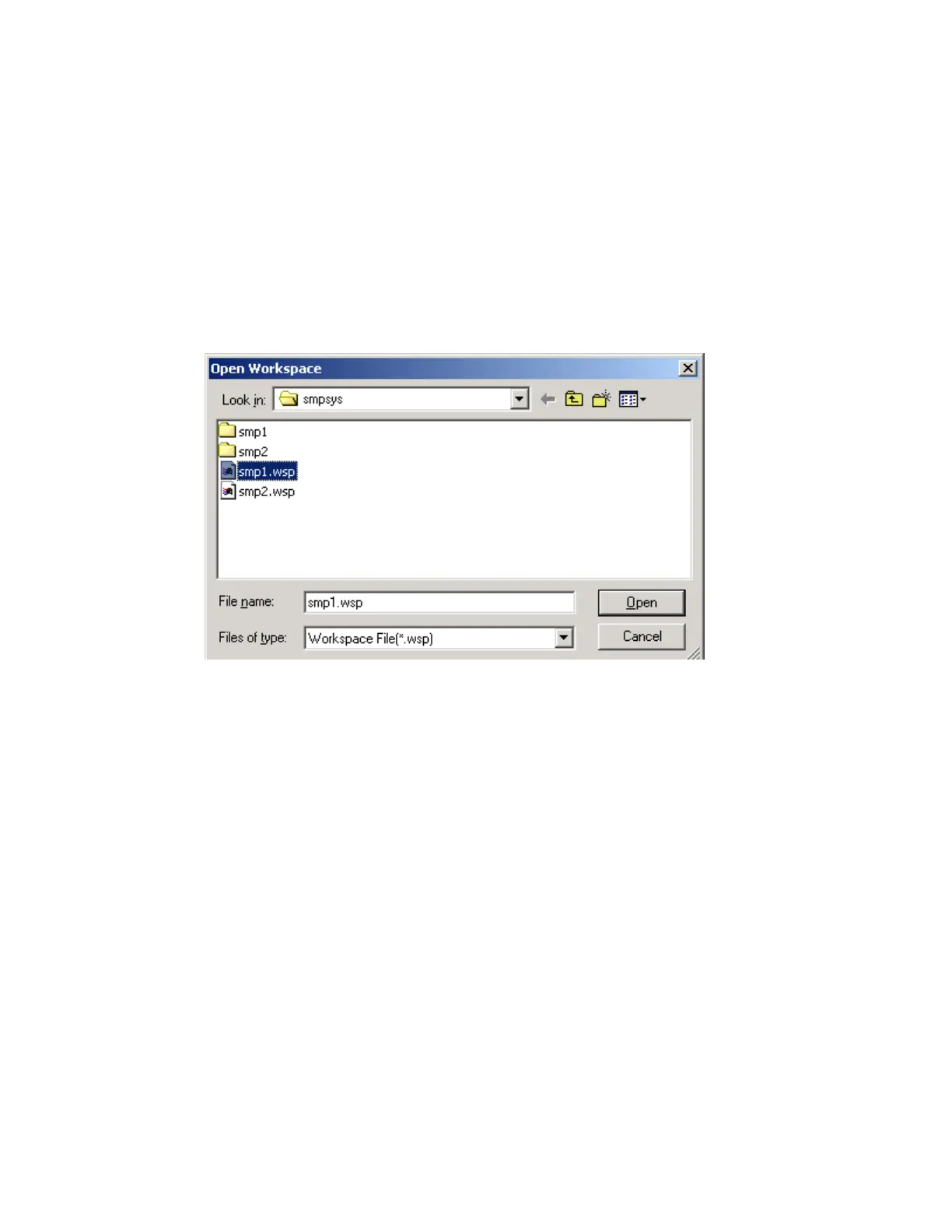
Select [Open project...] from [File] menu. The [Open Project] dialog box opens.
The [Open Project] dialog box is shown in Figure Bd.
When the directory containing the sample system is accessed, two project files are
displayed. Select smp1.wsp, then click the [Open] button.
Figure Bd [Open workspace] dialog box
❍ Checking the configuration file
To check or change the contents of the configuration file, double-click smp1.rcf, which is
registered as a project member. The [Set Configuration File] dialog box opens.
The project members are listed as shown in Figure Be.
Figure Bf shows the [Set Configuration File] dialog box.



 To Next Page