EasyManua.ls Logo

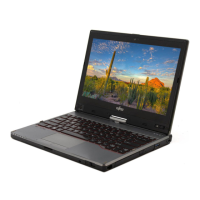
Fujitsu LIFEBOOK T730 - User Manual

Fujitsu LIFEBOOK T730
201 pages
Print Icon
To Next Page IconTo Next Page
Loading...
Users Guide
Learn how to use your Fujitsu
LifeBook T730 Tablet PC
Mode d’emploi
Découvrez comment utiliser
votre PC Tablette
LifeBook Fujitsu T730

Table of Contents

Other manuals for Fujitsu LIFEBOOK T730

Questions and Answers

  • M
    Mark LyonsSep 9, 2025
    Why is the external monitor blank or the image unstable on my Fujitsu Laptop?
    • S
      sotochristopherSep 9, 2025
      If the external monitor is blank or the image is unstable on your Fujitsu laptop, it could be due to the wrong external monitor being selected or an incorrect screen resolution. Terminate the application program in Windows by pressing Alt + F4. If the issue persists, switch to the notebook’s LCD screen using the key combination for switching the screen output. Then, adjust the screen resolution and select the correct monitor in your operating system's settings.
  • H
    hwellsAug 23, 2025
    Why my Fujitsu Tablet PC won't work on battery?
    • L
      Lauren PalmerAug 23, 2025
      If your Fujitsu Tablet PC will not work on battery alone, replace the battery with a charged one or install a power adapter. If no battery is installed, install a charged battery. If the battery is improperly installed, verify that the battery is properly connected by re-installing it.
  • K
    Kathleen KnightAug 25, 2025
    What causes bright or dark spots on Fujitsu LIFEBOOK T730 Laptop display?
    • G
      Greg MorrisAug 26, 2025
      If the display of your Fujitsu Laptop has bright or dark spots that interfere with your operation needs, the display is faulty and you should contact your support representative.
  • S
    Shawna AshleyAug 26, 2025
    Why is the battery indicator not illuminating on my Fujitsu LIFEBOOK T730?
    • M
      monica35Aug 27, 2025
      If your Fujitsu laptop's battery indicator isn't lighting up, the issue might stem from incorrect battery installation or a fully discharged battery. First, power off your laptop and ensure the battery is correctly installed in its compartment. Then, switch the laptop back on. If the indicator still doesn't illuminate, try charging the battery, installing a charged battery, or connecting your laptop to a power outlet using the mains adapter.
  • J
    John SmithAug 27, 2025
    Why Fujitsu LIFEBOOK T730 Laptop cannot be started?
    • J
      Justin WilliamsAug 27, 2025
      If your Fujitsu laptop cannot be started, there might be a few reasons: the battery might not be installed correctly, the battery might be dead, or the power adapter might not be connected properly. First, check whether the battery is correctly installed in its compartment. If it is, try charging the battery, inserting a charged battery, or connecting the mains adapter to the notebook. Also, check whether the mains adapter is properly connected to the notebook.
  • M
    Matthew OlsonSep 23, 2025
    How to fix 'System CMOS checksum bad' error on Fujitsu LIFEBOOK T730 Laptop?
    • A
      Ashley BoydSep 23, 2025
      If you see the error message 'System CMOS checksum bad - default configuration used' on your Fujitsu laptop, switch the notebook off, then switch it back on. Press the function key F2 to access the BIOS Setup. In the BIOS Setup, select the Exit menu, choose 'Load Setup Defaults', select OK, and press Enter.
  • A
    Andrew SmithSep 16, 2025
    Why does my Fujitsu LIFEBOOK T730 beep every few seconds?
    • E
      Eric YangSep 16, 2025
      If you hear a beep every few seconds from your Fujitsu laptop, the battery is almost flat. Charge the battery.
  • S
    Sarah Paul DDSSep 18, 2025
    What does 'CMOS battery bad' mean on Fujitsu LIFEBOOK T730 Laptop?
    • T
      Tom JensenSep 18, 2025
      If you see the error message 'CMOS battery bad' repeatedly on your Fujitsu laptop, the buffer battery in the notebook is flat. Contact your sales outlet or our customer service centre.
  • M
    Matthew ClineSep 8, 2025
    What to do if the external monitor remains blank with Fujitsu LIFEBOOK T730?
    • D
      david53Sep 8, 2025
      If the external monitor remains blank, first ensure it's switched on. If it is on, pressing any key may resolve the issue if power saving mode is activated. Check the monitor's brightness settings and adjust if necessary. Also, verify that the screen output is correctly set, and the power and data cables are properly connected to both the notebook and the monitor. If all else fails, try switching off both devices and then switching them back on.
  • K
    Katie MooreSep 3, 2025
    What to do if Fujitsu LIFEBOOK T730 Laptop won't load operating system?
    • K
      Kara LewisSep 4, 2025
      If your Fujitsu system powers up and displays power on information but fails to load the operating system, ensure you have the correct password if you have a secured system. Also, verify the Security settings. If that's not the case, set the operating source by pressing the [ESC] key or use the [F2] key and enter the setup utility and adjust the source settings from the Boot menu. Finally, use the BIOS setup utility to try to auto detect the internal hard drive.

Fujitsu LIFEBOOK T730 Specifications

General IconGeneral
BrandFujitsu
ModelLIFEBOOK T730
CategoryLaptop
LanguageEnglish

Related product manuals