EasyManua.ls Logo

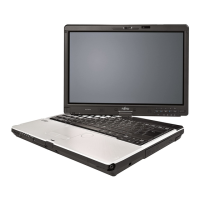
Fujitsu LifeBook T901 - User Manual

Fujitsu LifeBook T901
415 pages
Print Icon
To Next Page IconTo Next Page
Loading...
Users Guide
Learn how to use your Fujitsu
LIFEBOOK T901 Tablet PC
Guide d’utilisation
Découvrez comment utiliser
votre PC Tablette
LIFEBOOK Fujitsu T901

Table of Contents

Other manuals for Fujitsu LifeBook T901

Questions and Answers

  • J
    jason76Sep 23, 2025
    What to do if the operating system is not found on my Fujitsu LifeBook T901 Laptop?
    • W
      Wayne BrewerSep 23, 2025
      If your Fujitsu Laptop displays 'Operating system not found', check in the BIOS Setup whether your hard disk has been set correctly and ensure that the operating system is installed on the corresponding drive.
  • T
    trandanielAug 23, 2025
    Why is the battery indicator not illuminating on my Fujitsu LifeBook T901 Laptop?
    • K
      kylemckeeAug 23, 2025
      The battery indicator might not illuminate on your Fujitsu Laptop because the battery isn't installed correctly. Turn off the notebook, check the battery installation in its compartment, and then switch it back on. Another reason could be that the battery is fully discharged. In this case, charge the battery, install a charged battery, or connect the notebook to a mains outlet using the mains adapter.
  • K
    Kyle JenningsAug 25, 2025
    How to fix a blank external monitor connected to my Fujitsu LifeBook T901?
    • B
      Barbara PetersonAug 26, 2025
      If the external monitor connected to your Fujitsu Laptop remains blank, first ensure the monitor is switched on. If it is, check if power saving has been activated by pressing any key. Also, adjust the brightness of the monitor, as it may be set too low. Ensure the screen output is correctly set and that the power and data cables are properly connected to both the notebook and the external monitor. Turn the external monitor and notebook off and then on again after checking the connections.
  • N
    natalierobinsonAug 27, 2025
    What to do if my Fujitsu Laptop LCD screen remains blank?
    • P
      Patrick RobinsonAug 27, 2025
      If your Fujitsu Laptop's LCD screen remains blank, press a key or touch the touchpad to check if the monitor is simply switched off. If you have an external monitor or television set connected, press the key combination to switch the screen output.
  • J
    Jessica BurkeAug 27, 2025
    What to do if my Fujitsu LifeBook T901 Laptop keyboard types numerals instead of characters?
    • C
      christopher44Aug 27, 2025
      If your Fujitsu Laptop keyboard is typing numerals instead of characters when certain keys are pressed, the virtual numeric keypad may be activated. Press the Num key to deactivate it.
  • S
    sarahglennSep 16, 2025
    What does 'Previous boot incomplete' mean on my Fujitsu Laptop?
    • W
      William DukeSep 16, 2025
      The message 'Previous boot incomplete - Default configuration used' on your Fujitsu Laptop means that due to an error during the previous system boot, default values were used for certain settings. Press the F1 function key when prompted to do so.
  • S
    Spencer AllisonSep 13, 2025
    Why is the SmartCard reader not recognized on my Fujitsu Laptop?
    • J
      Joseph HendricksSep 13, 2025
      The SmartCard reader may not be recognized on your Fujitsu Laptop if the chip card is inserted incorrectly. Make sure you have inserted your SmartCard into the SmartCard reader with the chip facing upwards. Also, verify that the SmartCard you are using is supported and complies with the ISO standard 7816-1, -2, -3 and -4.
  • M
    Mrs. Ann DiazSep 15, 2025
    How to fix 'System CMOS checksum bad' error on Fujitsu LifeBook T901 Laptop?
    • E
      Elizabeth CruzSep 15, 2025
      To fix the 'System CMOS checksum bad - default configuration used' error on your Fujitsu Laptop, switch the notebook off and then on again. Press the F2 function key to access the BIOS Setup. In the BIOS Setup, select the Exit menu, then select the entry Load Setup Defaults, select OK, and press the Enter key.
  • A
    Anna MillerSep 5, 2025
    How to correct the date and time on my Fujitsu Laptop?
    • S
      stephanie46Sep 6, 2025
      You can set the date and time in the main menu using the BIOS-Setup-Utility.
  • D
    David HowardSep 3, 2025
    How to fix radio connection issues on my Fujitsu LifeBook T901?
    • C
      Christine JamesSep 3, 2025
      If the radio connection to a network isn't working on your Fujitsu Laptop, first ensure that the wireless component is enabled. If it is enabled but the connection still doesn't work, check whether the radio connection is switched on via the software.

Fujitsu LifeBook T901 Specifications

General IconGeneral
Operating SystemWindows 7 Professional
GraphicsIntel HD Graphics 3000
BluetoothBluetooth 3.0
Card ReaderSD Card Reader
Webcam1.3 MP
Optical DriveDVD Super Multi Drive
SecurityFingerprint Reader, TPM
ProcessorIntel Core i5 or i7
Display1280 x 800 resolution
RAMUp to 8GB DDR3
Storage320 GB HDD
Wireless802.11a/b/g/n
PortsVGA, HDMI, Ethernet
Battery6-cell Lithium-ion
Dimensions1.3 inches
Battery LifeUp to 8 hours

Related product manuals