28
12. Click the [OK] button.
13. Exit ScandAll PRO.
⇒ When you press the linked button, ScandAll PRO starts up, and batch scan is executed
according to the selected profile’s settings.
HINT
You have to create profiles beforehand.
For information about how to create profiles, refer to
"2.2 Batch Scan".
HINT
Use the [Send to] button, following the procedure below:
1. Press the [Function] button, and change a number displayed on the
Function Number Display.
2. When the displayed number and the event number you have
selected in step 5 (Send to 1 - 9) matches, stop pressing the [Func-
tion] button.
3. Press the [Send to] button.
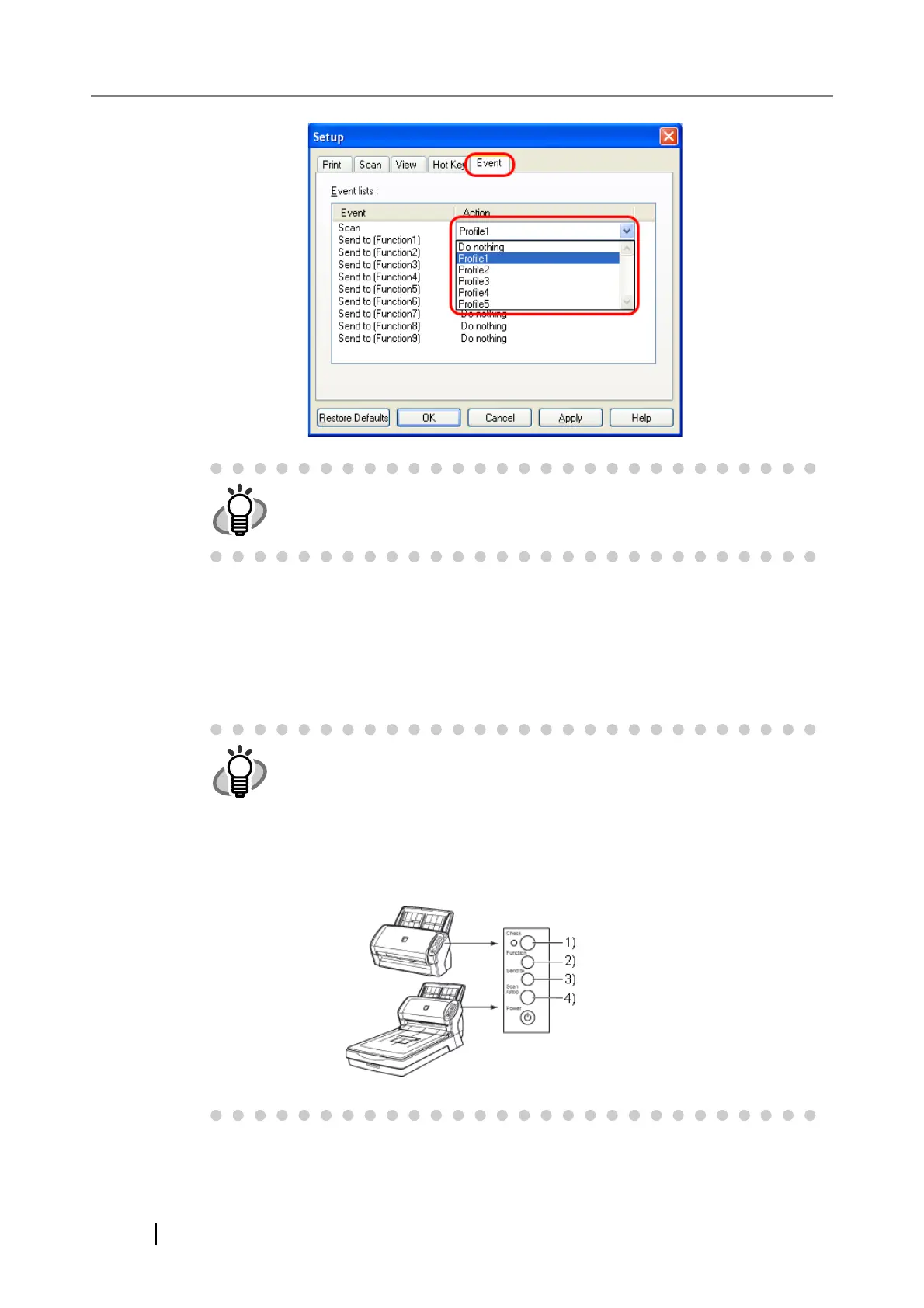
Example of the operator panel
1) Function Number Display
2) [Function] Button
3) [Send to] Button
4) [Scan] Button



 To Next Page