3.2 Scanning by Pressing the Scan Button on the Scanner
How to use ScandAll PRO 27
SCANNING VARIOUS TYPES OF DOCUMENTS
3
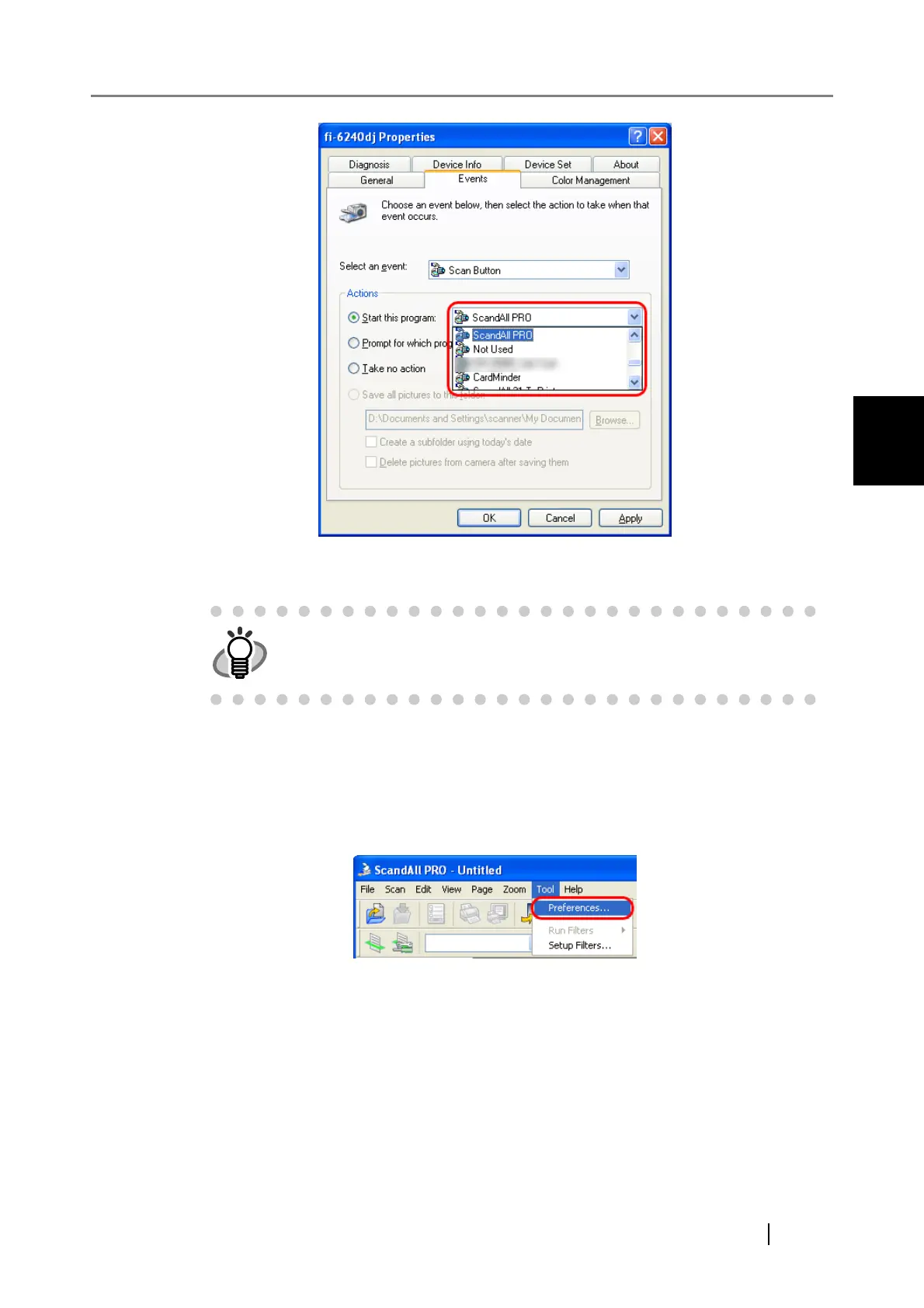
7. Click the [OK] button.
8. Launch ScandAll PRO.
From the [Start] menu, select [All Programs]D[Fujitsu ScandAll PRO]D[Fujitsu ScandAll
PRO], and then ScandAll PRO starts up.
9. From the [Tool] menu, select [Preferences].
⇒ The [Setup] dialog box appears.
10. Select the [Event] tab.
11. Click the action of the Event you selected in step 5, and then select a profile from the
list you want to use for scanning.
HINT
To link another button, perform steps 3 to 7 again.



 To Next Page