3.3 Splitting Documents by Patch Code
How to use ScandAll PRO 31
SCANNING VARIOUS TYPES OF DOCUMENTS
3
HINT
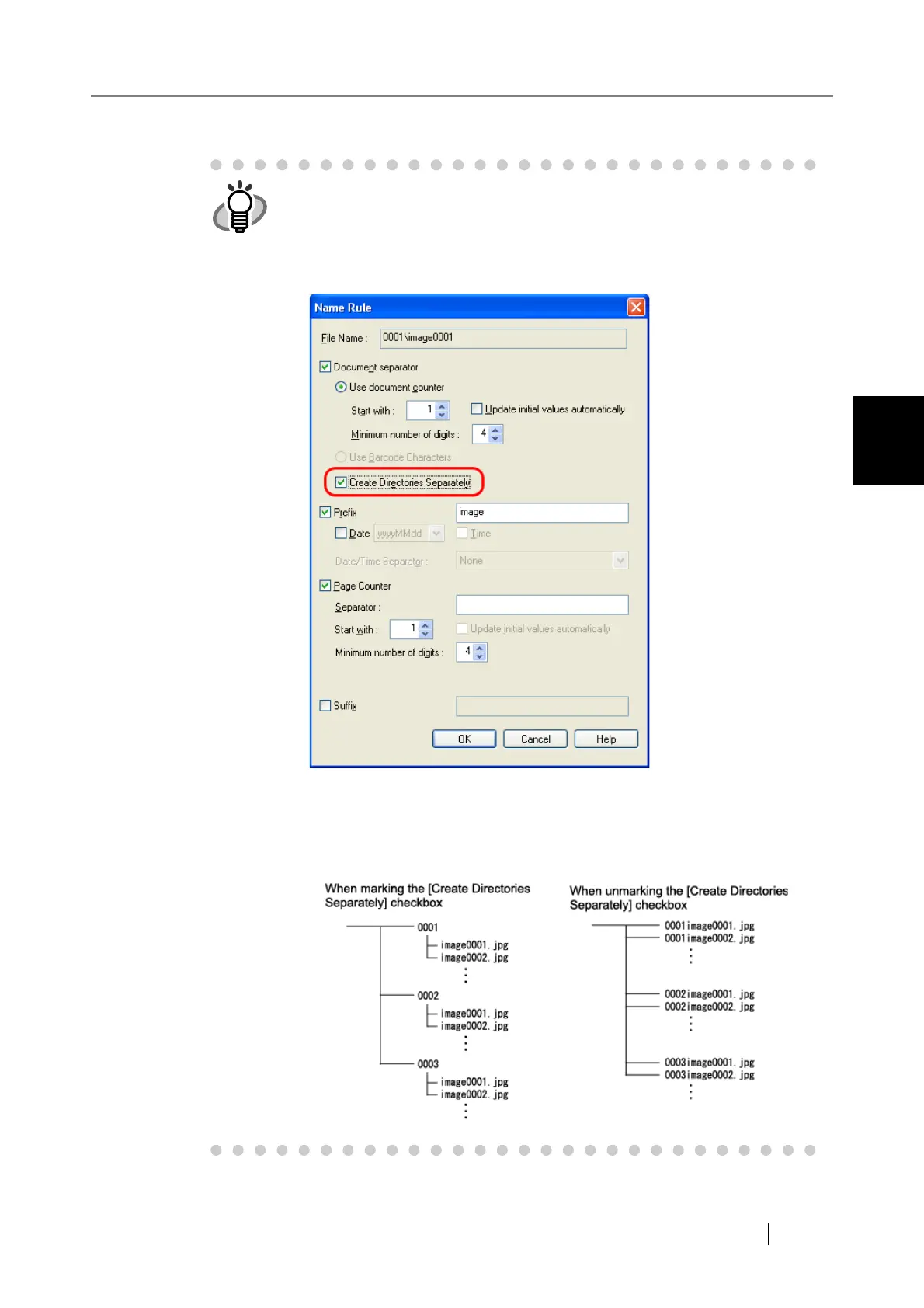
When storing each of the scanned documents, which are separated with
patch-code sheets, in separate folders, change the settings in the [Name
Rule] dialog box opened by clicking the [Name Rule] button on the [File
format and Name scheme] tab in the [Profile Editor] dialog box.
Mark the [Create Directories Separately] checkbox in the [Name Rule]
dialog box.
The created folder is named with the title of the document counter and is
used to store the scanned data.
Example of storing data in folders:



 To Next Page