18 |
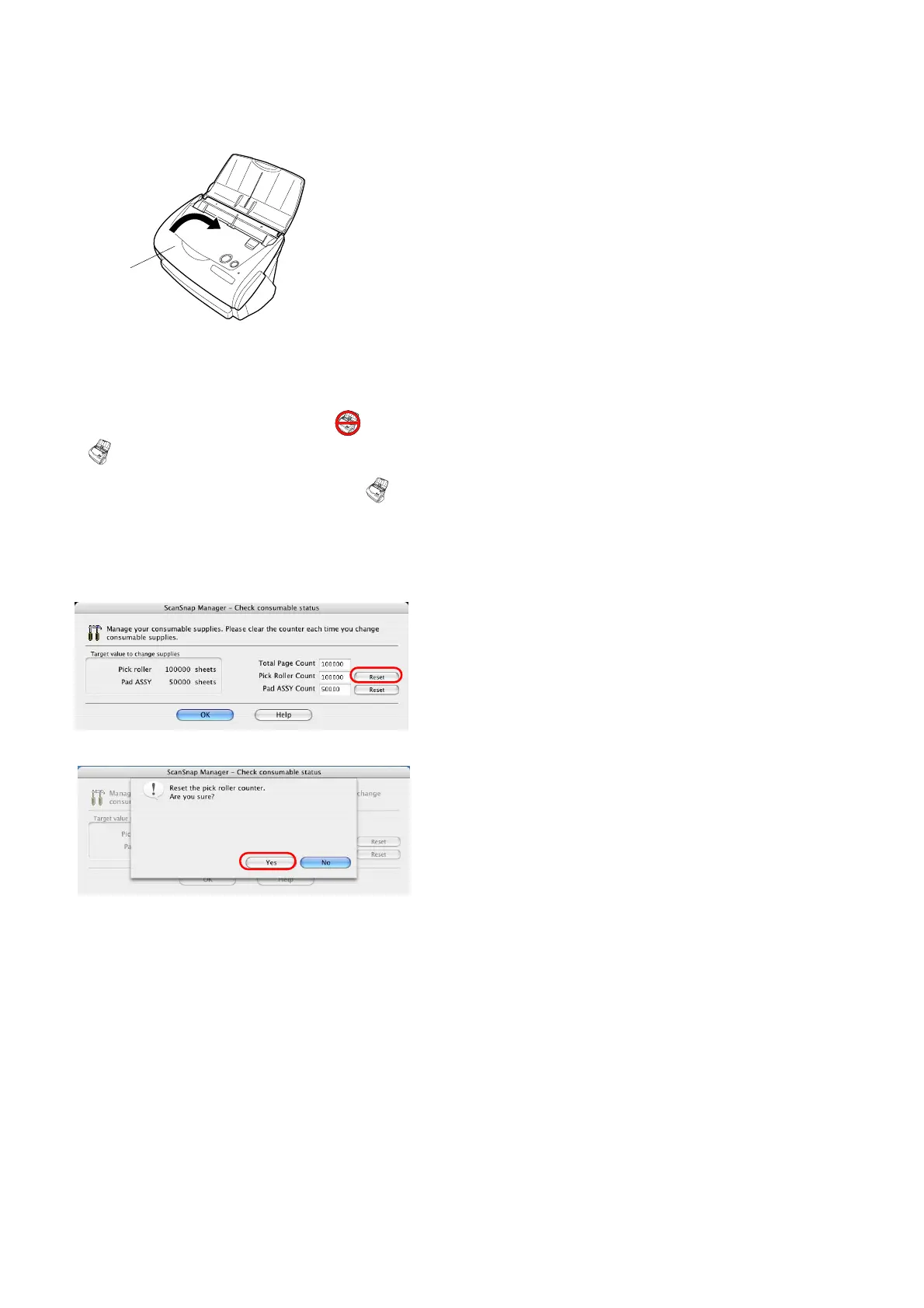
11. Close the ADF cover.
ÖYou should hear the ADF cover click when it
returns to its original position.
12. Turn on the scanner.
Ö ScanSnap Manager icon changes from to
.
13. Click and hold the "ScanSnap Manager" icon
on
the Dock menu, and select [Check consumable
supplies] from the menu.
14. In the “Check consumable status” window, click the
[Reset] button of the consumable you have replaced.
Ö A confirmation pop-up screen appears.
Ö When clicking the [Yes] button, the counter is reset
to “0”.
ADF cover



 To Next Page
 Loading...












