Replacing the Consumables
This section explains how to replace the consumables for the scanner.
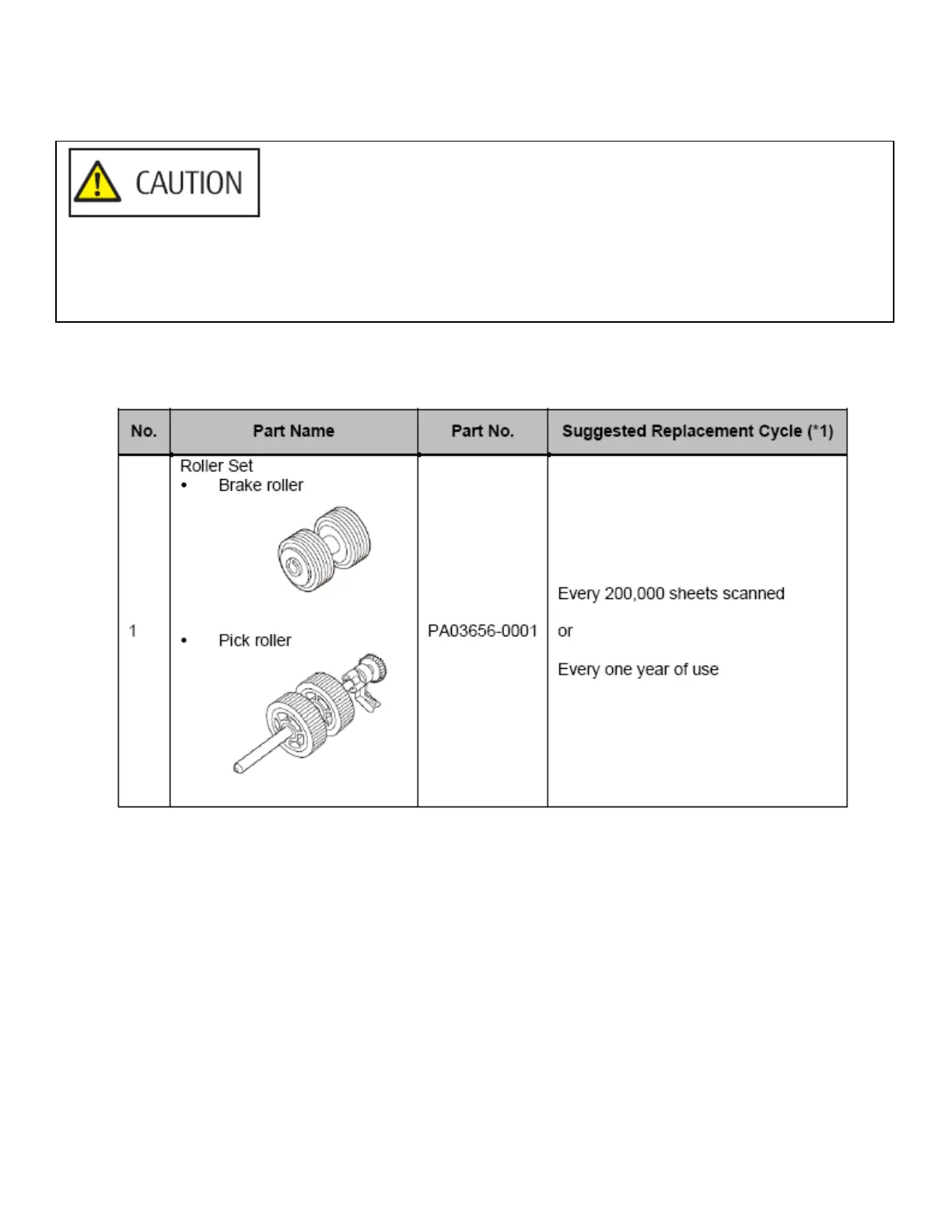
Consumables and Replacement Cycles
*1: The suggested replacement cycles are guidelines for using A4 (80 g/㎡ [20 lb.]) wood-free paper, as these
cycles vary depending on the type of documents scanned.
Consumables need to be replaced periodically. It is recommended that you keep a stock of new consumables and
replace them before it reaches the end of the consumable life. Also, the scanner records the number of sheets scanned
for each consumable (brake roller and pick roller), which allows you to determine when to replace the consumables.
The inside of the ADF becomes very hot when the scanner is being used.
Before you replace the consumables, make sure to turn off the power, unplug the power cable and wait for at least
15 minutes for the inside of the ADF to cool down.



 To Next Page
 Loading...












