EasyManua.ls Logo

FUNAI VHS 31B-254 - User Manual

FUNAI VHS 31B-254
16 pages
Print Icon
To Next Page IconTo Next Page
Loading...
1VMN22718
HM210BD*****
EN
Printed in China
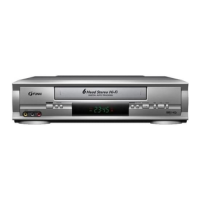
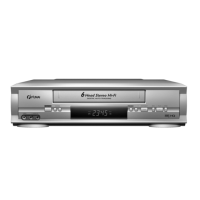
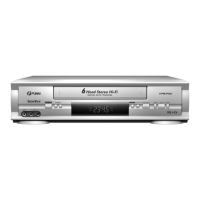
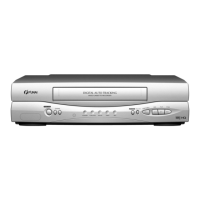
VIDEO CASSETTE RECORDER
31B-250 31B-254 (PDC)
31B-450 31B-454 (PDC)
Owner’s Manual
PAL
Table of Contents
Safety Information .............................................................................................................................................2
Before Using This Product ................................................................................................................................3
Installation .........................................................................................................................................................5
Basic Operation ................................................................................................................................................9
Advanced Operations .....................................................................................................................................10
Maintenance ...................................................................................................................................................14
Troubleshooting Guide ...................................................................................................................................15
Specifications ..................................................................................................................................................15
Declaration of Conformity ...............................................................................................................................16
Features
Automatic Operations
On Screen Display
Auto Repeat Playback
Picture Select
One Touch Recording
Parental Lock
Auto Return
Timer Recording
Auto Head Cleaner
•NTSC Playback
Auto Clock Setting (31B-254/31B-454)
PDC (31B-254/31B-454)
Quick-Find (31B-450/31B-454)
Index/Time Search (31B-450/31B-454)
Supplied Accessories
Remote control
Two R6 batteries
RF cable
Quick setup guide
Important Copyright Information
Unauthorised recording or use of broadcast television
programming, video tape, film or other copyrighted material
may violate applicable copyright laws. We do not take
responsibility for the unauthorised duplication, use, or other
acts which infringe upon the rights of copyright owners.
A Note About Recycling
This product’s packaging materials are recyclable and can be
reused. Please dispose of any materials in accordance with your
local recycling regulations.
This product consists of materials which can be
recycled and reused if disassembled by a
specialised company.
Batteries should never be thrown away or
incinerated but disposed of in accordance with
your local regulations concerning chemical
wastes.
Model/Serial Number
This appliance has a serial number located on the rear panel.
Please note down the model number and serial number and
retain the information for your records.
Model number:
Serial number:
HM210BD(EN).fm Page 1 Thursday, March 2, 2006 6:07 PM

Questions and Answers

  • R
    raycolonAug 14, 2025
    How to fix FUNAI VHS 31B-254 when it has no power?
    • T
      Tammy ParsonsAug 14, 2025
      First, ensure the power cord is securely connected to an AC outlet. Second, verify that the power switch on the FUNAI VCR is turned on.

  • D
    dickersonkevinAug 17, 2025
    What to do if the FUNAI VCR remote control is not working?
    • M
      Margaret SotoAug 17, 2025
      Check the batteries in the remote control. Ensure they are correctly installed and have sufficient charge.
  • Y
    Yolanda JohnsonAug 21, 2025
    Why is timer recording not working on my FUNAI VCR?
    • K
      Katie WilliamsAug 21, 2025
      To enable timer recording on your FUNAI VCR, verify that the Timer Recording is set correctly. Also, make sure the power is off, and ensure that the VCR clock is set correctly.
  • E
    Eric MacdonaldAug 25, 2025
    How to troubleshoot no picture or poor picture on FUNAI VHS 31B-254 playback?
    • K
      Keith RussellAug 25, 2025
      First, set your TV to the correct video channel to view the playback. If the picture is still poor, fine-tune your TV settings for optimal clarity.
  • L
    Lindsay WalterAug 28, 2025
    What to do if on-the-air TV programs cannot be seen on FUNAI VHS 31B-254 VCR?
    • C
      Chris EstesAug 28, 2025
      Double-check the connections of the AERIAL and RF OUT cables. Also, ensure your TV is set to the correct TV channel.
  • B
    Brittany HolmesAug 31, 2025
    Why can't I engage recording mode on my FUNAI VHS 31B-254?
    • L
      Lisa SmithAug 31, 2025
      Make sure the erase-prevention tab on the tape is intact. If the tab has been removed, cover the hole with adhesive tape.
  • S
    Samantha ChenSep 3, 2025
    How to fix a partially noisy playback picture on FUNAI VHS 31B-254?
    • M
      Mary LeSep 3, 2025
      Adjust the tracking control for a better picture by using the CHANNEL (K/L) buttons.
  • S
    Sydney ChapmanSep 6, 2025
    Why does the video or color fade when copying a video tape on my FUNAI VCR?
    • H
      haley10Sep 6, 2025
      This issue occurs because you are attempting to copy a copyrighted video tape, and the FUNAI VCR is experiencing copy guard protection.
  • J
    John PhillipsSep 10, 2025
    What to do if there is no picture but the audio is OK in playback on FUNAI VHS 31B-254?
    • L
      Leah BensonSep 12, 2025
      Head cleaning is necessary, consult the nearest Authorized Service Centre.

Summary

Safety Information

Model and Serial Number Identification

Connection to Power

Mains Cord

Information on changing the fuse and wiring instructions for the mains cord.

Before Using This Product

Description of Controls

Details on the front panel, indicators, and rear panel controls of the VCR.

Remote Control Overview

Remote Control Buttons

Explains the function of each button on the VCR's remote control.

Battery Installation

Instructions for installing batteries in the remote control.

Tape Speed and Colour System

Information on tape speeds (SP/LP) and TV colour systems (PAL/NTSC).

Installation Guide

Connecting the VCR

Step-by-step guide for connecting the VCR to a TV and other devices.

Other Connections

Details on using Scart sockets for connecting external devices for better audio/video quality.

Initial Settings

Video Channel Setting

How to set up the VCR's video channel for RF cable connection.

Setting the Clock

Instructions for setting the 24-hour clock for timer recording functionality.

Channel Presetting

Automatic Channel Preset

Guide to automatically scan and memorize available TV channels.

Manual Channel Preset

Step-by-step process for manually tuning and memorizing individual TV channels.

Skipping Preset Channels

Channel Reprogramming

Basic Operation

Playback Functions

How to play tapes, adjust tracking, speed search, and use still/slow motion features.

Recording Functions

Guide to recording programmes, including viewing another while recording.

Advanced Operations

Tape Memory and Auto Repeat

Features for counter memory, one-touch recording, and auto repeat playback.

Automatic Operations

Tape Handling and Counter

Explains auto rewind/eject, tape ejection, and the real-time tape counter.

Timer Recording

Timer Recording Management

Auto Return and Parental Lock

Using the auto return feature and activating/deactivating parental lock.

PDC Recording Control

Explanation of Programme Delivery Control for precise timer recording.

Advanced Search Functions

Video Tape Copying

Instructions for copying video tapes, including connection diagrams and warnings.

Status Display and Maintenance

Service Information

Guidance on when to seek professional service for inoperative VCRs.

Troubleshooting Guide

Technical Specifications

Declaration of Conformity

FUNAI VHS 31B-254 Specifications

General IconGeneral
BrandFUNAI
ModelVHS 31B-254
TypeVCR
FormatVHS
TunerYes
Remote ControlYes
OutputsComposite video, audio

Related product manuals