EasyManua.ls Logo

FUNAI 29A-650 - User Manual

FUNAI 29A-650
16 pages
Print Icon
To Next Page IconTo Next Page
Loading...
Printed in China
1VMN20023A
HG451ED***
EN
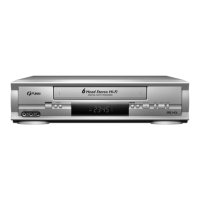
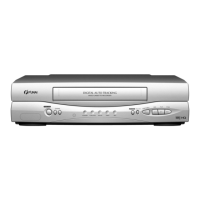
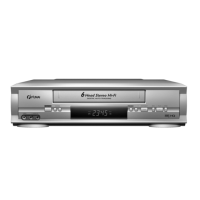
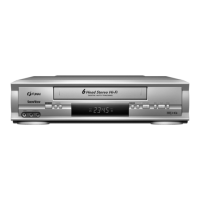
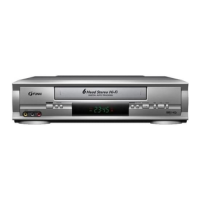
VIDEO CASSETTE RECORDER
Owner’s Manual
PAL
CONGRATULATIONS ON YOUR NEW PRODUCT!
PLEASE KEEP THIS GUIDE IN A SAFE PLACE
Important information
Should any problems or defects occur in this product, please contact the vendor via the
mail address below or by phone BEFORE contacting the shop where it was purchased.
Follow these three points
to receive help from our technical specialists:
1. Before calling, please read this user guide thoroughly.
2. Check our website at www.dangaard-electronics.com, where FAQ, various
drivers, manuals, software etc are available for free download.
3. Before calling, please have valid proof of purchase, model type, serial
number and a precise description of the problem ready!
Service Hotline Mail: service@dangaard-el.com
Service Hotline Telephone: Denmark: +45 7230 3535
Germany: +49 180 5 777 4475
*
Telephone opening hours are Monday-Friday from 09.00-15.00
If we are unable to solve the problem via the Hotline and the product has to be returned to the dealer, please
note that the product, its original packaging, any accessories and proof of purchase must be handed to the
dealer before the product can be accepted for repair handling.
Brand: FUNAI Model no.: 29A-650 29A-654 (VPS/PDC)
29A-750 29A-754 (VPS/PDC)
29A-650(EN).fm Page 1 Wednesday, October 27, 2004 10:40 AM

Questions and Answers

  • L
    Lori WallaceAug 19, 2025
    What to do if my FUNAI VCR has no picture but the audio is OK?
    • J
      Jordan GonzalezAug 19, 2025
      If your FUNAI VCR is not showing any picture, but the audio is fine during playback, it probably needs head cleaning. Contact the nearest Authorized Service Centre for assistance.
  • M
    Mark RileyAug 21, 2025
    Why can't I see TV programs on my FUNAI VCR?
    • A
      Annette WaltersAug 21, 2025
      If your FUNAI VCR isn't displaying on-the-air TV programs, double-check the connections for both the AERIAL and RF OUT. Also, make sure your TV is correctly set to the TV channel.
  • D
    Donna MasseyAug 25, 2025
    How to fix a FUNAI VCR with no power?
    • M
      Morgan MillerAug 25, 2025
      If your FUNAI VCR has no power, ensure that the power cord is properly connected to an AC outlet and that the power is turned on.
  • E
    Erica HernandezAug 26, 2025
    What to do if my FUNAI VCR has no picture or poor picture on playback?
    • C
      Christopher EllisAug 27, 2025
      If you're getting no picture or a poor picture on playback with your FUNAI VCR, set your TV to the video channel and fine-tune your TV.
  • S
    Shannon SmithAug 28, 2025
    Why does the video or color fade when copying a tape on my FUNAI VCR?
    • Z
      Zachary MiddletonAug 28, 2025
      If your FUNAI VCR is experiencing video or color fading in and out when copying a video tape, it may be due to copy guard protection, as you cannot copy a copyrighted video tape.
  • K
    Kyle RodriguezAug 30, 2025
    Why is timer recording not working on my FUNAI 29A-650?
    • M
      Matthew SmithAug 30, 2025
      If timer recording is not working on your FUNAI VCR: * Ensure that the timer recording is set correctly. * Make sure the power is off. * Verify that the VCR clock is set correctly.
  • J
    Justin WilkinsSep 2, 2025
    How to fix a partially noisy playback picture on my FUNAI VCR?
    • D
      Dustin LawsonSep 2, 2025
      If the playback picture on your FUNAI VCR is partially noisy, adjust the tracking control for a better picture by using CHANNEL (K/L).
  • P
    perrymarySep 4, 2025
    What to do if recording mode cannot be engaged on FUNAI VCR?
    • D
      Daniel BestSep 4, 2025
      To enable recording mode on your FUNAI VCR, make sure the erase-prevention tab on the tape is intact. If it has been removed, cover the hole with adhesive tape.
  • D
    Denise MaloneSep 6, 2025
    How to fix FUNAI VCR when on-the-air TV programmes cannot be seen?
    • Y
      ymarshSep 6, 2025
      If you can't see on-the-air TV programs on your FUNAI VCR, double-check the connections for both the AERIAL and RF OUT. Also, ensure your TV is correctly set to the TV channel.
  • J
    Jeffrey AguilarSep 8, 2025
    How to fix partially noisy playback picture on FUNAI VCR?
    • S
      Stephanie GilbertSep 9, 2025
      To resolve a partially noisy playback picture on your FUNAI VCR, adjust the tracking control using the CHANNEL (K/L) buttons until the picture improves.

Summary

Product Support and Important Information

Product Support Contact Details

How to contact technical specialists for assistance with product issues, including hotline information.

Safety and Initial Operation Guidelines

Safety Warnings and Precautions

Essential warnings and precautions for safe VCR usage.

VCR and Remote Control Description

Remote Control Button Functions

Explanation of all buttons on the remote control and their operations.

VCR Installation and Connections

Basic VCR Connection to TV

Step-by-step guide for connecting the VCR to a television.

Initial VCR Setup Procedures

System Clock Configuration

Guide to setting the VCR's clock for timer functions.

Channel Tuning and Selection

Automatic Channel Presetting

Procedure for automatically scanning and storing TV channels.

Basic Playback Functions

Playback Tracking Adjustment

How to adjust tracking to resolve picture noise during playback.

Recording and Audio Features

Recording Programmes

Methods for recording the same or different programmes.

Timer Recording Operations

Programming Timer Recordings

Step-by-step guide for setting up scheduled recordings.

Managing Timer Recordings

How to stop, correct, cancel, or check timer programme details.

Special VCR Functions

Tape Operations, Maintenance, and Service

Service and Problem Resolution

Advice on handling VCR malfunctions and seeking service.

Troubleshooting and Technical Specifications

VCR Troubleshooting Guide

Solutions for common VCR operational problems.

FUNAI 29A-650 Specifications

General IconGeneral
BrandFUNAI
Model29A-650
CategoryVCR
LanguageEnglish

Related product manuals