1-6-6 E9G02DC
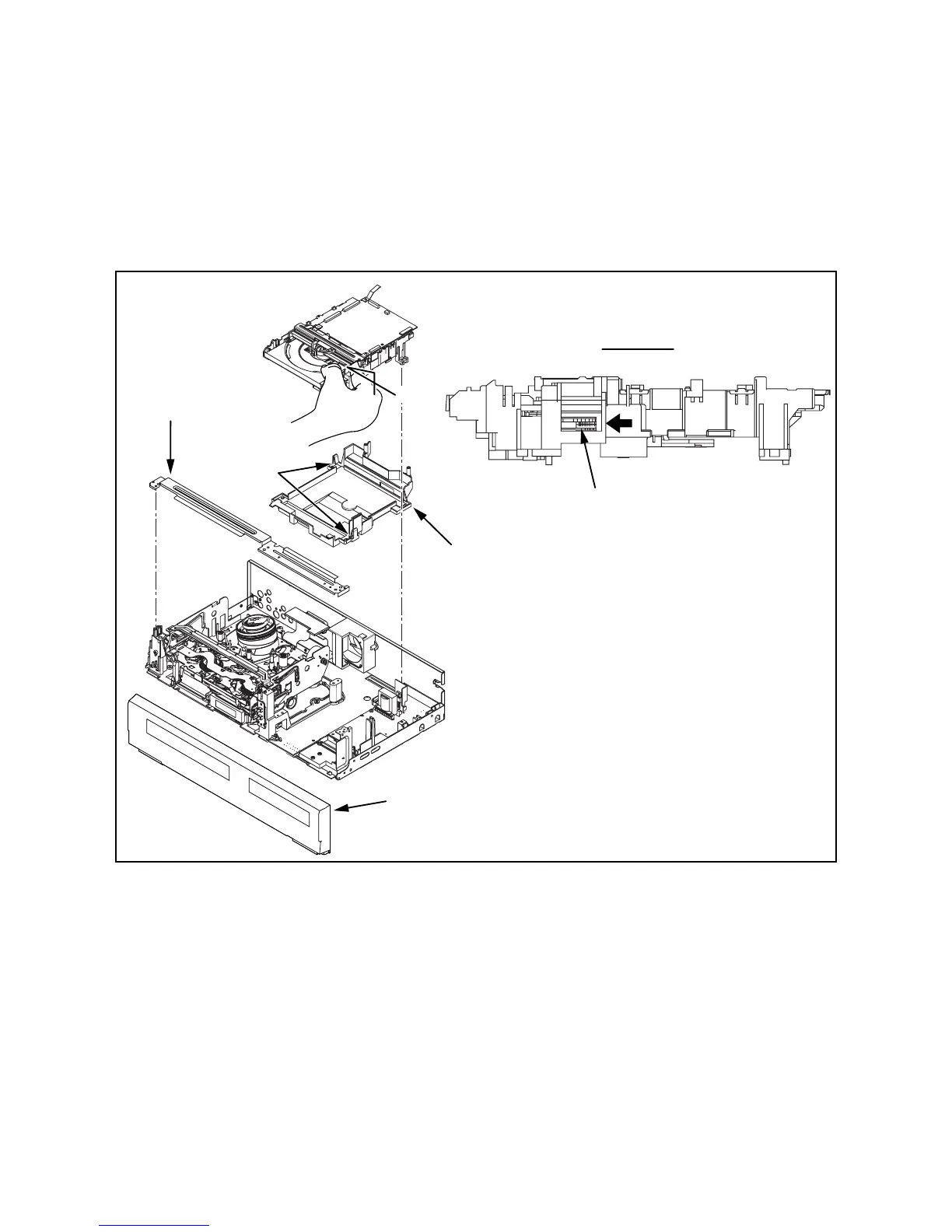
3. How to Eject Manually
Note: When rotating the gear, be careful not to damage the gear.
1. Remove the Top Cover.
2. Remove the Front Assembly.
3. Remove the Front Bracket.
4. Remove the DVD Mechanism & DVD Main CBA Assembly.
5. Unhook two places and detach the Dust Cover.
6. Rotate the gear in the direction of the arrow manually as shown below until the tray descends.
7. Pull the tray out manually and remove a disc.
View for A
Rotate this gear in
the direction of the arrow
hook
Front Bracket
Front Assembly
Dust Cover
A



 To Next Page