5-1
5. MENU OPERATIONS
This chapter menu operations not previously explained in this manual.
5.1 How to Access and Use the Menu
There are six menus which contain items that do not require frequent adjustment after
they are set.
To open the [Menu], press the MENU key. If the system is not turned off since the last
menu operation, the last used menu is shown and the last selected menu item is high-
lighted (selected). If the system is turned off, the [COM1] menu is shown.
Press the MENU key again to close the menu.
How to use the menu
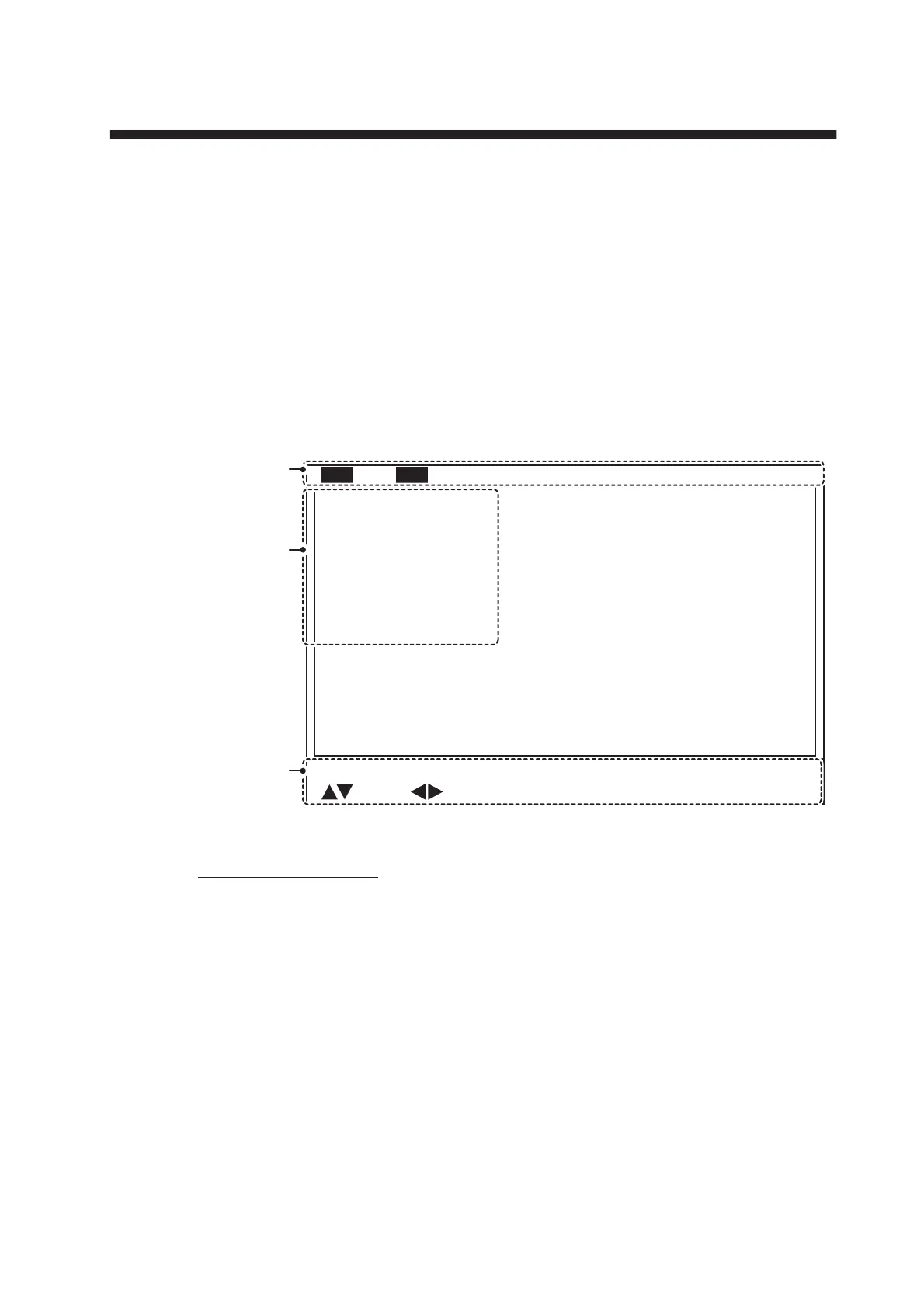
1. Press the MENU key. The menu window appears.
2. Press S to select the menu bar.
3. Press W or X to select a menu.
4. Press T or S to move the cursor inside the menu and select a menu item.
The guidance box at the bottom of the screen shows a brief explanation for the
selected item and the operations allowed for the selected menu item.
5. Press W or X to show the settings for the select menu item.
6. Press W or X to adjust or change the settings for the selected menu item.
7. To save and apply changes, press the MENU key.
Note: If you change a setting, then select a different menu item, the changes made to
the first menu item are saved.
Menu
TX Power
TX Rate
Interference
Auto Filter
Volume
: Select
: Change Menu: Apply
AGC
TX Pulse length
High
1 0
Off
Std.
0 . 0
0
Long
COM1 COM2
HOR. VERT ES
FUNC Key
System
Menu
bar
Menu
items
Operational
guidance
Reverberation
Off
Note: The CH-600 can set [Interference], [AGC] and [Auto Filter] for LF
and HF respectively.



 To Next Page