www.furuno.com
All brand and product names are trademarks, registered trademarks or service marks of their respective holders.
Installation Manual
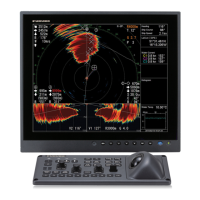
Color Scanning Sonar
Model FSV-85
SAFETY INSTRUCTIONS ................................................................................................ i
SYSTEM CONFIGURATION .......................................................................................... iii
EQUIPMENT LISTS......................................................................................................... v
1. HOW TO INSTALL THE SYSTEM ..........................................................................1-1
1.1 Hull Unit .............................................................................................................................1-1
1.2 Processor Unit ...................................................................................................................1-7
1.3 Control Units ......................................................................................................................1-9
1.4 Transceiver Unit...............................................................................................................1-12
1.5 IF Unit ..............................................................................................................................1-13
1.6 Attachment Kit (option) ....................................................................................................1-13
1.7 How to Fill the Soundome with Antifreeze .......................................................................1-15
1.8 FRP Tank (option)............................................................................................................1-16
1.9 Control Box Extension Kit (option) ...................................................................................1-18
1.10 Remote Controller (option)...............................................................................................1-19
2. WIRING....................................................................................................................2-1
2.1 How to Use the Crimping Tool, Pin Extractor ....................................................................2-1
2.2 How to Connect Units ........................................................................................................2-2
2.3 Processor Unit ...................................................................................................................2-4
2.4 IF Unit ................................................................................................................................2-7
2.5 Control Unit and Remote Controller.................................................................................2-10
2.6 Transceiver Unit...............................................................................................................2-12
2.7 Control Box of Hull Unit....................................................................................................2-15
2.8 Input Voltage and Fuses..................................................................................................2-16
2.9 DIP SW, Jumper Block Settings ......................................................................................2-17
3. ADJUSTMENTS AND CHECKS .............................................................................3-1
3.1 How to Access the System Menu ......................................................................................3-1
3.2 How to Change the Displayed Language ..........................................................................3-1
3.3 Selecting Monitor Resolution .............................................................................................3-2
3.4 How to Set Up for Two Monitors........................................................................................3-3
3.5 How to Set Up a Vertical Monitor.......................................................................................3-4
3.6 How to Change the Frequency Setting ..............................................................................3-4
3.7 How to Check the Hull Unit................................................................................................3-5
3.8 How to Adjust the Heading ................................................................................................3-7
3.9 How to Configure the Own Ship Mark................................................................................3-8
3.10 Others Menu ......................................................................................................................3-8
APPENDIX 1 JIS CABLE GUIDE .............................................................................AP-1
PACKING LIST............................................................................................................ A-1
OUTLINE DRAWING................................................................................................... D-1
INTERCONNECTION DIAGRAM ................................................................................ S-1



 To Next Page