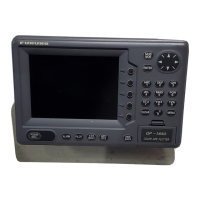
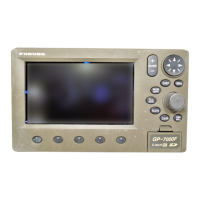
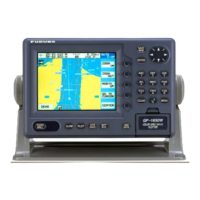
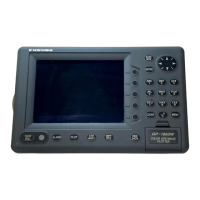
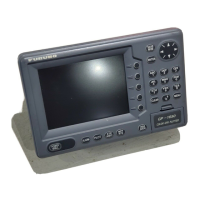
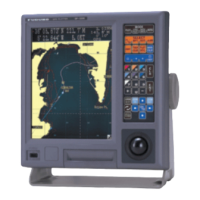
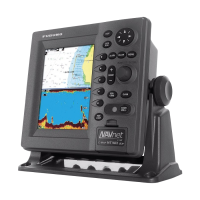
The provided document is an addendum to the operator's manual for the Furuno GP1650/1850 Series Plotter, dated 12/30/1999. This addendum details new software revisions that introduce several enhancements, primarily focusing on a "Fishing Mode" and expanded data storage capabilities.
Function Description:
The Furuno GP1650/1850 Series Plotter is a marine navigation device that, with this software update, offers enhanced functionality for both pleasure boating and professional fishing. The core function remains plotting the vessel's position on a chart, but new features significantly expand its utility.
A key addition is the "Fishing Plotter Mode," which allows users to switch between a "Pleasure Mode" (operating like previous software versions) and a dedicated "Fishing Mode." In Fishing Mode, the device enables the placement of up to 5000 Marks and Line Points in internal memory. This mode also provides quick access to change Track Colors, start/stop Own Ship Tracking, and easily edit Mark Entries via a newly added Softkey Menu. This Softkey Menu is not displayed in Pleasure Mode, indicating a streamlined interface for different user needs.
The device also supports Navionics "Nav-Chart" Cartography and, with this update, gains the ability to "OFFSET" Navionics Charts. This feature allows operators to compensate for minor position discrepancies, such as when the ship's displayed position is slightly off from its actual location (e.g., moored at a pier but shown at sea).
For models with echo sounder capabilities (versions "F" or "DF"), a "Wide-Screen" Echo Sounder Mode is introduced. When operating in a split-screen display (Plotter and Sounder), users can now select between a wide (50%) or narrow (25%) sounder screen, enhancing the visibility of echo sounder data for fish finding. The A-scope display, which shows echoes with amplitudes and tones proportional to their intensities, is useful for estimating fish school type and seabed composition. The new wide plotter/ES display is particularly useful for searching fish schools at cruising speed.
Furthermore, the device can now output RTCM 104 Differential Correction Data to other Differential-Ready GPS products on the vessel, a feature available for "D" or "DF" versions. This enhances the accuracy of GPS data for compatible external equipment.
Important Technical Specifications:
- Mark/Line Storage: Up to 5000 Marks and Line Points can be stored in internal memory in Fishing Mode.
- Data Storage: Unlimited data storage is now possible via external RAM Storage Cards (Part Number: 000-140-483).
- Software Revisions: The addendum specifies minimum software versions required for these new features:
- GP1650/GP1650D: Software Version 145-1801-013 and higher
- GP1650F/GP1650DF: Software Version 145-1802-011 and higher
- GP1850D: Software Version 145-1826-006 and higher
- GP1850DF: Software Version 145-1827-006 and higher
- RTCM DGPS Data Output: Available on "D" or "DF" versions, outputting RTCM 104 differential correction data.
- Echo Sounder Screen Width (Split Screen): Selectable between wide (50%) or narrow (25%) for "F" or "DF" versions. Standard width is approximately 20 mm, while wide is approximately 40 mm.
- PC Interface: RS232 PC Interface for uploading/downloading waypoint information.
- Communication Software Settings (for PC connection):
- Baud Rate: 4800 bps
- Character Length: 8 bit
- Stop bit: 1 bit
- Parity: None
- X Control: XON/XOFF
Usage Features:
- Operation Mode Switching: Users can easily switch between "Pleasure Mode" and "Fishing Mode" through the DISPLAY OPTIONS menu. This allows for tailored functionality based on the user's activity.
- Mark Entry and Editing: In Fishing Mode, marks can be entered at the cursor position or own ship position. The [HIDE/SHOW] key changes softkey functions, providing quick access to MARK ENTRY. Mark attributes (shape, line type, color) can be customized via the MARK EDIT softkey, offering options like various shapes (circle, square, triangle, cross, etc.) and colors (red, yellow, green, light blue, purple, blue, white). Mark size can also be selected as STD (standard) or SMALL.
- Data Management with Memory Cards: The device now supports storing and loading various data types (Mark/line, Waypoints/routes, Track, Configuration settings) to/from RAM memory cards. This provides "unlimited data storage" and allows for cloning device settings.
- Formatting Memory Cards: Memory cards must be formatted before use, which erases all existing data.
- Saving Data: Users can select specific data types to save to a formatted memory card.
- Loading Data: Data can be loaded from a memory card, with important considerations:
- Loaded track data is added to internal track; oldest track may be erased if memory capacity is exceeded.
- Loaded waypoint/route data OVERWRITES previously stored data, requiring caution.
- Loaded mark/line data is added to internal data; no new marks can be entered if memory becomes full.
- Loaded configuration data replaces current settings and requires a restart.
- Erasing Marks: Individual marks/lines can be erased by placing the cursor on them and pressing the [CLEAR] key. Whole marks/lines can be erased via the TRACK CONTROL menu, but this action is irreversible.
- Chart Offset: The "OFFSET" capability for Navionics Charts allows users to correct minor position errors by adjusting the chart display. This is done through the CHART SETUP OPTIONS menu.
- Upload/Download Data (PC Interface): Waypoint and route data can be uploaded to or downloaded from a personal computer via the DGPS connector.
- Diagnostic Tests: A "Self Test" procedure is available to check the display and antenna units, and to view the software revision number. The "Memory I/O" test displays the software revision in the upper left corner of the display.
Maintenance Features:
- Software Upgrade: If the device's software revision number is lower than those listed in the addendum, a simple software upgrade is necessary to access the new features. Users are advised to contact their local Furuno Dealership for this service.
- Memory Card Handling: Users are instructed on how to format, save, and load data using memory cards. Warnings are provided regarding data overwrite and the importance of not removing the card during saving/loading operations. Error messages are displayed for scenarios like "Memory card not inserted," "Unformatted memory card," or "Wrong card inserted."
- Operator's Manual: The addendum notes that the main operator's manual is not updated at the time of this release, but a revised version is expected in the first quarter of 2000. Users are advised to contact their authorized Furuno Dealer for further information. The installation manual remains unaffected by this software revision.

 Need help?
 General

 To Next Page