EasyManua.ls Logo

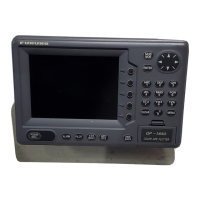
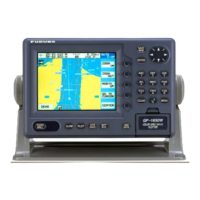
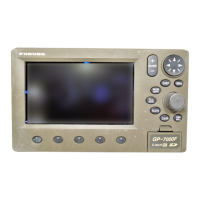
Furuno GP-7000F - User Manual

Furuno GP-7000F
142 pages
Print Icon
To Next Page IconTo Next Page
Loading...
COLOR GPS/PLOTTER/SOUNDER
GP-7000F
OPERATOR'S MANUAL
www.furuno.co.jp
MODEL
www.reelschematic.com

Table of Contents

Other manuals for Furuno GP-7000F

Questions and Answers

  • R
    Robert WilliamsAug 14, 2025
    What to do if my Furuno GP-7000F Marine GPS System position is not fixed within 90 seconds?
    • M
      Mark WoodsAug 14, 2025
      If the Furuno Marine GPS System position isn't fixed quickly, ensure the antenna connector is firmly fastened. Also, check the number of satellites received on the GPS STATUS display.
  • M
    matthewgomezAug 18, 2025
    How to fix Furuno Marine GPS System when I cannot turn on the power?
    • W
      wsnowAug 18, 2025
      If your Furuno Marine GPS System won't power on, try these steps: * Check for a blown fuse. * Ensure the power connector is firmly fastened. * Inspect the power cable for damage. * Verify the battery has the correct voltage output. * Press the [POWER/BRILL] key a little harder.
  • J
    Jennifer KnappAug 21, 2025
    What to do if the picture goes off suddenly on Furuno GP-7000F?
    • A
      Allison DunlapAug 21, 2025
      If the picture on your Furuno Marine GPS System suddenly disappears, press the [POWER/BRILL] key to turn the power back on.
  • C
    Christopher CookAug 25, 2025
    Why is my Furuno GP-7000F Marine GPS System position wrong?
    • G
      grayjosephAug 25, 2025
      If the position displayed on your Furuno Marine GPS System is incorrect, enter the correct position offset in the ADVANCED menu.
  • J
    Jennifer RamseyAug 28, 2025
    What to do if no picture appears on Furuno Marine GPS System?
    • L
      Laurie WrightAug 28, 2025
      If no picture appears on your Furuno Marine GPS System, press the [POWER/BRILL] key and then rotate the [ENTER] knob.
  • J
    John NavarroAug 31, 2025
    Why is the bearing wrong on my Furuno GP-7000F Marine GPS System?
    • K
      kmorenoAug 31, 2025
      If the bearing is incorrect on your Furuno Marine GPS System, check the VARIATION setting in the ADVANCED menu.
  • S
    Suzanne HillSep 3, 2025
    What to do if there is no response when a key is pressed on Furuno GP-7000F Marine GPS System?
    • W
      wallacejessicaSep 3, 2025
      If your Furuno Marine GPS System doesn't respond when you press a key, try turning the power off and then on again.
  • P
    Pamela MillerSep 7, 2025
    Why is the track not plotted on my Furuno GP-7000F Marine GPS System?
    • T
      tbarajasSep 7, 2025
      If the track isn't being plotted on your Furuno Marine GPS System, check that 'On' is selected for TRACK and VISIBLE in the PLOTTER menu.
  • T
    Thomas MoraSep 10, 2025
    How to adjust the ship's speed indication on Furuno GP-7000F Marine GPS System when it's not zero after stopping?
    • K
      kathryn74Sep 10, 2025
      If the ship's speed indication on your Furuno Marine GPS System is not zero after the ship has stopped, try decreasing the SPEED FILTER setting in the ADVANCED menu.

Summary

Safety Instructions

Warning and Cautionary Statements

Important safety warnings and cautionary notes for equipment operation and maintenance.

Operational Overview

Loading SD Card

Instructions for inserting and using C-MAP NT+/NT MAX chart cards.

Man Overboard (MOB) Function

How to mark a man overboard position and set it as a destination.

Plotter Displays

Plotter Presentation Modes

Description of display presentations: North-up, Course-up, and Auto Course-up.

Track Management

Waypoint Management

Entering New Waypoints

Methods for entering waypoints by ship position, cursor, or waypoint list.

Route Planning and Navigation

Creating New Routes

Step-by-step guide to creating and storing new routes with waypoints.

Navigation Functions

Navigating to Quick Points

Using the quick points feature to navigate to a cursor-selected location.

Navigating to Waypoints

Setting destinations by cursor, name, or through the WAYPOINT LIST.

Following a Route

How to navigate a complete route or start navigation from a specific waypoint.

Alarm System

Arrival Alarm Configuration

Setting the alarm for approaching a destination waypoint.

Cross-Track Error (XTE) Alarm

Warning for being off the intended course and setting the XTE alarm.

Anchor Watch Alarm

Alarm that alerts when the boat moves while at anchor.

Grounding Alarm Configuration

Setting the alarm for objects on chart data within range and depth.

Customizing Your Unit

Map Display Settings

Customizing map display options including zoom, fonts, symbols, and chart data.

Advanced Data Calibration

Calibrating GPS data, position filters, and speed filters.

Data Transfer Operations

Sending and Receiving Data

Transferring waypoints and routes to/from PC or other units via NMEA/RS-232.

Video Sounder Operation

Understanding the Sounder Display

Description of the sounder display elements and transmission frequencies.

Automatic Sounder Modes

Using automatic modes (CRUISE, FISH) for simplified sounder operation.

Manual Sounder Operation

Detailed manual control of gain, range, and other sounder settings.

Minimizing Sounder Interference

Techniques for reducing noise and interference on the sounder display.

Sounder Alarms

Setting up fish (normal) and fish (bottom lock) alarms.

Maintenance and Troubleshooting

Routine Equipment Maintenance

Regular checks for antenna unit, cables, connectors, display unit, and transducer.

Replacing the Fuse

Procedure and precautions for replacing the system's fuse.

Basic Troubleshooting Guide

Step-by-step procedures to resolve common operational issues.

Equipment Diagnostics Tests

Performing tests for RAM, Dim, Cartridges, and Serial ports.

AIS Operation

Activating AIS Feature

Steps to turn the AIS feature on or off and set activation range.

CPA and TCPA Alarm Settings

Setting Closest Point of Approach and Time to CPA alarm limits.

GP-7000 F Specifications

Furuno GP-7000F Specifications

General IconGeneral
BrandFuruno
ModelGP-7000F
CategoryMarine GPS System
LanguageEnglish

Related product manuals