1. HOW TO INSTALL THE EQUIPMENT
9
Note: When doing deviation correction, the surrounding environment and ship position will
have an effect on the time it takes to succeed in the correction.
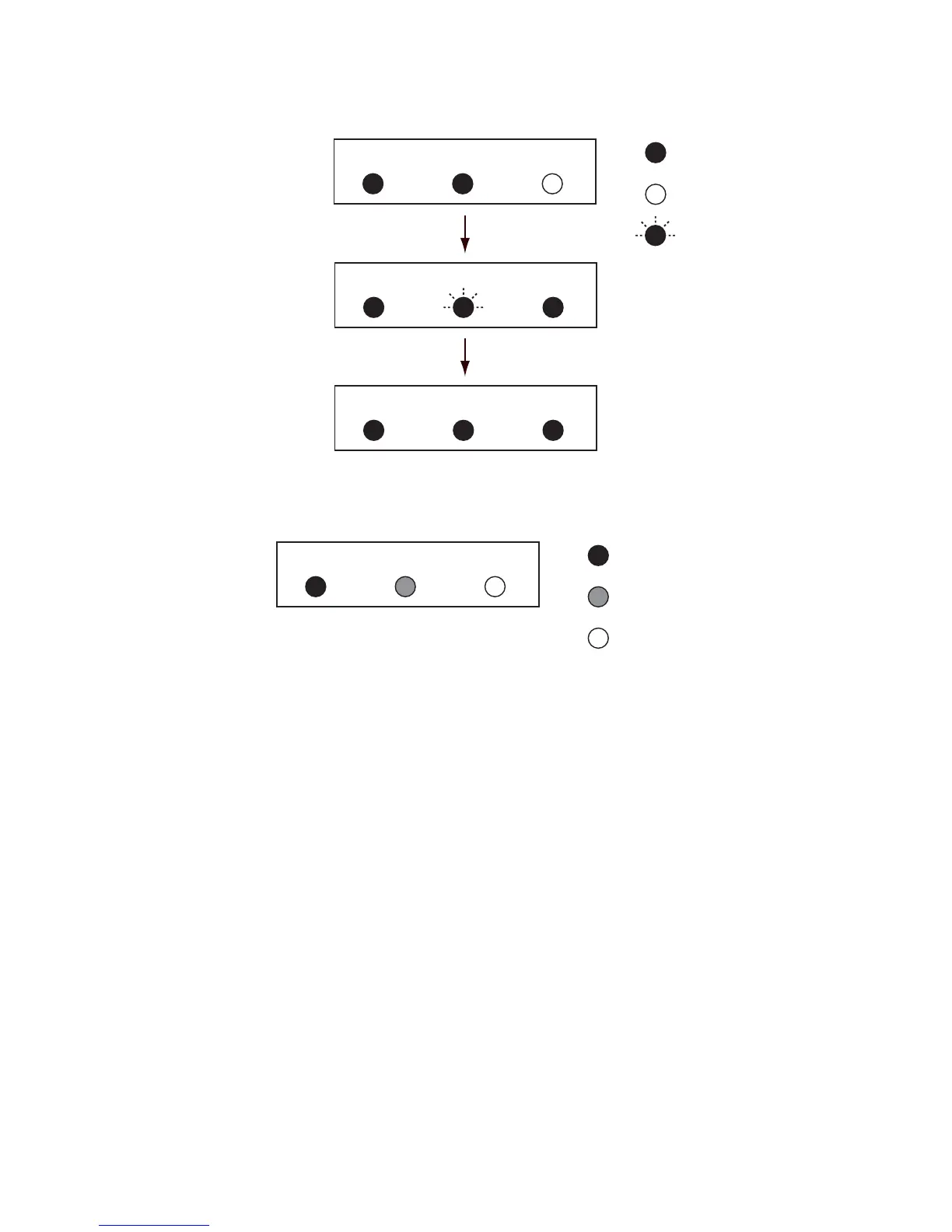
Successful status for deviation correction
If deviation correction fails, the CALIB lamp lights green and the STATUS lamp lights red. The
deviation correction results remain until you proceed to step 5.
Failed status for deviation correction
5. If deviation correction fails, press the [+] and [-] keys simultaneously for 3 seconds to repeat
the process again from the beginning.
6. Anchor the vessel to a quay. Point the vessel toward a stationary object (lighthouse, etc., a
bearing which you can confirm on a nautical map) and confirm the bearing indication is cor-
rect. If it is not correct, measure the difference correctly and go to the procedure in section 1.4.
: OFF
: ON (green)
CALIB STATUS CHECK
CALIB STATUS CHECK
After five sec.
: Flashing (green)
CALIB STATUS CHECK
After two min.
Initialization completed
(Normal condition)


 To Next Page