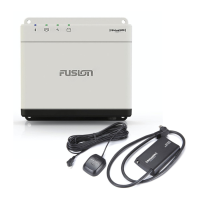
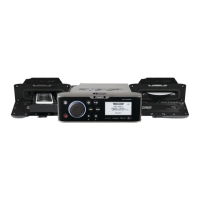
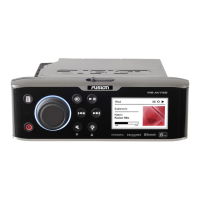
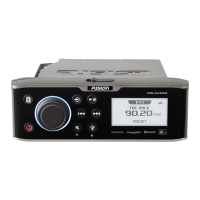
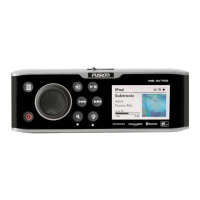
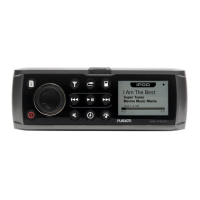
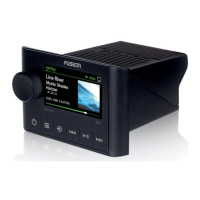
The Fusion Apollo MS-SRX400 is a compact marine stereo designed for audio entertainment on vessels, offering a range of connectivity and control options. It integrates seamlessly into a Fusion PartyBus network, allowing for synchronized audio across multiple stereos and zones on a boat.
Function Description
The MS-SRX400 serves as an audio hub, capable of playing media from various sources. It supports Bluetooth wireless technology, enabling users to stream music from compatible mobile devices. The stereo can pair with up to eight Bluetooth devices, providing flexibility for multiple users. For Apple users, the device offers AirPlay® functionality, allowing for wireless streaming from Apple devices connected to the same Wi-Fi network. Additionally, it supports UPnP (Universal Plug and Play) playback, which means it can access and play media from UPnP-enabled devices like computers and media servers connected to the network.
Radio functionality is also a core feature, with support for AM and FM stations. The stereo allows users to set their tuner region for optimal reception and to easily change stations, either by scanning automatically, manually tuning, or selecting saved presets.
A key aspect of the MS-SRX400 is its integration into the Fusion PartyBus network. This networking feature allows multiple compatible Fusion stereos to connect, either wired or wirelessly, to create a synchronized audio experience across different zones of a vessel. Within a PartyBus group, all stereos share the same synchronized display and can play the same source simultaneously. While the MS-SRX400 can join a group and play sources from other stereos, it acts as a zone stereo, meaning it cannot share its own sources with the group.
The device also features digital signal processing (DSP) settings, which can be configured to optimize audio reproduction for Fusion speakers and amplifiers in their installed locations. These DSP settings are managed through the Fusion-Link™ remote control app.
Usage Features
The stereo is controlled primarily through a dial and several buttons on its front panel. The dial is used to adjust volume, navigate menus, and select items. Pressing the dial selects highlighted options, while pressing and holding can activate functions like opening radio presets or muting all connected stereos. Dedicated buttons allow users to power the stereo on/off, mute audio, open the main menu, return to previous screens, and change audio sources. Playback controls include skipping tracks, rewinding, fast-forwarding, and pausing/resuming. For radio, these buttons facilitate tuning to previous/next stations and saving presets.
When connected to a Fusion PartyBus network, the MS-SRX400 offers advanced grouping capabilities. Users can create, edit, and leave groups of stereos, allowing for synchronized audio playback across the vessel. Within a group, the volume for any zone on any stereo can be adjusted, and playback controls on one stereo affect all grouped stereos. Group synchronization can be enabled to retain group settings even after a power cycle, ensuring consistent audio setups.
The stereo's settings menu provides extensive customization options. Users can name the device and individual speaker zones for easy identification, especially in a networked environment. The backlight brightness can be adjusted, and the internal amplifier can be disabled to reduce power consumption if external amplification is used. Audio settings include adjusting subwoofer levels, tone (bass/treble), and enabling/disabling the "LOUD" setting for enhanced frequency response at different volumes. Individual zone volume levels can be maintained relative to each other, even when adjusting the master volume for all zones.
Network configuration is a significant feature, allowing the stereo to connect to wireless access points as a client or to function as a wireless access point itself. This enables wireless communication with other PartyBus devices and mobile apps. The device supports Wi-Fi Protected Setup (WPS) and Apple Wireless Accessory Configuration (WAC) for easier connection to wireless networks. Advanced network settings allow for configuring DHCP (Dynamic Host Configuration Protocol) server functions and setting static IP addresses, which is crucial for complex marine network setups. The stereo can also be configured for use with a Garmin® Marine Network, allowing control from compatible Garmin chartplotters.
The Fusion-Link Wireless Remote Control App, available for Apple and Android devices, extends control capabilities to mobile devices. Through the app, users can adjust volume, change sources, control playback, manage radio presets, configure DSP profiles, and update the stereo's software. The app connects to the stereo via Bluetooth or Wi-Fi, with Wi-Fi offering greater range.
Maintenance Features
Software updates are crucial for maintaining compatibility and performance. The MS-SRX400's software can be updated wirelessly using the Fusion-Link app when the stereo is connected to a wireless network with internet access. It's recommended to update all Fusion devices at the time of installation.
For physical maintenance, the device can be cleaned with a soft, clean, lint-free cloth dampened with fresh water, then gently wiped.
Troubleshooting information is provided for common issues, such as the stereo not responding to key presses (resolved by a hard reset), Bluetooth audio interruptions (checking obstructions, range, and Wi-Fi interference), and incomplete song information display (dependent on the media player's capabilities). Network troubleshooting guidance helps resolve connectivity issues within the Fusion PartyBus network, including verifying DHCP server configuration, checking network connections, and addressing wireless interference. Specific advice is also given for issues related to Apple device connections, such as ensuring device compatibility, updated software, and resetting the Apple device.
Users are encouraged to register their Fusion device online for better support and to keep their original sales receipt.


 To Next Page

 General