EasyManua.ls Logo

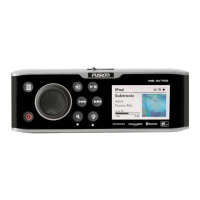
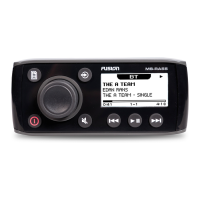
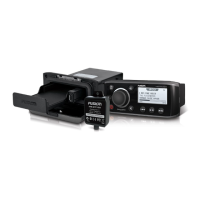
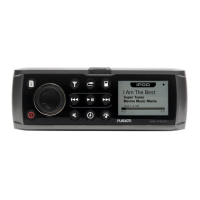
Fusion MS-UD/AV750 - User Manual

Fusion MS-UD/AV750
16 pages
Print Icon
To Next Page IconTo Next Page
Loading...

Table of Contents

Other manuals for Fusion MS-UD/AV750

Questions and Answers

  • Q
    qsmithAug 2, 2025
    What to do if my Fusion Marine Audio says 'No Signal'?
    • J
      Jennifer BrewerAug 2, 2025
      If your Fusion Marine Audio system displays a 'No Signal' message, it means the SiriusXM Connect Vehicle Tuner is struggling to receive the satellite signal. Ensure your boat is in an open area with a clear view of the sky. Also, check that the SiriusXM antenna is securely mounted and free from obstructions. Inspect the antenna cable for any damage or kinks, and replace the antenna if necessary. For detailed antenna installation guidance, consult the SiriusXM Connect Vehicle Tuner installation manual.
  • P
    pamelawilsonAug 9, 2025
    How to fix 'Check Antenna' on Fusion MS-UD/AV750 Marine Audio?
    • H
      Holly SchneiderAug 9, 2025
      If you see a 'Check Antenna' message on your Fusion Marine Audio, it indicates a problem with the antenna connection. First, verify that the antenna cable is securely connected to the SiriusXM Connect Vehicle Tuner. Then, carefully inspect the antenna cable for any signs of damage or kinks. If the cable is damaged, you should replace the antenna.
  • S
    Sean DurhamAug 17, 2025
    What to do if my Fusion Marine Audio says 'Check Tuner'?
    • D
      danielhenryAug 17, 2025
      If your Fusion Marine Audio displays a 'Check Tuner' message, it means the tuner might be disconnected or damaged. To resolve this, verify that the SiriusXM Connect Vehicle Tuner cable is securely connected to the stereo.
  • R
    Richard SheppardAug 25, 2025
    What does 'Subscription Updated' mean on Fusion MS-UD/AV750?
    • B
      Brian GardnerAug 25, 2025
      If your Fusion Marine Audio displays a 'Subscription Updated' message, select any button to clear the message. For questions about your subscription, go to www.siriusxm.com or call 866-635-2349.

Summary

Getting Started

Stereo Controls

Explains the function of each control button on the stereo unit.

Media Player Connection

Explains how to connect various media players via dock, USB, or auxiliary inputs.

Selecting a Source

How to choose the active audio or media source for the stereo.

Adjusting Volume and Tones

Details how to adjust volume, tones, and speaker zones for personalized audio.

Bluetooth Device Playback

Connecting a Bluetooth Device

Steps to pair and connect a Bluetooth device to the stereo for audio streaming.

Bluetooth Troubleshooting

Solutions for intermittent audio interruptions during Bluetooth playback.

DVD and CD Playback

Disc Playback Operations

Instructions for inserting, setting region, and playing DVD/CD discs.

USB, MTP, and Apple Device Playback

Device Connection and Playback

Information on connecting and playing media from USB, MTP, and Apple devices.

MTP File Organization

Guidelines for organizing music files on MTP devices for optimal recognition.

Pandora Service

Controlling Pandora Radio

How to control Pandora radio playback directly from the stereo.

Radio Operations

Tuning and Presets

Methods for tuning, setting regions, and managing presets for AM/FM/DAB stations.

SiriusXM Satellite Radio

Setup, subscription, and parental control for SiriusXM radio service.

System Settings

General Settings

Key settings including Tone, Zones, Language, and Updates.

Software Updates

Instructions for downloading and installing software updates for compatibility.

Troubleshooting

Stereo Control Issues

Solutions for unresponsive stereo controls and device lock-ups.

Device Connection Issues

Troubleshooting for Apple or MTP device recognition and playback problems.

Bluetooth Audio Issues

Solutions for intermittent audio interruptions during Bluetooth playback.

Specifications

General Specifications

Lists general specifications like weight, water resistance, and operating temperatures.

Tuner Specifications

Provides specifications for FM and AM radio tuning frequencies and steps.

On-board Amplifier Specifications

Details amplifier specifications like output power and channels.

Fusion MS-UD/AV750 Specifications

General IconGeneral
Built-in BluetoothYes
Water ResistanceIPX6
Display TypeLCD
Radio TunerAM/FM
USBYes
AUX InputYes
EthernetYes
NMEA 2000Yes
Marine CertifiedYes
Compatible FormatsMP3, WMA, FLAC
SiriusXMReady

Related product manuals