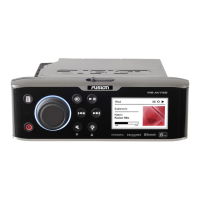
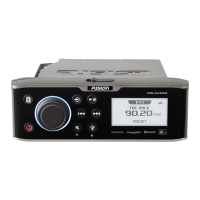
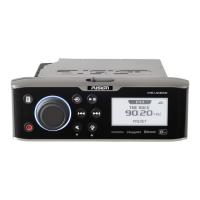
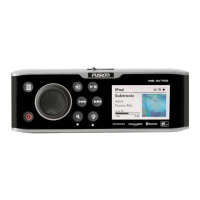
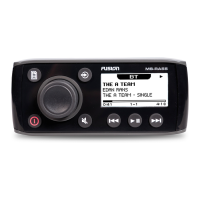
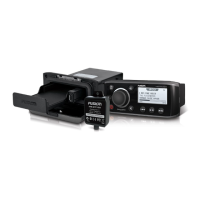
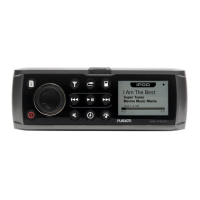
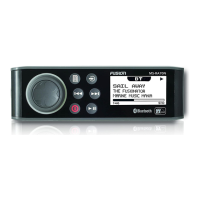
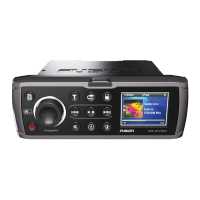
The FUSION MS-UD/AV650 is a marine entertainment system designed for use in various marine environments. This owner's manual provides comprehensive information on its features, specifications, and operation.
Function Description
The MS-UD/AV650 serves as a central hub for marine audio and video entertainment. It supports a wide range of media sources, including AM/FM radio, SiriusXM Satellite Radio, DAB (Digital Audio Broadcasting), DVD/CD playback, USB devices, MTP devices, Apple devices (iPod, iPhone), and Bluetooth-enabled media players. The system allows for multi-zone audio control, enabling users to adjust audio levels independently in different areas of the vessel. It also features FUSION-Link™ technology for integrated control with compatible multi-function displays and NMEA 2000® connectivity for audio control and data display.
Important Technical Specifications
- General:
- Weight: 0.88 kg (1.96 lb.)
- Water resistance: IPX5
- Operating temperature range: -5 to 50°C (23 to 122°F)
- Storage temperature range: -20 to 70°C (-4 to 158°F)
- Input voltage: 10.8 to 16 Vdc
- NMEA 2000 LEN: 1 (50 mA)
- Compass-safe distance: 15 cm (5.9 in.)
- On-board, Class D Amplifier:
- Output music power per channel: 70 W max. x 4 at 2 Ohms
- Total output music power: 280 W max.
- Current (standby with ignition off): < 3 mA
- Current (max): 15 A
- Current (muted): < 900 mA
- Tuner (FM Radio):
- Europe and Australasia: 87.5-108 MHz, 50 kHz step
- USA: 87.5-107.9 MHz, 200 kHz step
- Japan: 70-90 MHz, 50 kHz step
- Tuner (AM Radio):
- Europe and Australasia: 522-1620 kHz, 9 kHz step
- USA: 530-1710 kHz, 10 kHz step
- Japan: 522-1620 kHz, 9 kHz step
- Bluetooth:
- Range: 10 m (33 ft.)
- Supports up to eight paired devices.
- Does not support album cover artwork or shuffle/repeat status icons over Bluetooth.
- MTP Device Compatibility:
- Music folders should not contain more than 300 files each to prevent unresponsiveness.
- Music files must be located in specific root directories (My Music, My_Music, mobile, Music).
- Apple Device Compatibility:
- "Made for iPhone 6 Plus, iPhone 6, iPhone 5s, iPhone 5c, iPhone 4s, iPhone 4, iPod touch (3rd through 5th generation), iPod classic, and iPod nano (4th through 7th generation)."
- Requires disabling Bluetooth on the Apple device or unpairing the Bluetooth connection from the stereo when connected via USB to avoid playback issues.
Usage Features
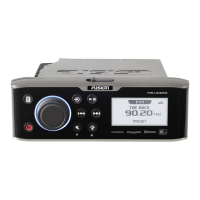
- Stereo Controls: The device features a dial for navigating menus, selecting items, and adjusting volume. Dedicated buttons control power, source selection, play/pause, track skip/rewind/fast-forward, mute, and screen/dial brightness.
- Text Entry: Allows users to enter text for settings fields using the dial to select characters.
- Media Player Connection:
- Docking Station (UD models only): Compatible with various smartphones and mobile devices with bottom ports (max size 144 x 71 x 13 mm). Adapter cables for Micro-USB, Apple 30-pin, and Apple Lightning are included.
- USB Cable: Connects USB devices, including flash drives, Android smartphones (MTP), and Apple devices (iPod).
- Auxiliary Device: Connects external devices like TVs, DVD players, and game consoles via RCA connectors or a 3.5 mm adapter. Gain adjustment is available for auxiliary inputs.
- Audio Adjustments:
- Volume: Adjustable via the dial, with independent control for multiple speaker zones.
- Tones: Bass, middle, and treble levels can be adjusted.
- Subwoofer Filter: Controls the subwoofer cutoff frequency.
- Speaker Zones: Supports up to three zones with independent control over balance, volume limit, subwoofer level, and custom naming. Zones 1 and 2 are powered by the internal amplifier, while line outputs require external amplifiers. Zones can be linked for synchronized control. Internal amplifiers can be disabled when using external amplifiers.
- Infrared Remote Control (AV models only): Provides remote access to all stereo functions, with button actions varying by active media source.
- Bluetooth Device Playback: Pairs with up to eight Bluetooth media devices for audio streaming. Playback is controlled via stereo keys, but music browsing is done on the media device. "DISCOVERABLE" setting can be toggled for pairing.
- DVD and CD Playback (AV models only): Supports DVD and CD playback. Requires setting the DVD region. Playback is controlled via the IR remote.
- USB, MTP, and Apple Device Playback: Supports repeat and shuffle functions for songs. MTP devices require an initial download of song names for playback, which can take several minutes for large collections.
- Pandora Service: Integrates with the Pandora application on compatible Apple mobile devices via USB connection. Allows control of Pandora radio (play/pause, skip, thumbs up/down, add/delete station, shuffle) directly from the stereo.
- Radio (AM/FM): Requires a marine AM/FM antenna. Features auto, manual, and preset tuning modes. Up to 15 presets can be saved per band.
- DAB Playback: Requires a compatible DAB module and antenna. Supports scanning for DAB stations, changing stations, and saving up to 15 DAB-station presets.
- SiriusXM Satellite Radio: Requires a SiriusXM Connect Vehicle Tuner and subscription. Features include enabling the source, locating the Radio ID (channel 0), activating subscriptions, and selecting categories.
- Parental Controls (SiriusXM): Allows locking specific SiriusXM channels with a 4-digit passcode. Features include enabling/disabling controls, locking/unlocking channels, clearing all locked channels, and changing the passcode.
- General Settings:
- KEY SOUND: Enables/disables audible key tones.
- LANGUAGE: Sets the device language.
- SEARCHING (FUSION® Alpha Search Technology - FAST): Enables quick search for tracks by letter or number.
- POWER SAVE: Enables/disables LCD backlight after one minute of inactivity.
- NRX POWER: Controls power to wired remote controls not on an NMEA 2000 network.
- TEL MUTE: Sets mute behavior when connected to a hands-free phone.
- TUNER REGION: Sets the region for FM, AM, DAB, and SiriusXM.
- SET DEVICE NAME: Customizes the stereo's name.
- UPDATE: Updates software for the stereo and connected accessories.
- ABOUT: Displays software versions and FUSION-Link™ interface information.
Maintenance Features
- Software Updates: Users are advised to update software on all FUSION devices at the time of installation to ensure compatibility. Updates are available on the FUSION website.
- Troubleshooting: The manual provides resolutions for common issues such as:
- Stereo not responding to key presses (reset by holding power button).
- Stereo locking up when connected to an Apple device (reset stereo, reset Apple device, ensure latest iTunes/OS).
- Stereo not finding connected Apple device (ensure latest iTunes/OS and FUSION-Link™ app, reset Apple device).
- Apple device in thermal protection mode (remove device to cool, charge device if low battery).
- MTP device unresponsive (ensure music folders have fewer than 300 files).
- Stereo not finding all music files on MTP device (ensure files are in specified root folders).
- Bluetooth audio interrupted (ensure clear line of sight, device within 10m, turn off "DISCOVERABLE" after pairing).
- Bluetooth not displaying song information (depends on media player/app capability).
- SiriusXM antenna/tuner issues (verify connections, inspect cables, ensure clear sky view, consult installation manual).
- SiriusXM subscription issues (contact SiriusXM listener care, refresh signal online).
- SiriusXM channel not available/subscribed (check channel lineup/subscription package).
- SiriusXM channel locked (refer to parental control section).
- True-Marine™ Products: FUSION products bearing the True-Marine stamp are designed for harsh marine conditions and come with a 3-year worldwide limited consumer warranty.
- Registration: Users are encouraged to register their MS-UD/AV650 online at www.fusionentertainment.com and keep the sales receipt.


 To Next Page

 General