EasyManua.ls Logo

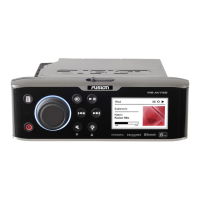
Fusion MS-AV700i - User Manual

Fusion MS-AV700i
68 pages
Print Icon
To Next Page IconTo Next Page
Loading...
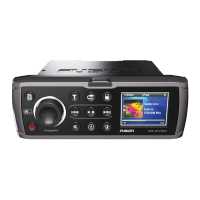
700 Series Manual
MARINE ENTERTAINMENT SYSTEM
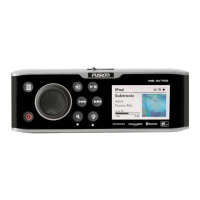
MS-IP700i
True Marine Entertainment System for iPod
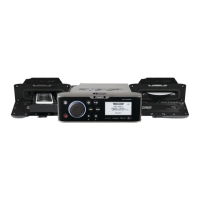
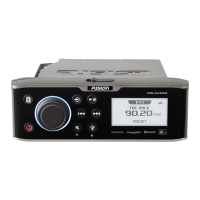
MS-AV700i
True Marine DVD Entertainment System

Other manuals for Fusion MS-AV700i

Questions and Answers

  • K
    kmendezAug 19, 2025
    Why is my Bluetooth audio cutting out on my Fusion MS-AV700i?
    • H
      hodgemichaelSep 12, 2025
      To prevent interruptions to audio streaming over Bluetooth on your Fusion Marine Audio system, ensure the music device is not covered or obstructed, and it is located near the Bluetooth module. It is also recommended that the Discoverable feature is turned off after pairing your device to the Fusion stereo.
  • S
    Sandra SummersAug 21, 2025
    Why doesn't my Fusion MS-AV700i Marine Audio head unit recognize my MS-BT200 Bluetooth Module?
    • E
      Elizabeth MccoyAug 21, 2025
      If you have installed the MS-BT200 Bluetooth module or SiriusXM Tuner (USA Only) to your Fusion Marine Audio, you will need to enable the source. This operation will be determined by the Tuner region you have selected.
  • A
    Annette StewartAug 23, 2025
    How to reset Fusion MS-AV700i unit when it doesn't respond?
    • J
      Jonathan HerreraAug 23, 2025
      If your Fusion Marine Audio unit does not respond to key presses, reset it by pressing the Reset button inside the control panel door.
  • C
    Cody TaylorAug 26, 2025
    Why does my Fusion MS-AV700i head unit freeze when connected to my iPod or iPhone?
    • J
      Jaclyn GreenAug 26, 2025
      If your Fusion head unit keeps locking up when connected to your iPod or iPhone, try the following: * Reset the head unit by pressing the reset button inside the face plate. * Reset your iPod or iPhone (refer to the Apple website for model-specific information). Also, ensure you have the latest version of iTunes and the latest operating software on your iPod or iPhone, as updating the software when Apple releases new versions is important.
  • E
    Emily MuellerAug 27, 2025
    What to do if my Fusion Marine Audio FUSION-Link Wireless application displays “No stereo available”?
    • S
      Samuel KrauseAug 27, 2025
      If your Fusion-Link Wireless application displays “No stereo available”, the first thing to check is that you are connected to the correct wireless network for the 700 Series. Once you have confirmed this, close the App on the device and restart it.
  • C
    carlsondavidAug 30, 2025
    Why won't my Fusion MS-AV700i FUSION-Link Wireless remote application connect to my 700 Series stereo?
    • C
      Charles HolmesAug 30, 2025
      If your Fusion-Link Wireless remote application will not connect to your 700 Series stereo, the first thing to check is that the 700 Series is displaying a valid IP address on the about screen. Select the settings menu, then 'about' to confirm.
  • M
    madison36Sep 1, 2025
    What to do if my Fusion MS-AV700i Marine Audio SiriusXM displays ‘No Signal’?
    • C
      Curtis MartinezSep 1, 2025
      If you see the SiriusXM message ‘No Signal’ on your Fusion Marine Audio, ensure the antenna is not damaged and has a clear view of the sky and is not obscured. Also, ensure the antenna cable has not been damaged.
  • Z
    Zachary McmahonSep 3, 2025
    What to do if my Fusion MS-AV700i Marine Audio SiriusXM displays ‘Check Antenna’?
    • A
      ashleyshieldsSep 3, 2025
      If you see the SiriusXM message ‘Check Antenna’ on your Fusion Marine Audio, ensure the antenna is plugged into the SiriusXM Tuner module and is not damaged. Also, ensure the antenna cable has not been damaged.
  • A
    Alexandra ArnoldSep 5, 2025
    What to do if my Fusion Marine Audio SiriusXM displays ‘Check Tuner’?
    • M
      Michael PerezSep 5, 2025
      If you see the SiriusXM message ‘Check Tuner’ on your Fusion Marine Audio, ensure the SiriusXM module is plugged into the MS700i and the SiriusXM cable has not been damaged.
  • K
    Kristy SmithSep 7, 2025
    What to do if my Apple Device goes into thermal protection with Fusion MS-AV700i?
    • M
      Manuel WashingtonSep 7, 2025
      If your Apple iPhone or iTouch shuts down due to exceeding the operating temperature, carefully remove it from the MS-IP700i Fusion Marine Audio and allow it to cool down before using it again.

Summary

User Interface and Controls

Control Panel Layout

Overview of the unit's front panel and its controls.

Button Descriptions

Detailed explanation of each button's function on the unit.

Rotary Encoder and Menu Key Operations

Instructions for using the rotary encoder and menu key for navigation.

Getting Started

Powering On;Off and Input Sources

How to turn the unit on/off and select audio input sources.

Clock, Alarm, and Brightness Settings

Managing clock, alarm functions, and display brightness settings.

Tuner and Radio Operations

Listening to AM/FM/VHF/SiriusXM and using tuning methods.

Media Playback (iPod, MTP, Bluetooth, USB)

Connecting and controlling audio playback from various media devices.

Auxiliary Input

Connecting and listening to audio from auxiliary devices.

Installation and System Setup

Installation Guidelines and Wiring

Instructions for mounting the unit and connecting its electrical components.

Zone Configuration

Setting up audio zones, internal amplifiers, and linking zones.

Preparing and Connecting Media Devices

Guidelines for connecting iPod, MTP, and USB devices to the unit.

Bluetooth and SiriusXM Source Enablement

Enabling Bluetooth and SiriusXM sources and related configuration.

Advanced Settings and Customization

Adjusting sub filter, language, power save, tel mute, and IP settings.

IP Settings and Factory Reset

Configuring network IP addresses and restoring default system settings.

Appendices

Troubleshooting Common Issues

Solutions for problems encountered with the unit's operation.

Technical Specifications

Detailed technical data including voltage, power output, and frequency ranges.

Support and Contact Information

Contact details for sales, service, and technical support.

Fusion MS-AV700i Specifications

General IconGeneral
Power Output50W x 4
BluetoothYes
Radio TunerAM/FM
Dimensions7.1" x 6.5" x 2.4"
SiriusXM-ReadyYes
DVD PlayerNo
iPod/iPhone CompatibilityYes
USB InputYes
Preamp Outputs3 pairs
Subwoofer OutputYes
Peak Power Output200W
Auxiliary InputYes
Waterproof RatingIPx6
DisplayYes

Related product manuals