EasyManua.ls Logo

Fusion MS-AV700i - User Manual

Fusion MS-AV700i
68 pages
Print Icon
To Next Page IconTo Next Page
Loading...
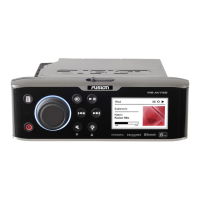
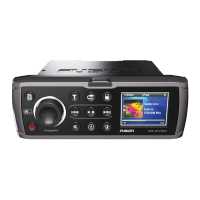
700 Series Manual
MARINE ENTERTAINMENT SYSTEM
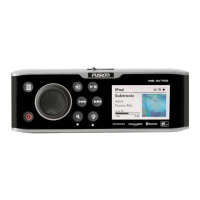
MS-IP700i
True Marine Entertainment System for iPod
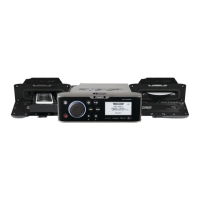
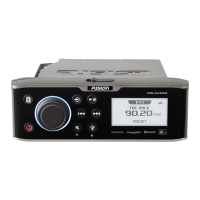
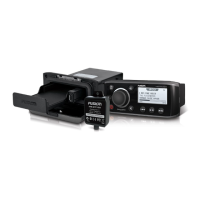
MS-AV700i
True Marine DVD Entertainment System

Other manuals for Fusion MS-AV700i

Questions and Answers

  • J
    Javier ReevesSep 9, 2025
    What to do if my Fusion Marine Audio SiriusXM says ‘Channel xx Unsubscribed’?
    • D
      David DavidsonSep 9, 2025
      If you see the SiriusXM message ‘Channel xx Not Available’ or ‘Channel xx Unsubscribed’ on your Fusion Marine Audio, you should contact SiriusXM to update your subscription. You can do this online at www.siriusxm.com/subscriptions or by phone at 1-866-635-2349.
  • T
    Tracy FlynnSep 12, 2025
    What to do if my Fusion MS-AV700i Marine Audio SiriusXM says ‘Channel xx Not Available’?
    • J
      John WhiteSep 12, 2025
      If you see the SiriusXM message ‘Channel xx Not Available’ or ‘Channel xx Unsubscribed’ on your Fusion Marine Audio, you should contact SiriusXM to update your subscription. You can do this online at www.siriusxm.com/subscriptions or by phone at 1-866-635-2349.
  • A
    Alejandro MaldonadoSep 14, 2025
    What to do if SiriusXM screen is not displayed on my Fusion MS-AV700i?
    • S
      Sherry SloanSep 14, 2025
      If the tuner source button does not display the SiriusXM screen on your Fusion Marine Audio, ensure you have the MS700i Tuner region set to ‘USA’ by pressing Menu > Settings > Tuner region > and selecting ‘USA’. Also, ensure the source is enabled by selecting Settings > Sources > Accessory, then select the source to enable SiriusXM. Finally, ensure the SiriusXM module is plugged into the MS700i and that the pins in the SiriusXM plug are not damaged.
  • K
    Kristin LeeSep 16, 2025
    Why is my MTP device unresponsive with my Fusion Marine Audio?
    • J
      James TaylorSep 16, 2025
      If your MTP device becomes unresponsive when connected to your Fusion Marine Audio, it is recommended that folders contain no more than 300 files each. Exceeding this limitation may cause the phone to become unresponsive and the Fusion stereo to reset the USB link to the phone.

Summary

User Interface and Controls

Control Panel Layout

Overview of the unit's front panel and its controls.

Button Descriptions

Detailed explanation of each button's function on the unit.

Rotary Encoder and Menu Key Operations

Instructions for using the rotary encoder and menu key for navigation.

Getting Started

Powering On;Off and Input Sources

How to turn the unit on/off and select audio input sources.

Clock, Alarm, and Brightness Settings

Managing clock, alarm functions, and display brightness settings.

Tuner and Radio Operations

Listening to AM/FM/VHF/SiriusXM and using tuning methods.

Media Playback (iPod, MTP, Bluetooth, USB)

Connecting and controlling audio playback from various media devices.

Auxiliary Input

Connecting and listening to audio from auxiliary devices.

Installation and System Setup

Installation Guidelines and Wiring

Instructions for mounting the unit and connecting its electrical components.

Zone Configuration

Setting up audio zones, internal amplifiers, and linking zones.

Preparing and Connecting Media Devices

Guidelines for connecting iPod, MTP, and USB devices to the unit.

Bluetooth and SiriusXM Source Enablement

Enabling Bluetooth and SiriusXM sources and related configuration.

Advanced Settings and Customization

Adjusting sub filter, language, power save, tel mute, and IP settings.

IP Settings and Factory Reset

Configuring network IP addresses and restoring default system settings.

Appendices

Troubleshooting Common Issues

Solutions for problems encountered with the unit's operation.

Technical Specifications

Detailed technical data including voltage, power output, and frequency ranges.

Support and Contact Information

Contact details for sales, service, and technical support.

Fusion MS-AV700i Specifications

General IconGeneral
Power Output50W x 4
BluetoothYes
Radio TunerAM/FM
Dimensions7.1" x 6.5" x 2.4"
SiriusXM-ReadyYes
DVD PlayerNo
iPod/iPhone CompatibilityYes
USB InputYes
Preamp Outputs3 pairs
Subwoofer OutputYes
Peak Power Output200W
Auxiliary InputYes
Waterproof RatingIPx6
DisplayYes

Related product manuals