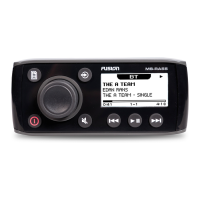
What to do if Fusion Marine Equipment stereo does not respond to key presses?
- JjamescharlesJul 26, 2025
If your Fusion Marine Equipment stereo is unresponsive to key presses, try resetting it. Press and hold the power button.
What to do if Fusion Marine Equipment stereo does not respond to key presses?
If your Fusion Marine Equipment stereo is unresponsive to key presses, try resetting it. Press and hold the power button.
Covers basic stereo controls, text input, display adjustments, and screen layout.
Guides on connecting USB devices, auxiliary inputs, and adjusting auxiliary gain.
Explains volume, tone adjustments, speaker zone setup, linking, and subwoofer filter.
Using FUSION-Link app and controlling music playback from USB and smart devices.
Covers pairing, connecting, playing audio via Bluetooth, and range considerations.
Covers basic stereo controls, text input, display adjustments, and screen layout.
Guides on connecting USB devices, auxiliary inputs, and adjusting auxiliary gain.
Explains volume, tone adjustments, speaker zone setup, linking, and subwoofer filter.
Using FUSION-Link app and controlling music playback from USB and smart devices.
Covers pairing, connecting, playing audio via Bluetooth, and range considerations.
| Display | 2.3" LCD |
|---|---|
| Bluetooth | Yes |
| AM/FM Radio | Yes |
| USB | Yes |
| Auxiliary Input | Yes |
| NMEA 2000 | Yes |
| Water Resistance | IPX7 |
| Peak Power | 200W |
| Audio Zones | 2 |
| Speaker Impedance | 4 Ohms |
| Frequency Response | 20Hz - 20kHz |
| Waterproof Rating | IPX7 |
| Amplifier | Class D |
| Power Output | 50W x 4 |