7)2).'#/..%#4)/.3
$%4!#().'&2/.40!.%,
2%!44!#().'&2/.40!.%,
2%-/6).'4(%5.)4
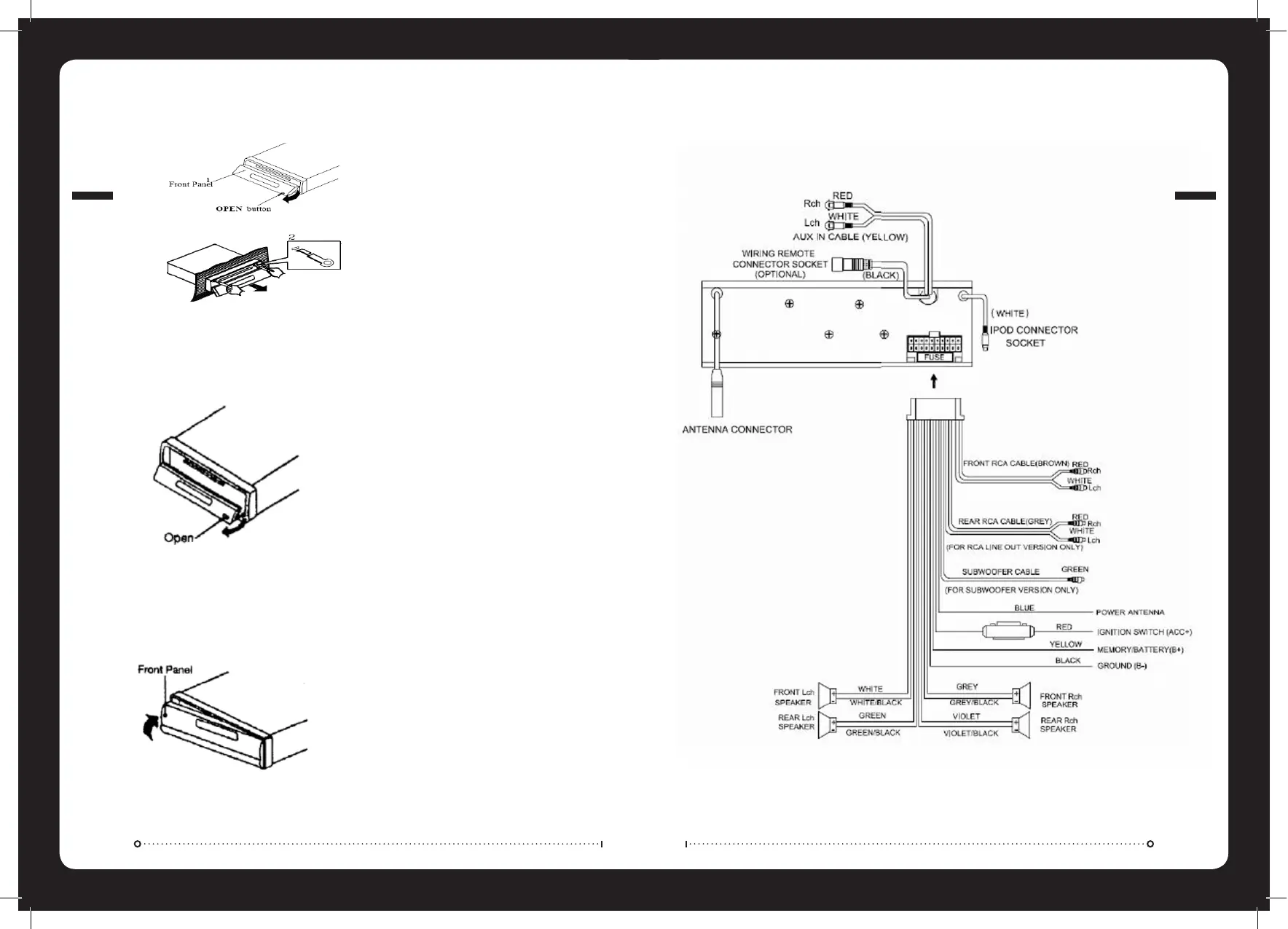
1. To detach the front panel press the open button
2. Then press the release button on the front underside edge and slide the face toward you.
3. A protective case is supplied to store your removeable front panel in.
1. Press the open button on the face plate
2. Insert the supplied keys into the grooves in the housing until they click (as shown)
3. Pull the levers towards you and slowly remove the unit from the cage.
1. If the panel bracket is in the open position slide the panel back on into position.
2. If the panel bracket is in the upright position clip one end in firstly and then clip the other end in and the
panel will lock in place.
WIRING CONNECTIONS
REMOVING THE UNIT


 To Next Page