Beforeuse
25
ٔ ٕ
ٔ ٕ
ŮƈƜƖŃůƒƆƎŃŧƌƖƓƏƄƜ
ŶƗƌƆƎŃƆƒƑƗƕƒƏ
<DZLQJD[LV
3LWFKLQJD[LV
(OHYDWRU6WLFN
$LOHURQVWLFN
7KURWWOHVWLFN
(QJLQHPRWRU
3RZHU
5XGGHUVWLFN
5ROOD[LV
ŮƈƜƖŃůƒƆƎŃ
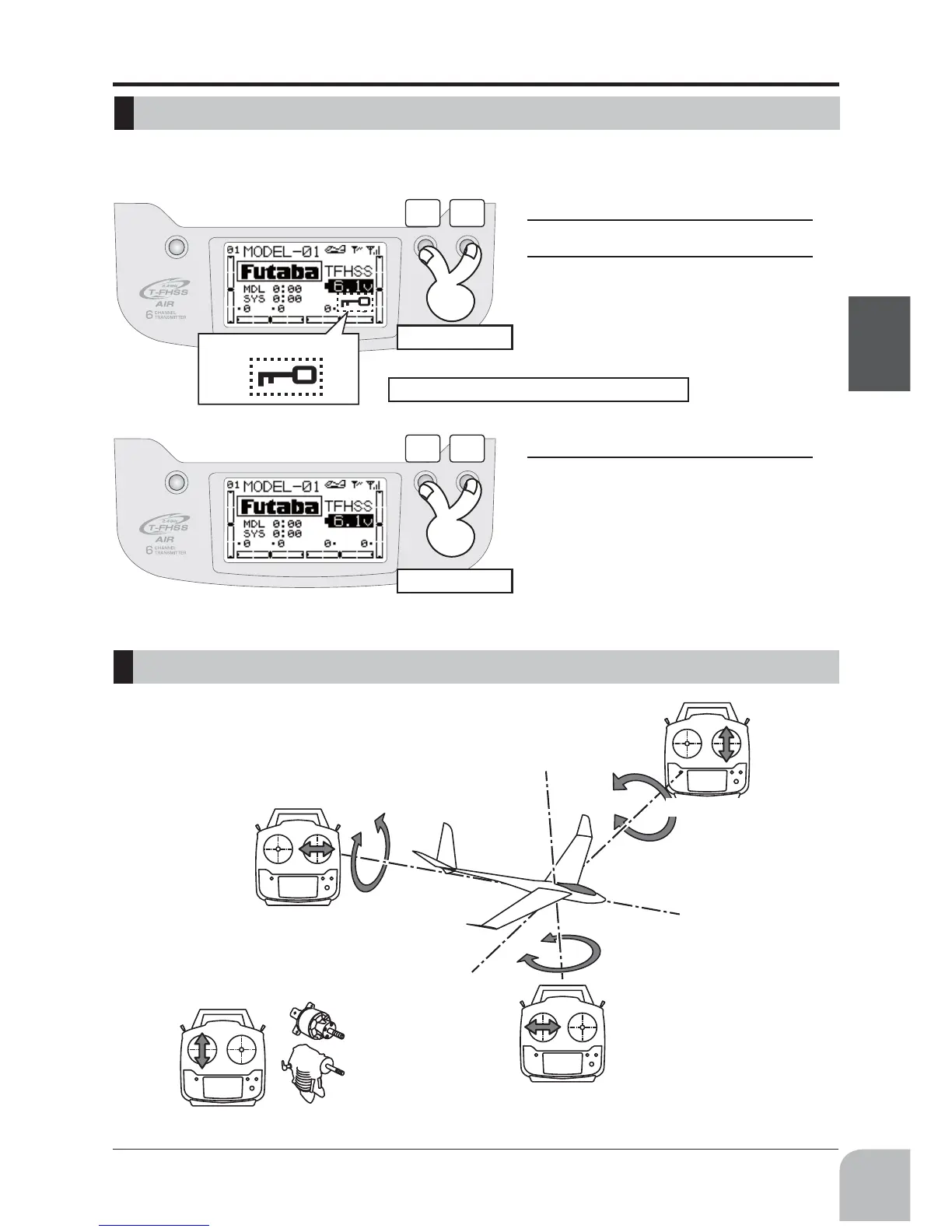
function which makes are keys impossible temporarily.
1
The home screen is displayed.
2
Press the
+
key and
−
key
simul-
taneously for about 1 second. "Key
mark" is displayed and the keys dis-
abled.
1
Press the
+
key and
−
key
simul-
taneously for about 1 second in the
touch sensor locked state. The keys
enabled again.
Press1second
Lock:Jogkey,+ key,− key,ENDkey
Press1second
*ExampleStickMode2



 To Next Page