Beforeuse
29
ŧƌƊƌƗƄƏŃŷƕƌƐƖŃŷŔŐŷŗ
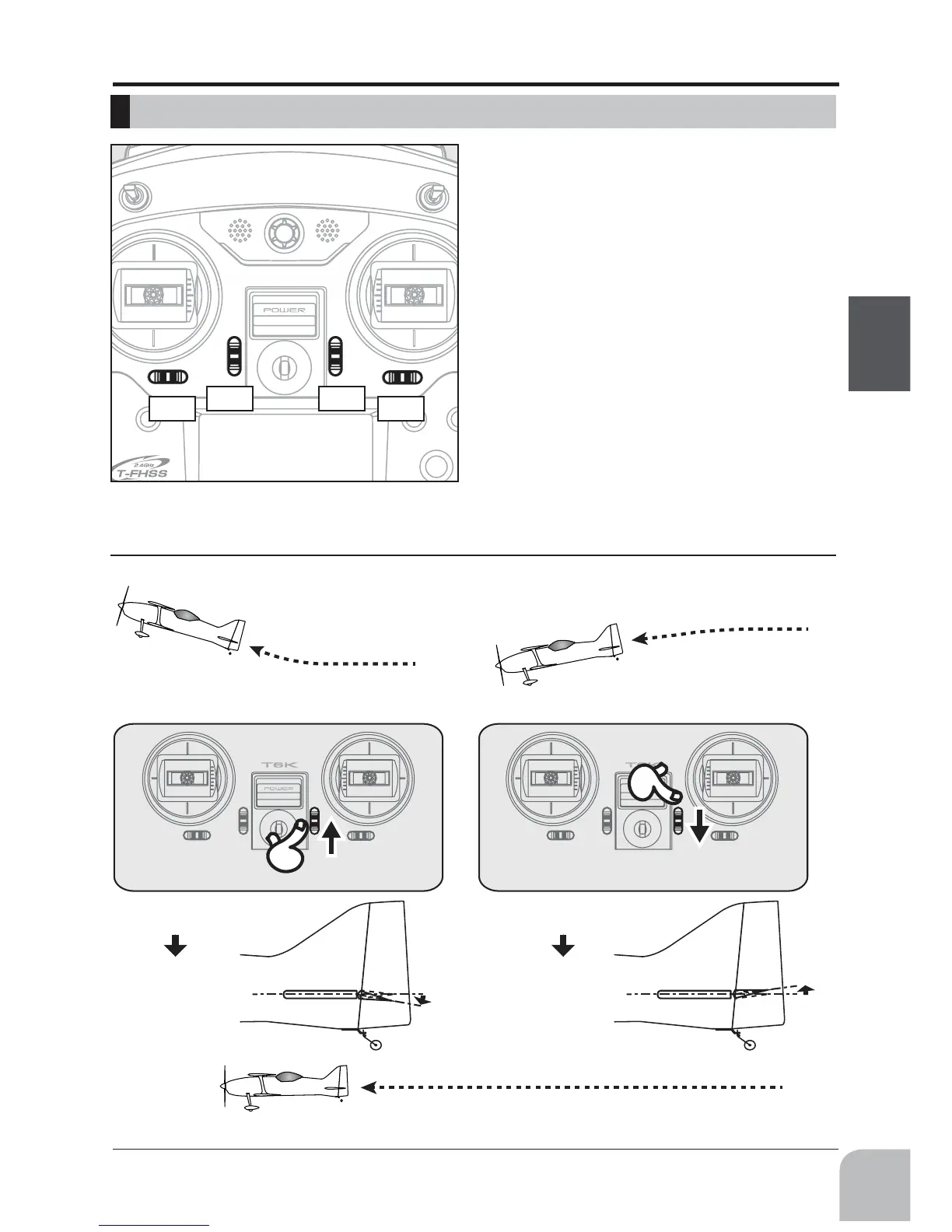
T1T4
T3 T2
Elevatorneutral
Down
◆Whenanairplanenoseupthoughan
elevatorstickisneutral.
◆Whenanairplanenosedownthough
anelevatorstickisneutral.
◆It'sadjustedsothatitmayflylevelly.
◆Elevatortrimtodown
Elevatorneutral
Up
◆Elevatortrimtoup
This transmitter is equipped with 4 digital trims.
change. You can always monitor trim positions by
referencing the LCD screen.
*You can select the trim step amount and the display unit
on the home screen on the T1-T4 setting screen within the
linkage menu.
Note: The trim positions you have set will be stored in the
non-volatile memory and will remain there.
*ExampleStickMode2



 To Next Page