OPERATION
Handset / Speakerphone
You can use either the HANDSET or SPEAKERPHONE mode during a
conversation. During a call , one of the other can be used and they can be
interchanged at any time other than during dialing. The HANDSET is activated
when the HANDSET is lifted off its cradle .
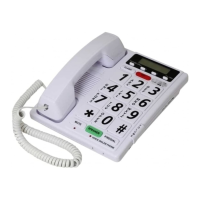
The SPEAKERPHONE is activated when you press the Speakerphone button
and the Green LED on the right top corner will then light.
At the end of the call, press the Speakerphone button again, green LED will
turn off.
To switch from the Speakerphone mode to the Handset mode, lift the handset .
To switch from the Handset mode to Speakerphone mode (without losing the
Call), press the Speakerphone button first before you place the Handset in the
cradle, and the Green LED will light.
Speakerphone Volume Control
When using the Speakerphone, adjust the loudness by pressing the Speaker-
Phone Volume control button which has 4 levels, press once for louder and so
on to the peak at the 4
th
step, push again will going back to normal (cycling)
KEY FEATURE
Last Number Redial / Pause
Your PHONE remembers the last number dialed. If the number you dial is busy or
not being answered, hang up. To redial the last number automatically, press the
REDIAL button. NOTE: You can redial the same telephone number as many times
as required. However, once you dial another number, the previous number is
erased. This key is also used as a pause key when programming this phone
on a PBX system.
Ringer OFF / LO / HI
Your phone provides a ringer adjustment of High, Low or Off, when you don‘t want
to be disturbed, slide the switch to the off position. Now you can still make a
outgoing calls without being disturbed by incoming calls.
Handset Receiver Volume Control
On the front edge of your telephone you will find a slide volume control. This
control may be used to adjust the volume of received speech. With the control set
towards the right hand side of the phone, the received volume will be at its
maximum. With the control set to the left side, it will be at its minimum.
MEMORY FEATURE
To Program
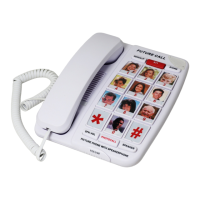
Your PHONE is equipped with 911 memory key and ten 2 touch memory keys for
programming your most frequently dialed telephone numbers. You can store up to
16 digits in the priority key button or in each of the numeric key button (0 through
9), by following the steps outlined below:


 To Next Page