51837540X18NXS_V_1_1.DOC
25/54
Caution: At the last fixture, the DMX-cable has to be terminated with a terminator. Solder a 120
Ω
resistor
between Signal (–) and Signal (+) into a 3-pin XLR-plug and plug it in the DMX-output of the last fixture.
Connection with the mains
Connect the device to the mains with the enclosed power supply cable.
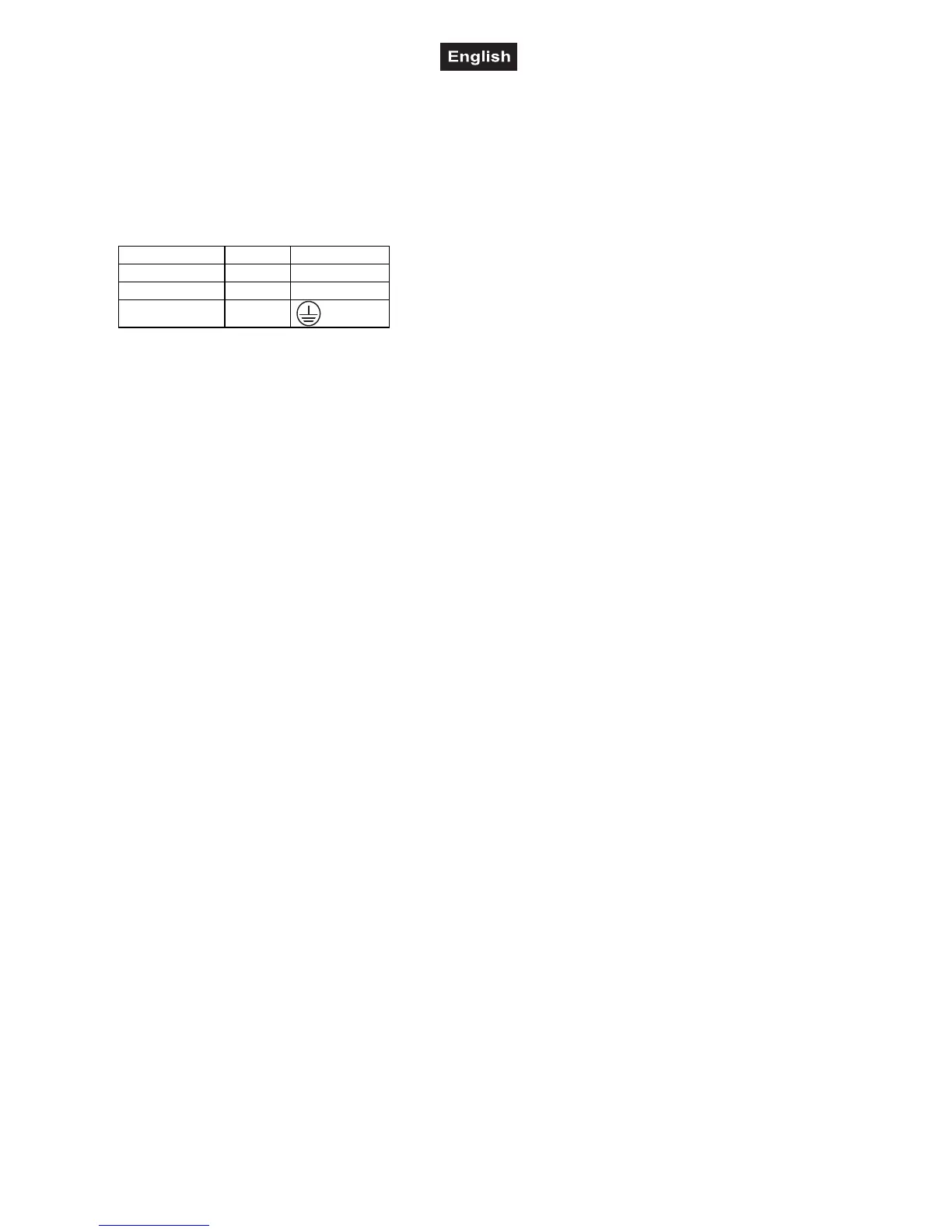
The occupation of the connection-cables is as follows:
Cable Pin International
Brown Live L
Blue Neutral N
Yellow/Green Earth
The earth has to be connected!
If the device will be directly connected with the local power supply network, a disconnection switch with a
minimum opening of 3 mm at every pole has to be included in the permanent electrical installation.
Lighting effects must not be connected to dimming-packs.
OPERATION
After you connected the effect to the mains, the CF-200 starts running. During the Reset, the motors are
trimmed and the device is ready for use afterwards.
Stand Alone operation
In the Stand Alone mode, the CF-200 can be used without controller. You can do without a controller as the
CF-200 features a built-in microphone, which provides automatic sound control.
Disconnect the CF-200 from the controller and select "Master Mode: Sound-control".
If you have connected a footswitch to the Blackout-socket, you can lock the light output (Blackout-mode) and
turn it on again.
Master/Slave-operation
Connect the master and slave-devices and adjust the settings as desribed above.
DMX-controlled operation
You can control the projectors individually via your DMX-controller. Every DMX-channel has a different
occupation with different features. In order to call up the different features, you first have to open the light
output (control channel 4, DMX-value 251-255).
Addressing
The Control Board allows you to assign the DMX fixture address, which is defined as the first channel from
which the CF-200 will respond to the controller.
If you set, for example, the address to channel 5, the CF-200 will use the channel 5 to 8 for control.
Please, be sure that you don’t have any overlapping channels in order to control each CF-200 correctly and
independently from any other fixture on the DMX data link.
If two, three or more CF-200 are addressed similarly, they will work similarly.
For address setting, press the Mode-button until the display shows "d" and set the desired address via the
Up/Down-buttons.
Controlling:
After having addressed all CF-200, you may now start operating these via your lighting controller.



 To Next Page