42
Channel 15 - Shutter, Strobe
0 - 31 Shutter closed
32 - 63 No function (Shutter open)
64 - 95 Strobe-effect from slow to fast (max. 10 flashes/second)
96 - 127 No function (Shutter open)
128 - 159 Pulse-effect in sequences
160 - 191 No function (Shutter open)
192 - 223 Random strobe-effect from slow to fast
224 - 255 No function (Shutter open)
Channel 16 - Dimmer intensity
0 - 255 Gradual adjustment of the dimmer intensity from 0 to 100 %
Function of the control channels - 8 bit protocol:
DMX
Channel
1 2 3 4 5 6 7 8 9 10 11 12 13 14
Function PAN TILT PAN/TILT
SPEED
FAN
ON/OFF
LAMP
COLOUR
WHEEL 1
COLOUR
WHEEL 2
PRISM
WHEEL
STATIC
GOBOS
ROTATING
GOBOS
GOBO
ROTATION
IRIS FOCUS STROBE DIMMER
Addressing
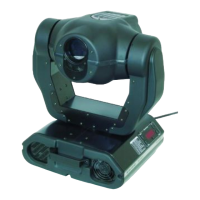
The Control Board on the top side of the MH-860 allows you to assign the DMX fixture address, which is
defined as the first channel from which the MH-860 will respond to the controller.
If you set, for example, the address to channel 5, the MH-860 will use the channel 5 to 20 for control.
Please, be sure that you don’t have any overlapping channels in order to control each MH-860 correctly and
independently from any other fixture on the DMX data link.
If two, three or more MH-860 are addressed similarly, they will work similarly.
For address setting follow this procedure:
1.
Switch on the MH-860 and wait until the fixture reset has finished (
"rSt"
is flashing at the display).
2.
Press the
[Mode]
key in order to access the main menu. Browse through the menu by pressing the [Up]
and [Down] keys until the display shows
"A001"
. Confirm by pressing
[Enter]
key and the letter
"A"
will
flash.
3.
Use the [Up] and [Down] keys to select the desired address.
4.
Confirm by pressing
[Enter]
or
[Mode]
to cancel.
Controlling:
After having addressed all MH-860 , you may now start operating these via your lighting controller.
Note:
After switching on, the MH-860 will automatically detect whether DMX 512 data is received or not. If there is
no data received at the DMX-input, the display will start to flash
"A001"
with actually set address.
This situation can occurr if:
- the 3 PIN XLR plug (cable with DMX signal from controller) is not connected with the input of the MH-860
- the controller is switched off or defective, if the cable or connector is defective or the signal wires are swap
in the input connector.
Note:
It’s necessary to insert the XLR termination plug (with 120 Ohm) in the last lighting in the link in order to
ensure proper transmission on the DMX data link.


 To Next Page