Printer Cleaning Guide
(GEN2™ and GEN2 Universal™ Printers)
2010 FutureLogic, Incorporated. All Rights Reserved. PUBN Page 3 of 10 08/19/2010
MNL-000054 REV.X01
Manual Cleaning (Print Head, Platen Roller, Presenter Roller)
Use these procedures for manual cleaning. Otherwise, if the printer is still, for example, in a
game and powered, and you have a cleaning card, use the procedures in Alternative Cleaning
Ca
rd Method on page 4.
!!WAR
NING!! You must pull open the
Platen Release Lever before cleaning
the Print Head and Platen Roller.
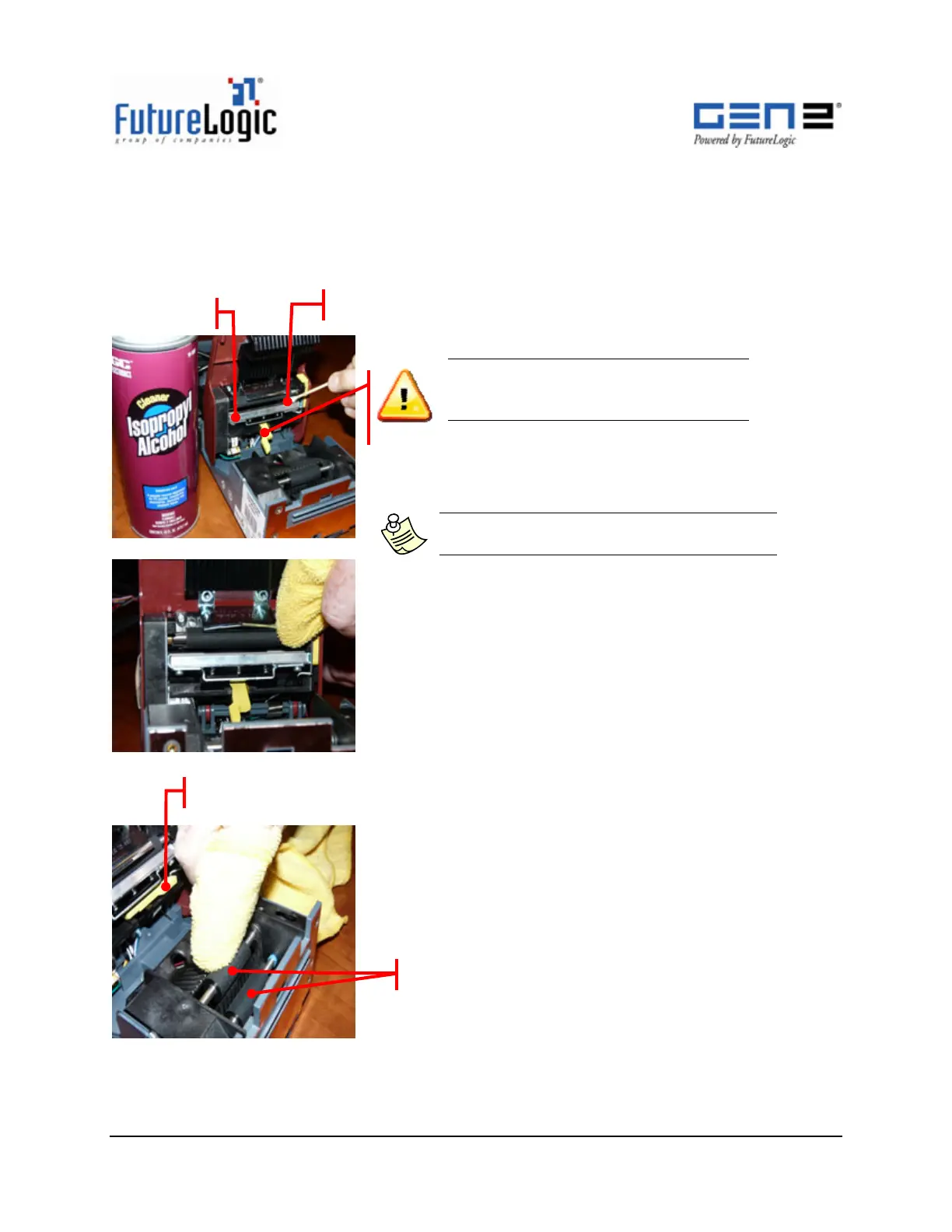
1. Use a 99% I.P.A., dampen, clean Cotton Swab to
clean across the Print Head.
Note: Only use a clean Cotton Swab on the
Print Head. Do not use a cleaning cloth.
2. Dampen a lint-free Cleaning Cloth with 99% I.P.A.
3. Wipe the exposed Platen Roller with the Cleaning Cloth.
4. Rotate the Platen Roller and repeat step 3 until the
entire roller is clean.
5. Push the Platen Release Lever back into position.
6. Dampen a lint-free Cleaning Cloth with 99% I.P.A.
7. Wipe the Presenter Rollers with the Cleaning Cloth.
8. Rotate the Presenter Rollers and repeat step 7 until
both rollers are clean.
Print Head
Cotton Swab
Push Platen Release Leve
Presenter Rollers



 To Next Page