Printer Cleaning Guide
(GEN2™ and GEN2 Universal™ Printers)
2010 FutureLogic, Incorporated. All Rights Reserved. PUBN Page 6 of 10 08/19/2010
MNL-000054 REV.X01
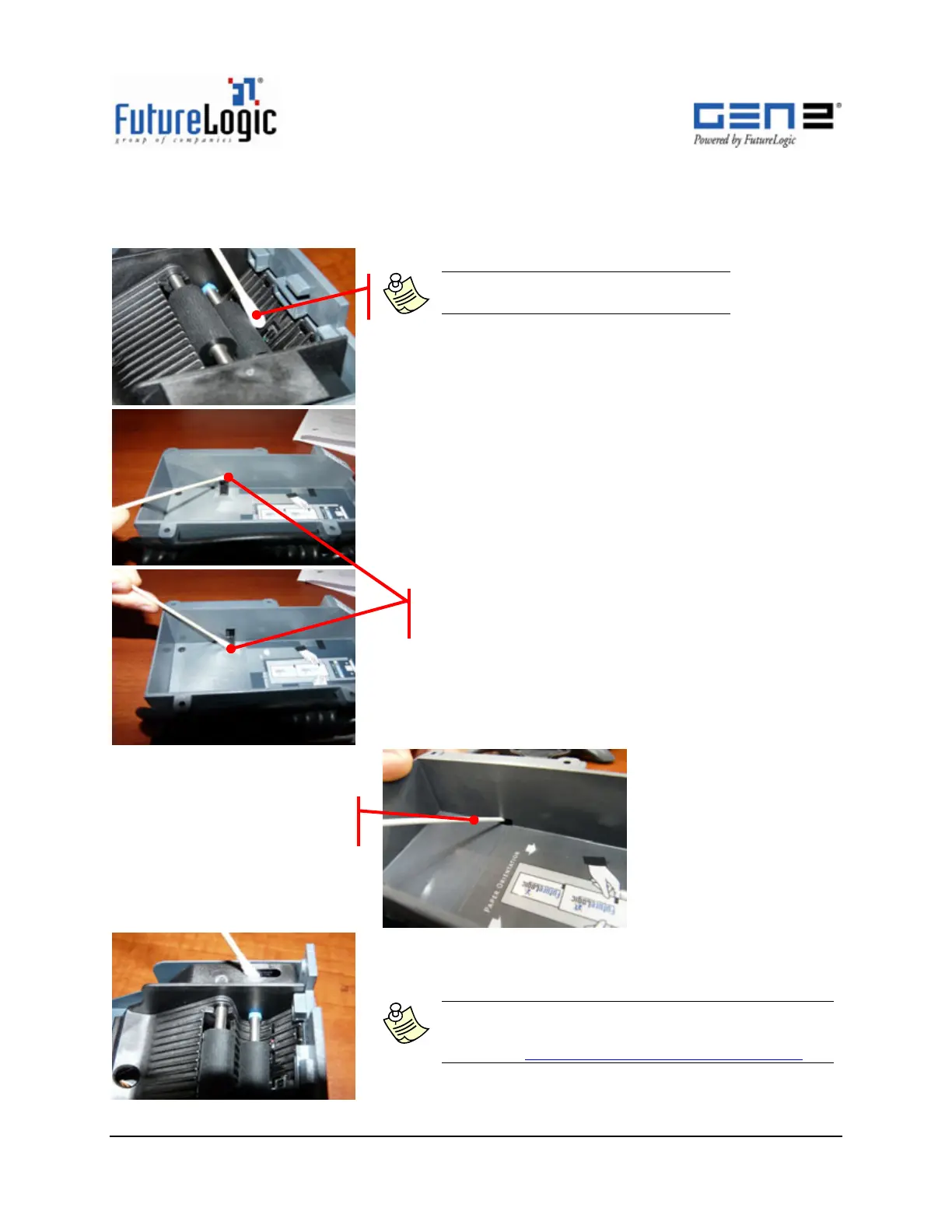
Sensor Cleaning (Ticket Taken, Lid Open, Paper Low)
Use these procedures to clean the printer sensors.
Note: Only use a 99% I.P.A., dampen,
clean Cotton Swab on the Sensors.
1. Clean the Ticket Taken Sensor.
2. (For New style Paper Low Sensor) Clean the
upper and lower portions.
3. Clean the Printer Open Sensor.
Note: Allow all cleaned areas to dry prior to
operation. If faults still persist, contact technical
support at SlotTechSupport@futurelogicinc.com
(Old Style Paper Low Sensor)
Use Compressed Air
(New Style Paper Low Sensor)
Upper and Lower Portions



 To Next Page