Printer Cleaning Guide
(GEN2™ and GEN2 Universal™ Printers)
2010 FutureLogic, Incorporated. All Rights Reserved. PUBN Page 5 of 10 08/19/2010
MNL-000054 REV.X01
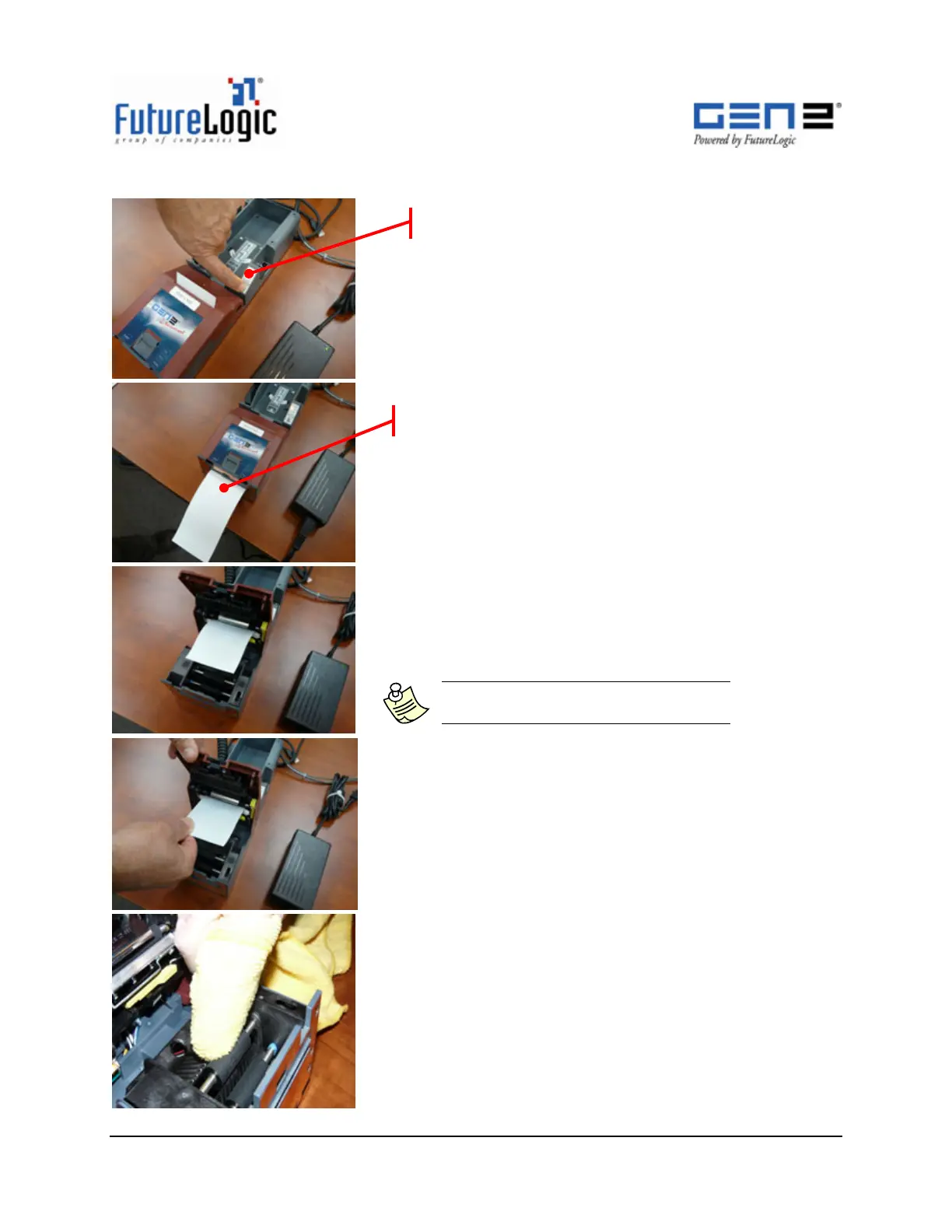
4. Press the FEED button on the keypad.
5. Remove the cleaning card.
6. If cleaning card does not exit, open the lid.
Note: Some Cleaning Cards may not
feed through the Presenter Rollers.
7. Manually pull out the Cleaning Card.
8. Dampen a lint-free Cleaning Cloth with 99% I.P.A.
9. Wipe the Presenter Rollers with the Cleaning Cloth.
10. Rotate the Presenter Rollers and repeat step 9 until
both rollers are clean.
The Cleanin
Card advances to this
osition.
Ke
ad



 To Next Page