10
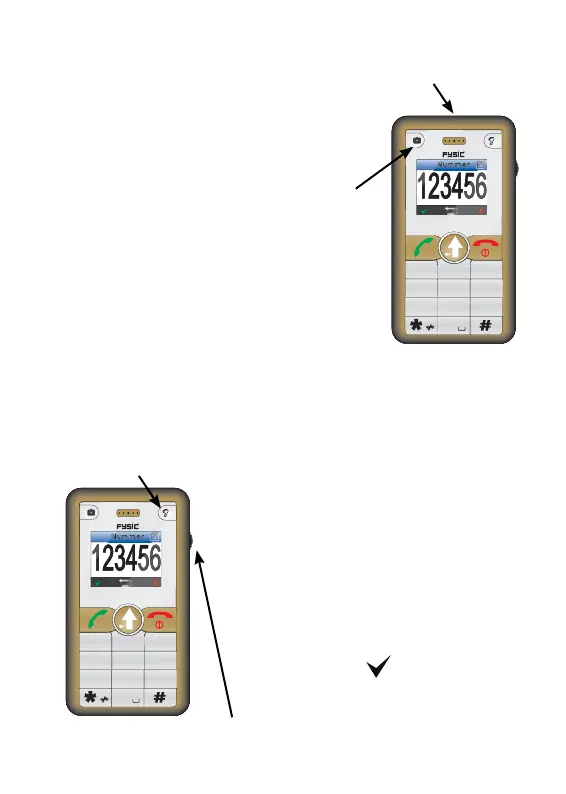
6 FLASHLIGHT
6.1 Introduction:
The FM-8800 has a helpful
fl ashlight to help light dark rooms
when needed.
6.2 Turn on or off:
Press and hold the
camera key for over 1
second to switch the light
on or off.
7 RADIO
1. plug in an earphone
2. press the radio/amplifi er-key
shortly, the radio function will
be activated and can be
listened to through the
earphones.
3. Use the wheel to change the
radio channel
Please view chapter 10.9.
4. Press the
key twice to
deactivate the radio function.
fl ashlight
hold over
1 second.
Num
1
2
3
7
56
4
89
0
ABC
DEF
GHI
JKL MNO
PQRS
TUV
WXYZ
shortly press
change channel
Num
1
2
3
7
56
4
89
0
ABC
DEF
GHI
JKL MNO
PQRS
TUV
WXYZ



 To Next Page