4
2. PREPARATION & INSTALLATION
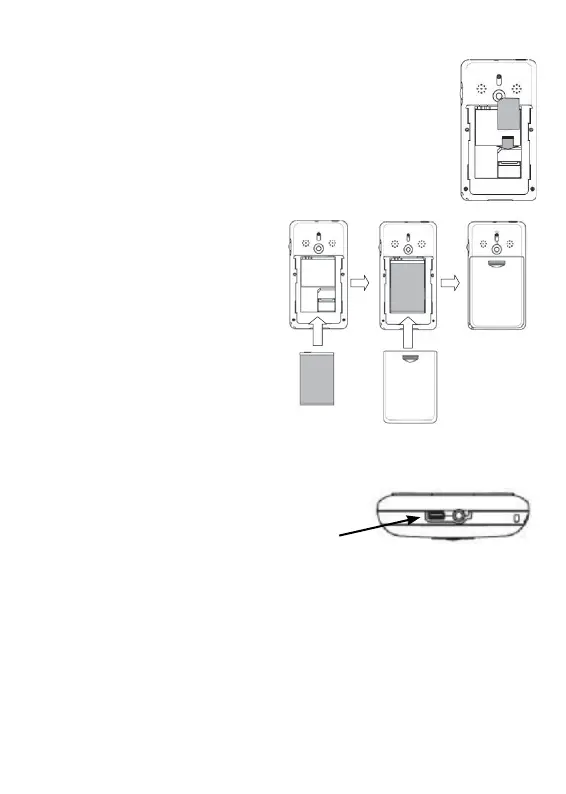
2.1 Placing the SIM-card and battery:
a. Slide the battery cover down and remove
it from the phone.
b. Place the SIM card; attention: the SIM
card only fi ts inside the socket when
angled correctly. Do not force the card
into place
c. place the battery;
attention: the battery
only fi ts inside the
socket when angled
correctly. Do not
force the battery
into place
d. Slide the battery
cover back into place.
2.2 Charging:
a. Plug the charger connector
into the bottom of the phone
b. Plug the charger into the electrical outlet. Charge
the phone for at least 15 hours before use.



 To Next Page