SENSOR POSITIONING
CONNECTING YOUR FANS
• The best position for the sensor is the middle of the grow
room, just above the canopy.
PLEASE NOTE: We advise you have good air
circulation in your grow room, this will prevent hot
spots or high humidity zones. The sensor will be more
accurate if the air is moving inside the grow room,
therefore making the controller more accurate.
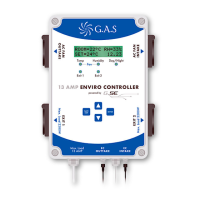
The 13 AMP Enviro Controller can be used with AC or EC Fans.
• To connect AC fans, simply plug the fan into the top
two plug sockets on the side of the controller.
AC FAN OUTTAKE connects to your outtake and
your intake connects to AC FAN INTAKE.
• To connect your EC fans, connect the EC signal
cable to the controller and to the signal cable on
your fans. EC INTAKE connects to your intake fan
and EC OUTTAKE to your outtake fan.
PLEASE NOTE: Never connect the mains power
lead from EC fans to the AC fan plug sockets.
Serious damage will occur to your EC fans.
DO NOT drop or hit the sensor.
KEEP AWAY from water and aerosols
ALL FANS will turn on when
the controller is plugged in/
switched on
CAUTION
CAUTION
3
G.A.S.
AC/EC
CONTROLLER
13 AMP ENVIRO CONTROLLER
EC
OUTTAKE
EC
INTAKE
Exit 1
Max. Load
13 AMP
Exit 2
Temp Humidity Day/Night
Fan
powered by
SAVE
EXIT
ENTER
EXIT 2
Max. Load 2200W
EXIT 1
Max. Load 2200W
AC FAN
INTAKE
AC FAN
OUTTAKE
13 AMP
enviro controller
Lighting
Sensor
Plants
Outtake fan
Intake fan


 To Next Page