5
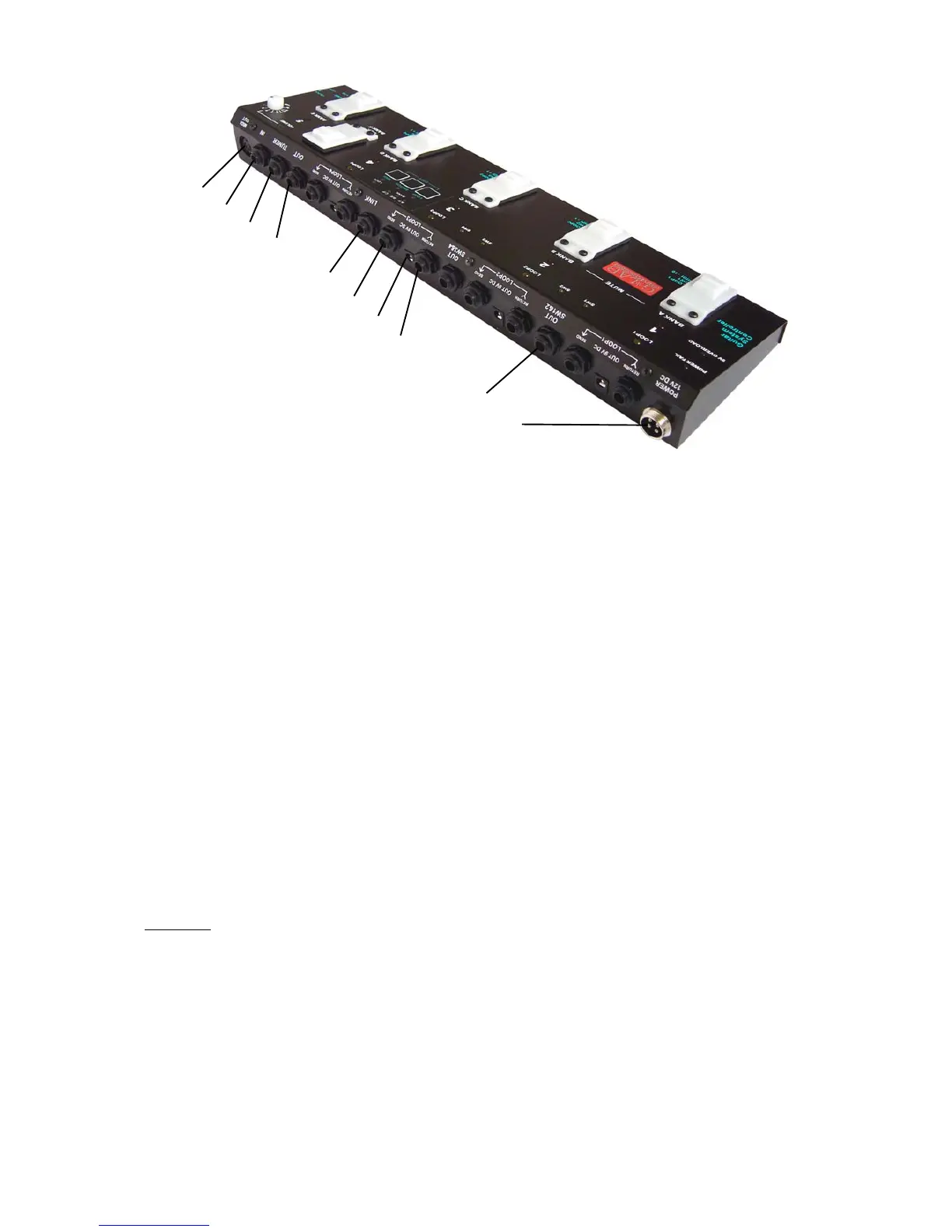
1 - MIDI OUT – MIDI output connector
2 - IN – guitar input connector
3 - TUNER – guitar tuner connector
4 - OUT – amp’s signal output connector
5 - LINK – the second GSC (to form a set) and/or the wah-pad connector
6 - SEND – effect’s loop output connector
7 - OUT 9V DC – effect’s power supply connector
8 - RETURN – effect’s loop input connector
9 - OUT SW1&2 – output connector for amp's switching by footswitch input
10 - POWER 12V DC – 12V power supply connector
Preset selection
Press shortly (less then 1 second) the preset footswitch numbered from 1 to 5 (the selected
preset’s indicator will be lit).
Bank selection
Press and keep (more then 1 second) the preset footswitch numbered from 1 to 5 or the DEF
footswitch (bank indicators: continuos lit means A, B or C bank enabled, blinking means D, E or F
bank enabled).
REMARK:
During switching banks adequate preset will be enabled for 1 second and later it will return to the
previously selected preset. It is recommended to program presets in banks in such a way that all
necessary presets used in a particular song will be located into just one bank or it is recommended
to use DEF footswitch for switching between latest used banks.
Silent tuning (MUTE)
Press at the same time preset footswitch No. 1 and No. 2 (all presets’ indicators will start to blink).
In case of using DEF footswitch as a silent tuning one (see: LOOP button settings) press DEF
footswitch.
To exit from MUTE press the preset footswitch intended to be used.
1
2
3
4
5
6
7
8
9
10


 To Next Page