28
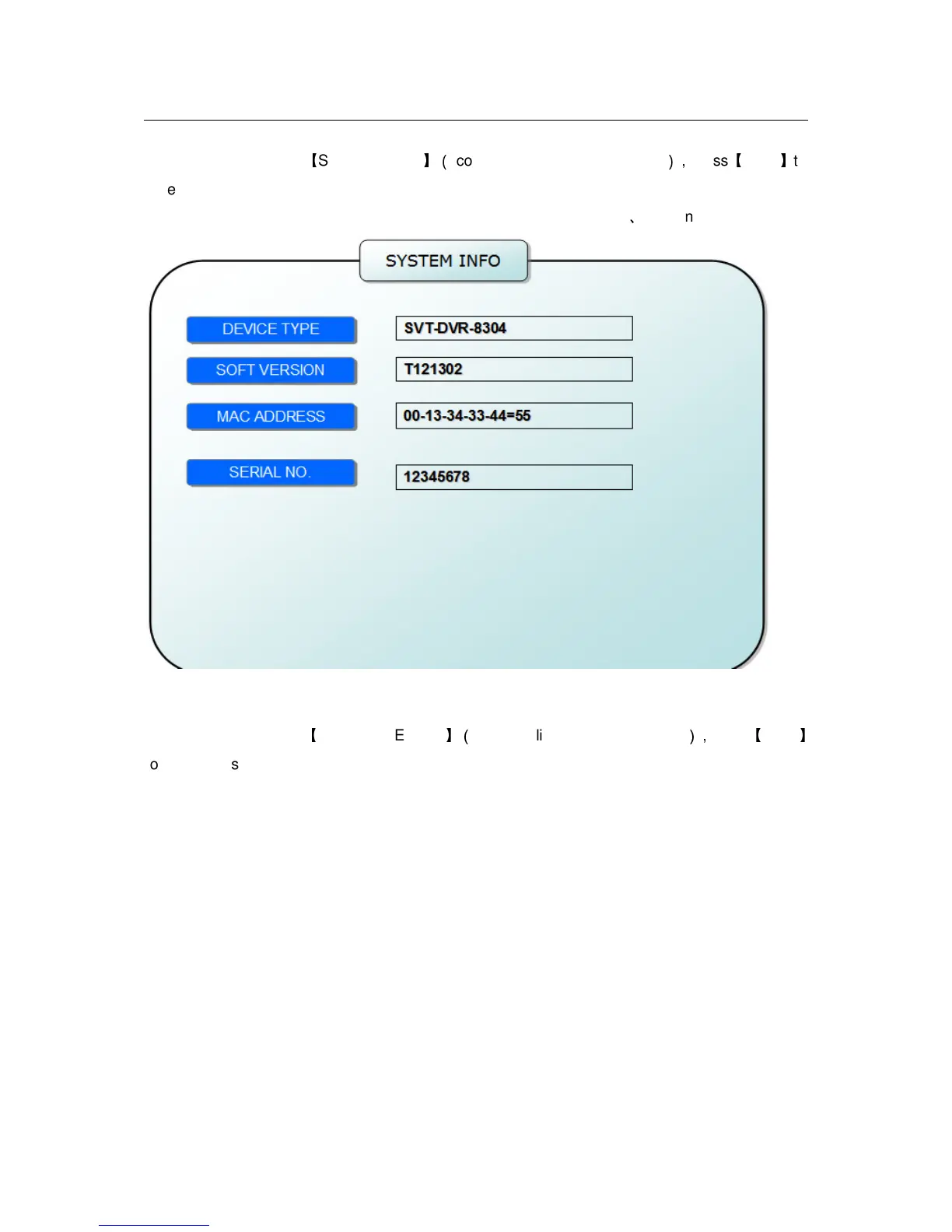
2.2.2.5.2 SYSTEM INFO
Move the cursor to
【
SYSTEM INFO
】(
Icon highlighted when selected
),
press
【
Enter
】
to
enter into setting interface, at this interface mainly display system hardware features and
firmware version, include : device type, software version, MAC address
、
serial number.
2.2.2.5.3 MOTION DETECT
Move the cursor to
【
MOTION DETECT
】(
Icon highlighted when selected
),
press
【
Enter
】
to enter into setting interface.


 To Next Page