29
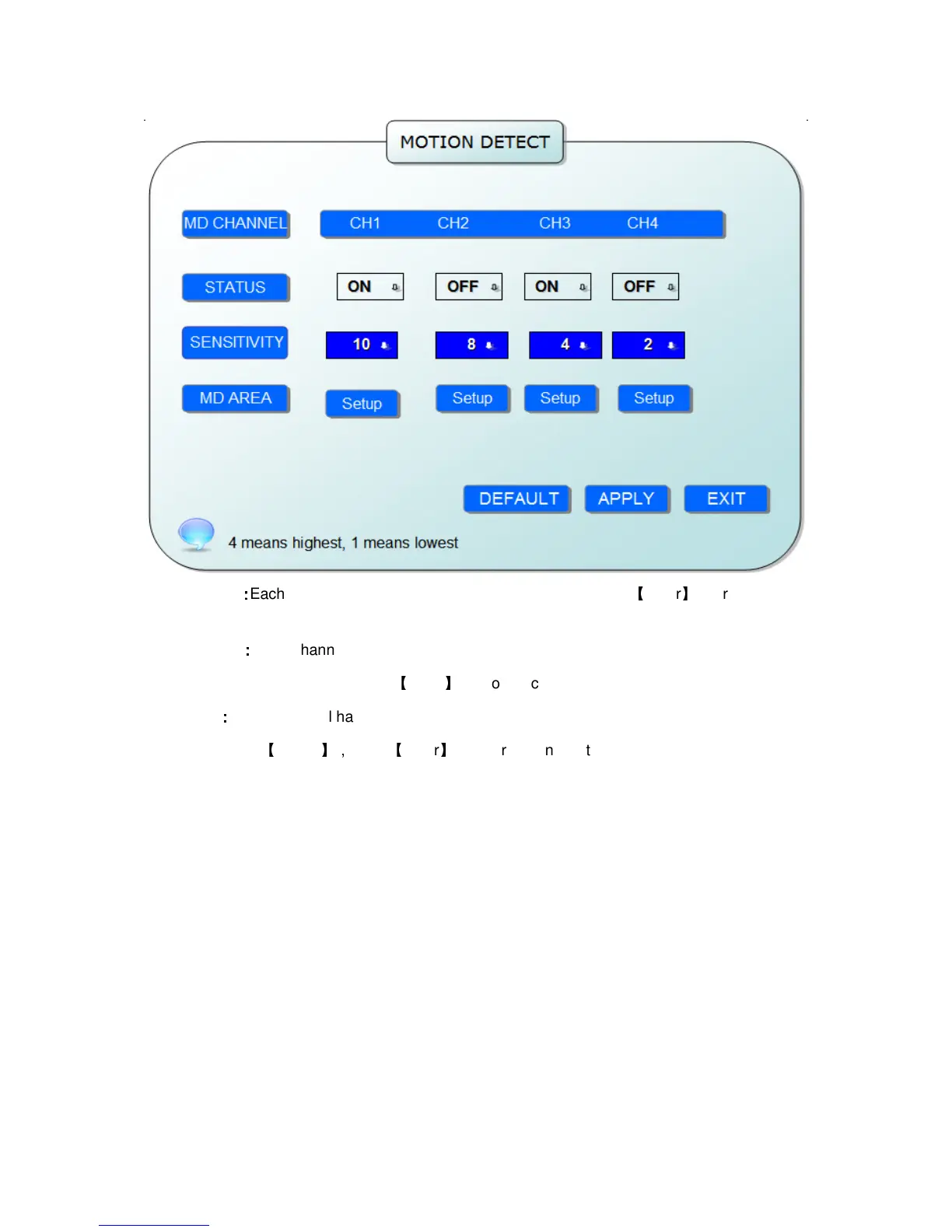
STATUS
:
::
:
Each channel has corresponding channel switch, press
【
Enter
】
to turn on or turn
off the motion detection for each channel..
SNESITIVITY
:
::
:
each channel has corresponding sensitivity setting,including four standards
high,higher,medium and low, press
【
Enter
】
key to switch
MD AREA
:
::
:
each channel has corresponding regional motion detecting setting,move the cursor
to corresponding
【
setting
】,
press
【
Enter
】
to enter regional setting interface, red area means it
have activated motion detection, transparent block means it have not activated motion detection.


 To Next Page