31
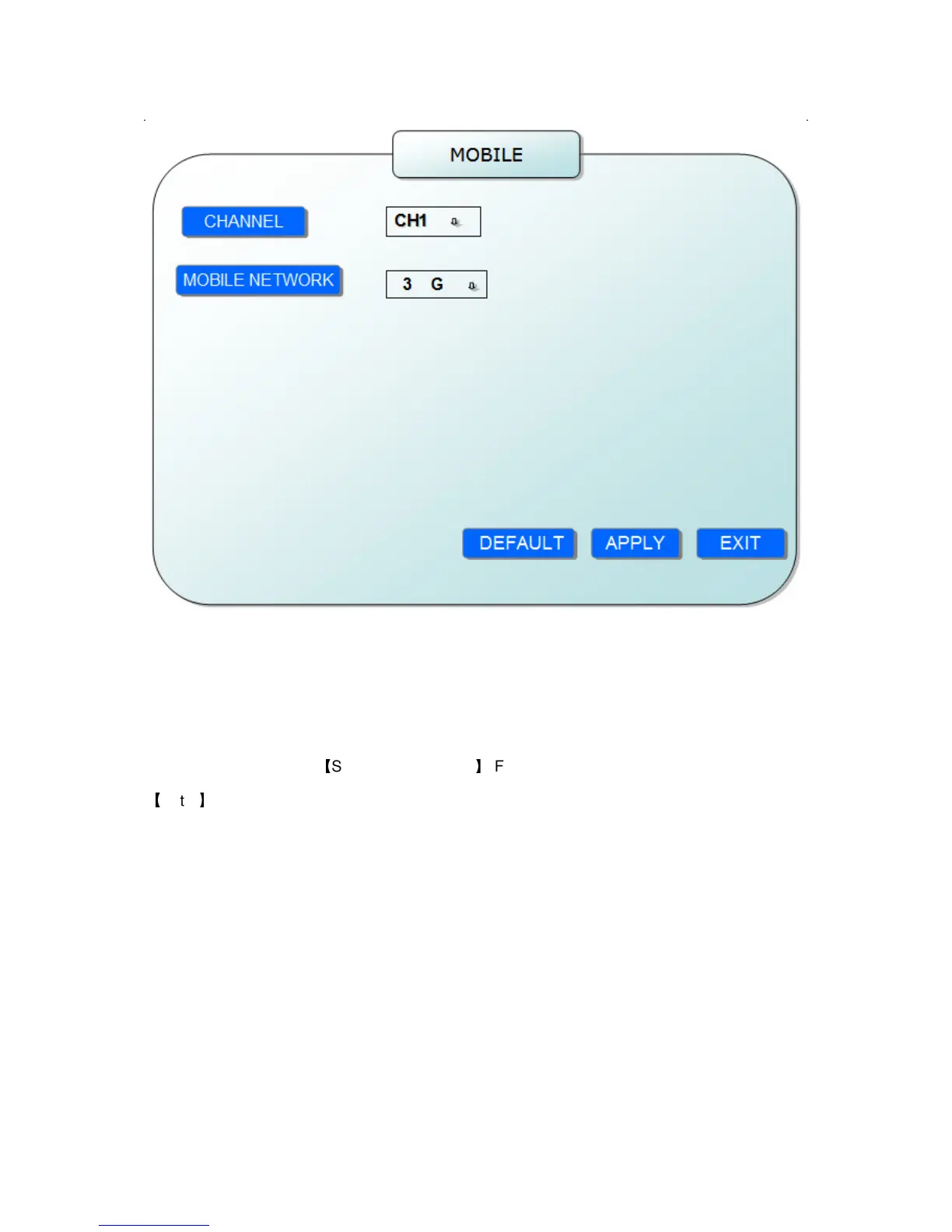
CHANNEL: select the channel for mobile view, and press [Enter] to switch different
channels.
MOBLE NETWORK: Select different mobile network from the options of 3G, 2.5G and
2.75G, and press [Enter] to switch different network.
2.2.2.5.5 SYSTEM MAINTAIN
Move the cursor to
【
SYSTEM MAINTAIN
】
(Frame turns red means selected), and press
【
Enter
】
to enter into system maintain setup interface.


 To Next Page