32
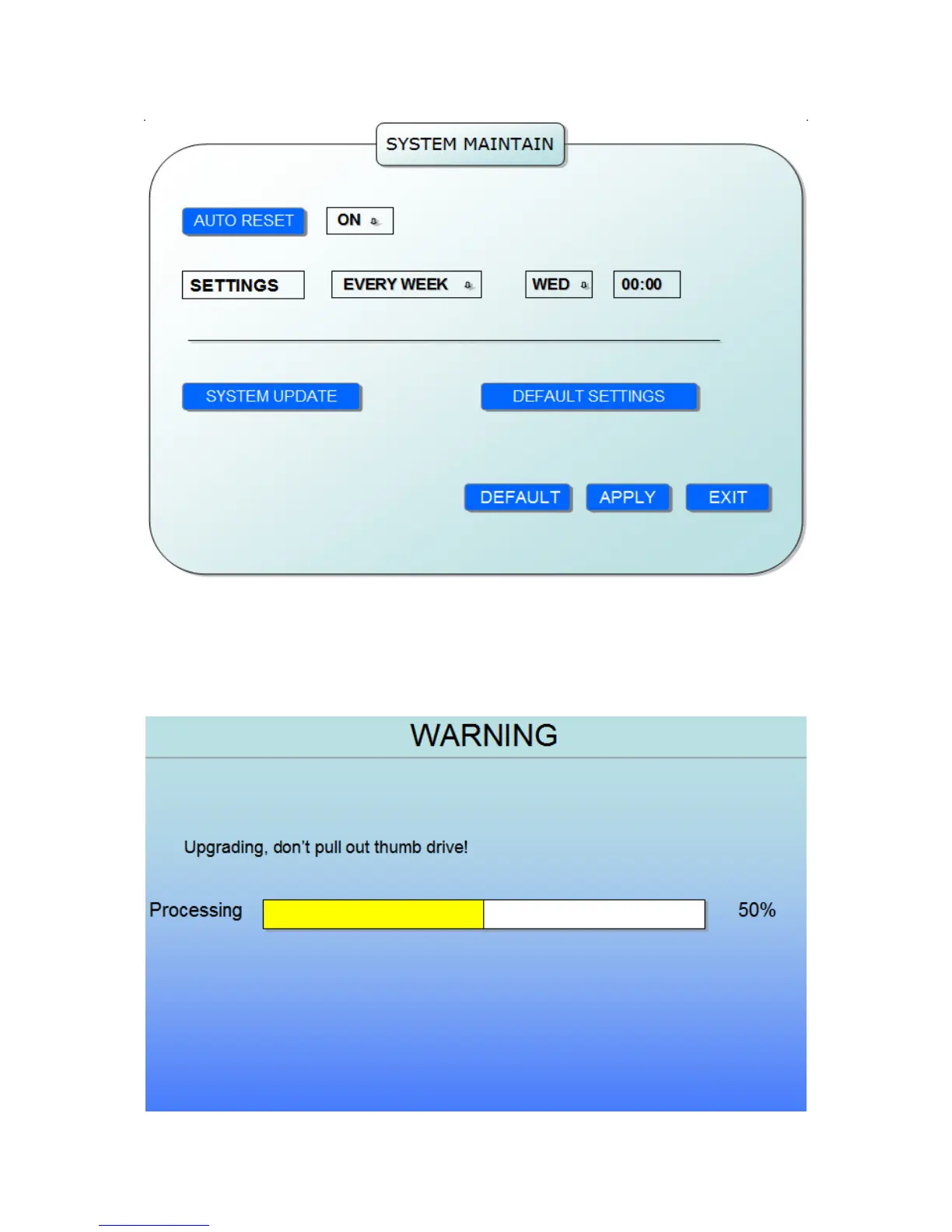
AUTO RESET: When switch is on, you can setup the time for device to restart.
SYSTEM UPDATE: Copy the update file to the root directory of the thumb driver, and insert
it into USB 1.0, then press [Enter] to upgrade the firmware, and it will display the process of the
system upgrading, as following:
DEFAULT SETTINGS: Restore all the settings as the factory setting.


 To Next Page