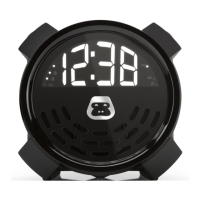
PORTABLE ALARM CLOCK
G-BUZZG-BUZZ
USB CHARGING PORT
G-BUZZ includes a USB port located on the back of the unit. This USB port
supports powering and supports charging mobile phones and other
compatible USB powered accessories when G-BUZZ is plugged with the
included AC adaptor. (USB cable sold separately).
POWER SAVE MODE
When in battery mode, G-BUZZ will automatically power down in 3 minutes
after pressing the POWER button. This is designed to extend the life of the
batteries while traveling or when an AC power source is not available.
• To exit Power Save Mode, press any button while the LED display is
illuminated and G-BUZZ will return to normal operation.
• With Power Save Mode On, the LED display only illuminates the current
time and will automatically power down after 3 minutes. Pressing the
POWER button once while in Power Save Mode will wake the G-BUZZ
and display the current time.
• With Power Save Mode Off, the LED display is illuminated at all times.


 To Next Page