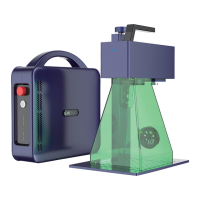
PORTABLE BUT INDUSTRIAL LASER MARKING MACHINE
17
V.Vector Graphics Processing Settings
Marking Settings
3
* Red Light Preview and Marking
Red(F1) : Mark the center point of the pattern to be marked, but do not emit laser
light. It is used to indicate the processing area and facilitate the user to locate the work-
piece. This function is used for marking machines with red indicator light. Press F1 on
the keyboard to execute this command.
Mark(F2): Start processing. Press F2 on the keyboard to run this command.
1
2
Ⅵ.Text Processing Settings
Text Parameter Settings
1
Click the text tool
Click the left mouse button on the canvas and "TEXT" appears.
Modify the text
Click apply
The text content entered is displayed in the canvas
4
7
3
5
8
2
6
1


 To Next Page