PORTABLE BUT INDUSTRIAL LASER MARKING MACHINE
27
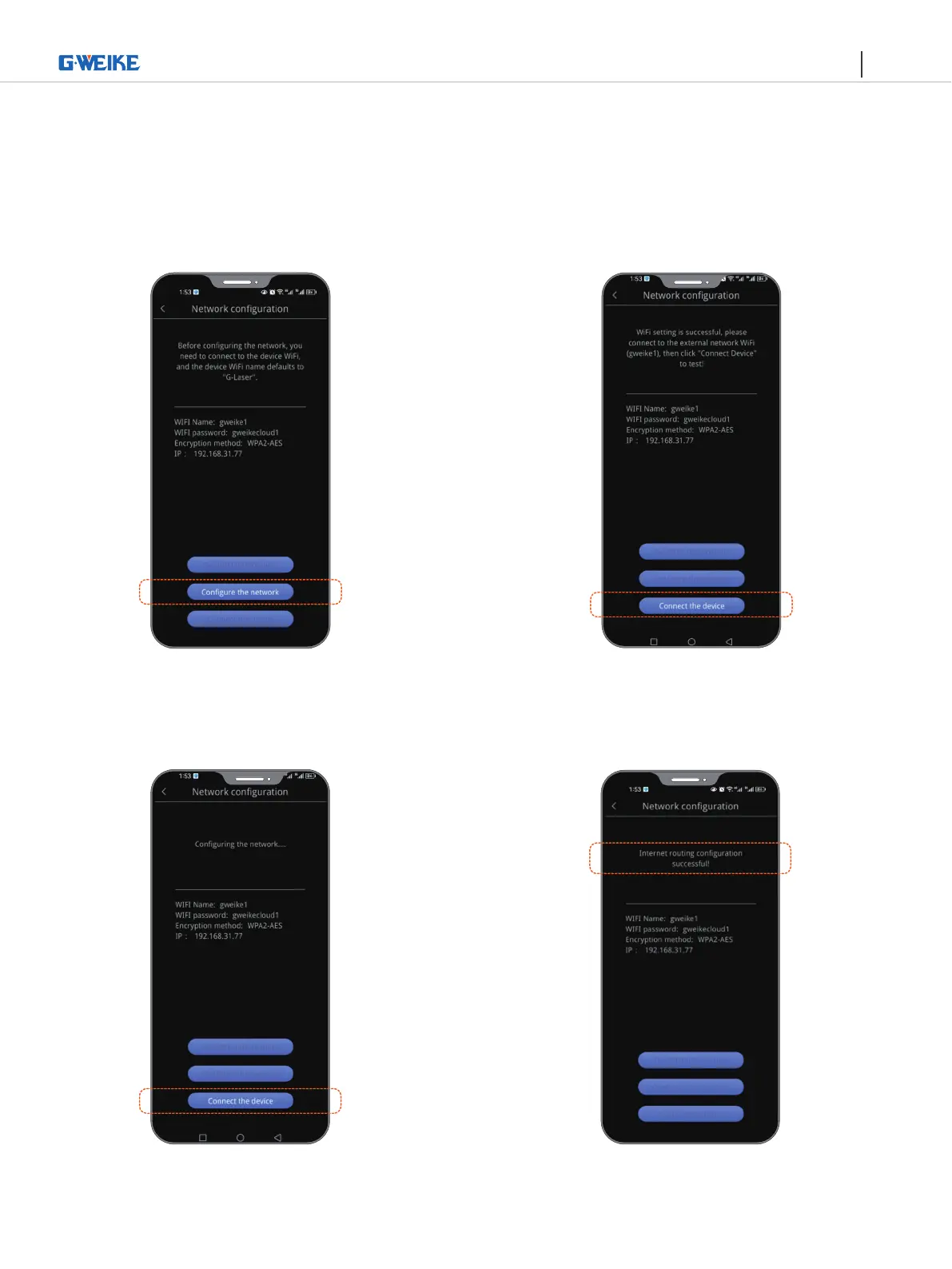
Before configuring the network, you need to
connect the WiFi of the device. The WiFi name
of the device is G-Laser.
WiFi setting is successful, please connect to the
external network WiFi (extranet WiFi information),
and then click "Connect device".
Configure the extranet router
Click connected device, the lights of
indicator is steady blue
Internet route configuration succeeded!


 To Next Page