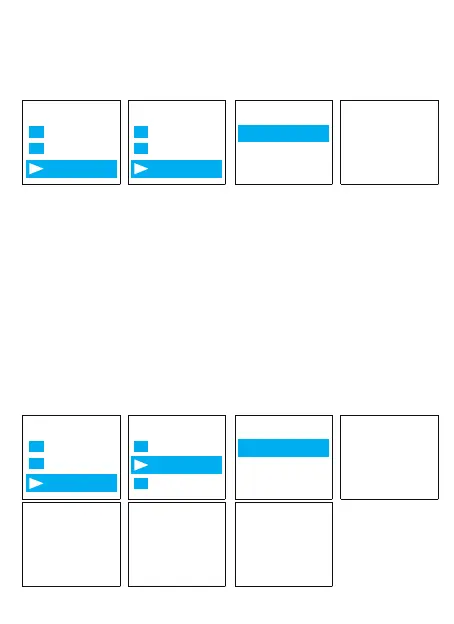
Find & select "Factory Settings"
Press M(menu), enter it, find & select “Yes”
Press PLAY button, confirm your selection, and it starts to restore to factory
settings. When it succeed, screen will show “restored!”
Here is the steps to format the recorder
Press Play (turn on device) -> hit M -> use Up/Down to System Settings ->
hit M
Find & select "Format Device"
Press M , enter it, find & select "Yes"
Press M , confirm your selection, and it starts to format
Screen will show “please wait”, after format completed, the device will
restore settings, and reboot.
Do not shut down the device, until this procedure completed
Format on the device directly
8) Format Device
Aftersale service: Gshop.Krista@gmail.com 18
Menu Options
System settin
Folder View
Record Se...
Factory setti
Information
Format de...
Delete file Restore
Restored!
No
Yes
Menu Options
System settin
Folder View
Record Se...
Factory s...
Information
Format Devic
Delete file For mat ?
Please wait...
Format finish, L87 No voice
Recordings
reset...
No
Yes



 To Next Page